
Integration Fulfillment - iSklad
iSklad is a fulfillment center located in Slovakia
You can find more information about the fulfillment center at the LINK
If you would like to transfer orders from MetaKocka to the iSklad fulfillment center, set up everything necessary for order synchronization under Additional settings, Fulfillment centers. 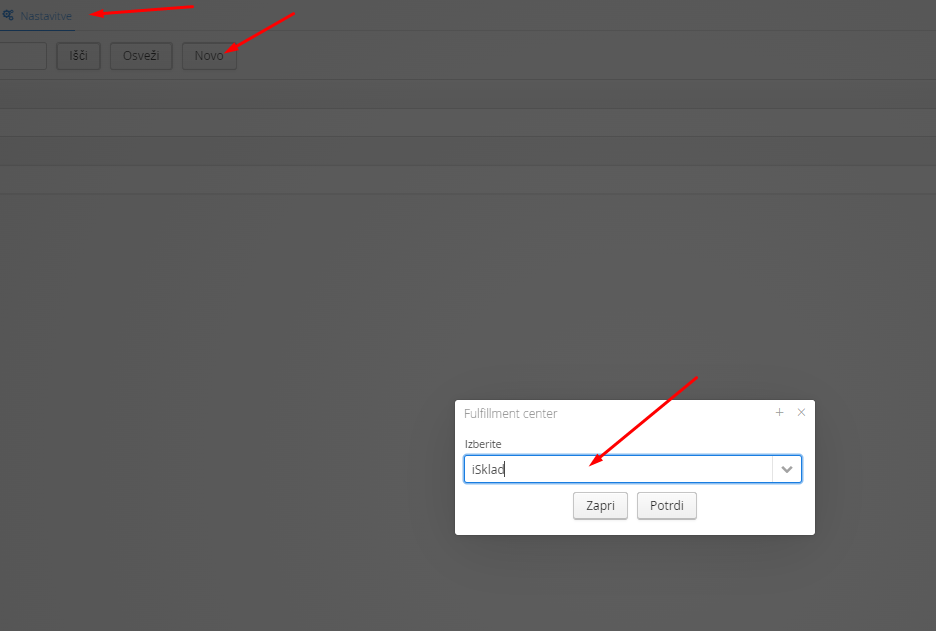
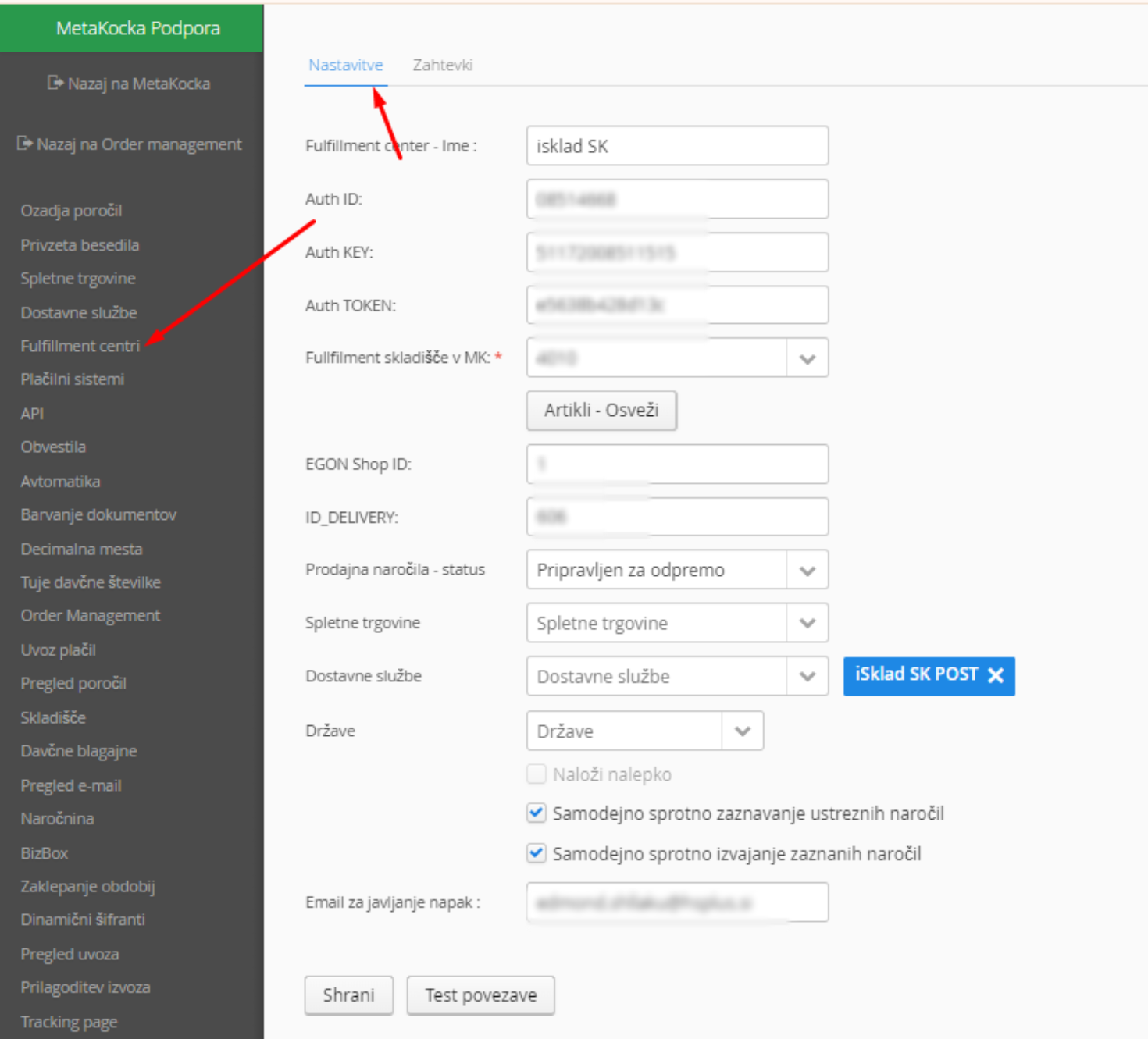 1. Fill in Authentication ID
2. Fill in Authentication Key
3. Fill in Authentication TOKEN
4. Fulfillment warehouse in MetaKocka is the selected warehouse in MetaKocka from which the entered items will be transferred to iSklad. Clicking ARTICLES-REFRESH opens the item cards in the fulfillment user module you received
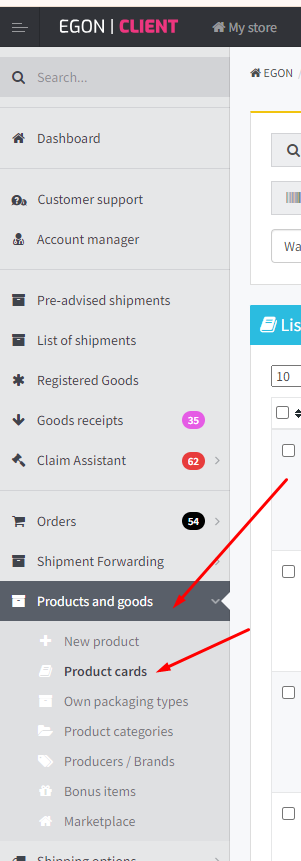
5. Fill in Shop ID and ID_DELIVERY data received from iSklad
6. Set any additional conditions for which orders should be transferred, specific webstores, and selected delivery types and countries. Settings are optional; if fields are left empty, all orders matching the selected status will be transferred
7. When automatic continuous order detection and automatic execution are checked, orders will be added automatically if they meet the above conditions.
8. When automatic continuous order detection and automatic execution are checked, orders will be added automatically if they meet the above conditions.
When using the iSklad Fulfillment service, we recommend using the automatic invoice and label creation functionality. Instructions can be found at:
Automatic invoice creation
Automatic label creation
Was this article helpful?
That’s Great!
Thank you for your feedback
Sorry! We couldn't be helpful
Thank you for your feedback
Feedback sent
We appreciate your effort and will try to fix the article