
DG1 - setting up the integration with MetaKocka
Setting up the connection for exchange / synchronization
Integrating an online store built on the DG1 platform with MetaKocka enables:
- automatic transfer of orders with all customer data (recipient, payer, payment type, discounts and ordered products)
- product synchronization (products can be transferred from the online store to MetaKocka with all the data you have already entered in the store; products must have an SKU code)
- automatic stock synchronization
- synchronization of order statuses and transfer of the tracking code
- price list synchronization to the store
- multi-warehouse mode can be used (enable the function in the settings and set up the warehouse mapping between the DG1 store and MetaKocka)
Invoices generated from transferred orders are alsofiscally confirmed with FURS (the Slovenian tax administration) for legally defined payment methods, and for goods issued, the stock is reduced accordingly and refreshed in the online store.
In MetaKocka, add DG1 under Settings/ Links
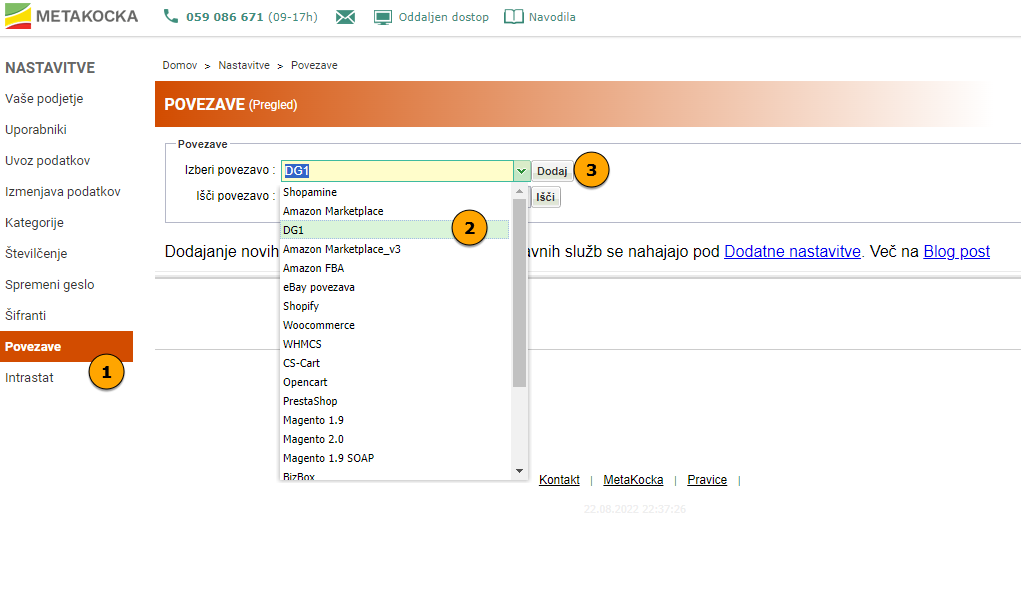
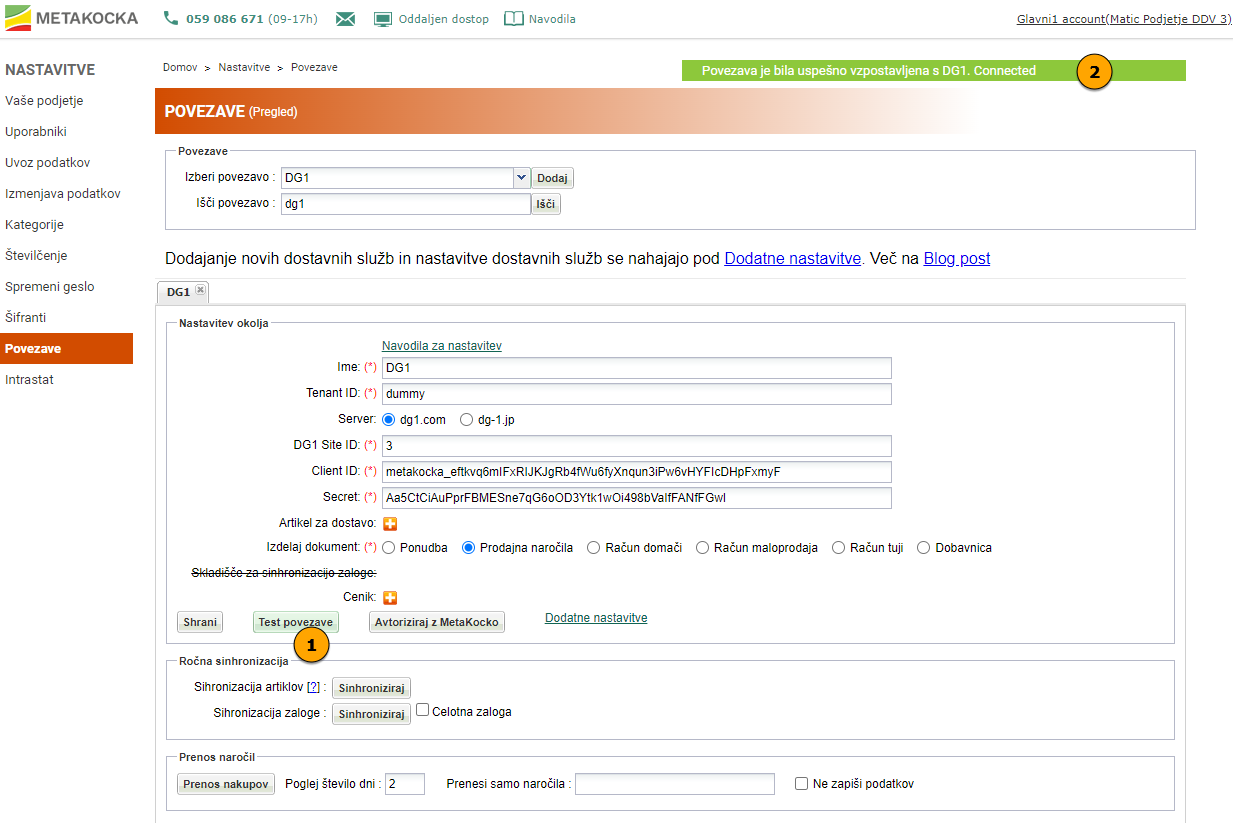
Set the following in the connection settings:
- Store name (any name; it is used for internal naming in MetaKocka)
- Tenant ID: the store identifier on the DG1 side - assigned by DG1; get it from them
- Server: the server of your DG1 store - get this from DG1
- DG1 Site ID: DG1's internal identifier of an individual sub-store - ask DG1 for the correct ID
- Client ID: the client identifier for the connection - assigned by DG1; get it from them
- Secret: the password for the connection - assigned by DG1; get it from them
Other settings:
- You can set a default shipping product
- Set the document type you want to transfer to MetaKocka
- The warehouse can be selected in basic mode, but not with multiple warehouses (advanced settings in Additional settings)
- You can set a price list - price synchronization to the online store is not supported yet
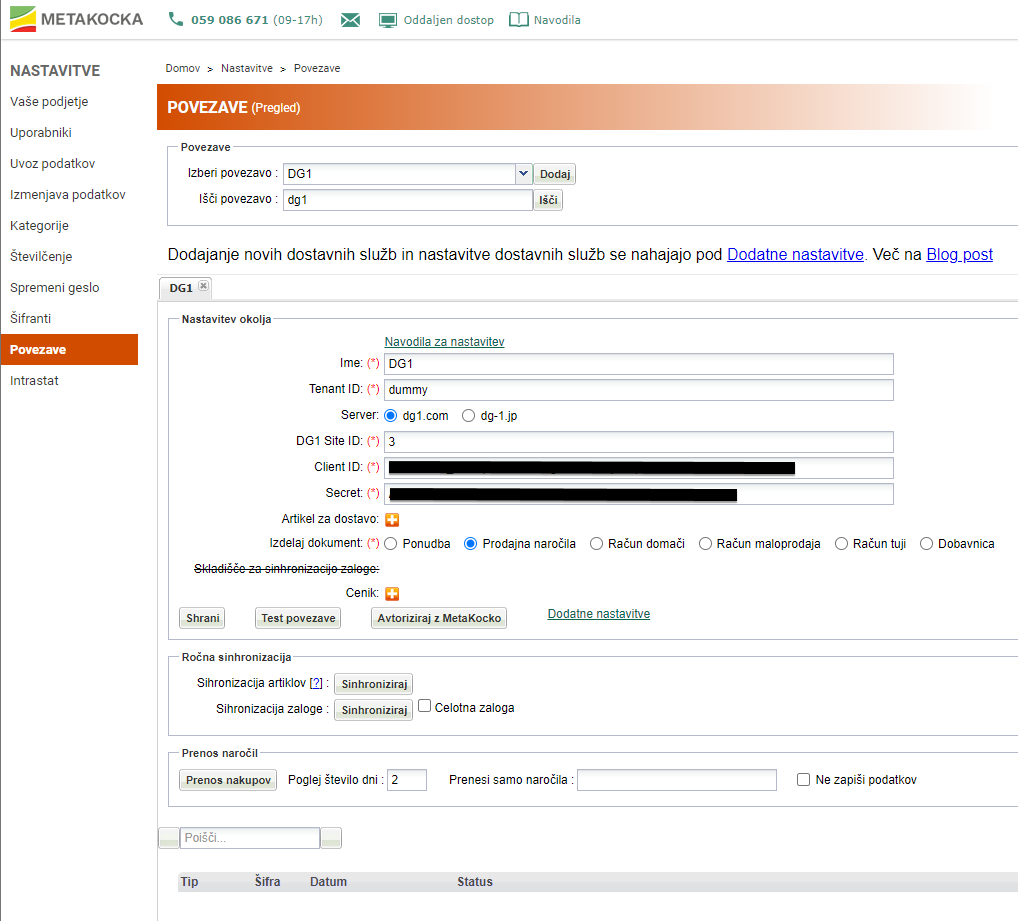
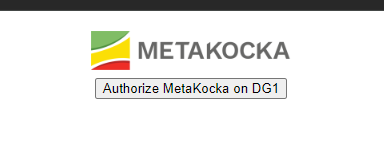
Save the settings at this point and then click the "Authorize with MetaKocka" button. You are redirected to a web page that starts the authorization, where you click "Authorize MetaKocka on DG1":
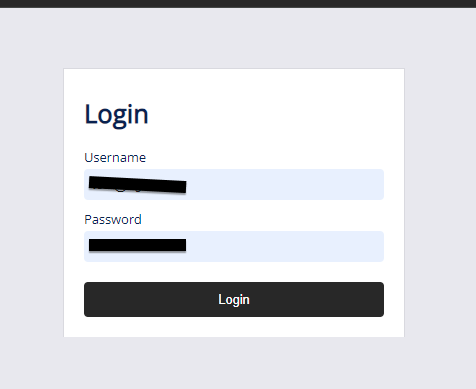
This takes you to the login page of the selected DG1 store. Enter the store administrator's login details and click Login:
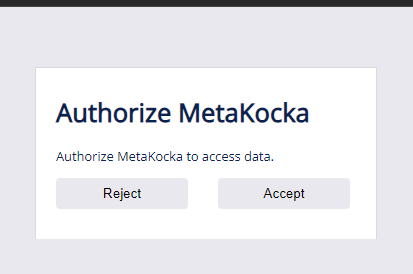
After you log in, you can authorize the MetaKocka app to access the online store through the API - select Accept:
You are then redirected to a page with the message "Authorization code has been successfully saved. Now you can close this windows and then refresh connection settings page. After that, connection should work.". This means the integration was successful and you can close this browser window.
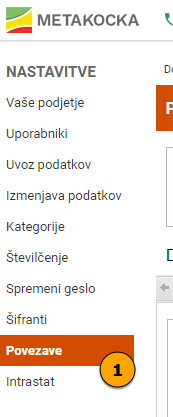
Go back to the connection settings in MetaKocka and first refresh them by clicking the Links button:
Now open your store settings again and click Test connection. The connection should now be successful:
The first connection is now complete.
Product synchronization (Online store <> MetaKocka)
Only active products are transferred. For synchronization to work, products must have an SKU code.
You can read more about product synchronization here.
Was this article helpful?
That’s Great!
Thank you for your feedback
Sorry! We couldn't be helpful
Thank you for your feedback
Feedback sent
We appreciate your effort and will try to fix the article