Orders can also be added to the Fulfillment application by importing the file.
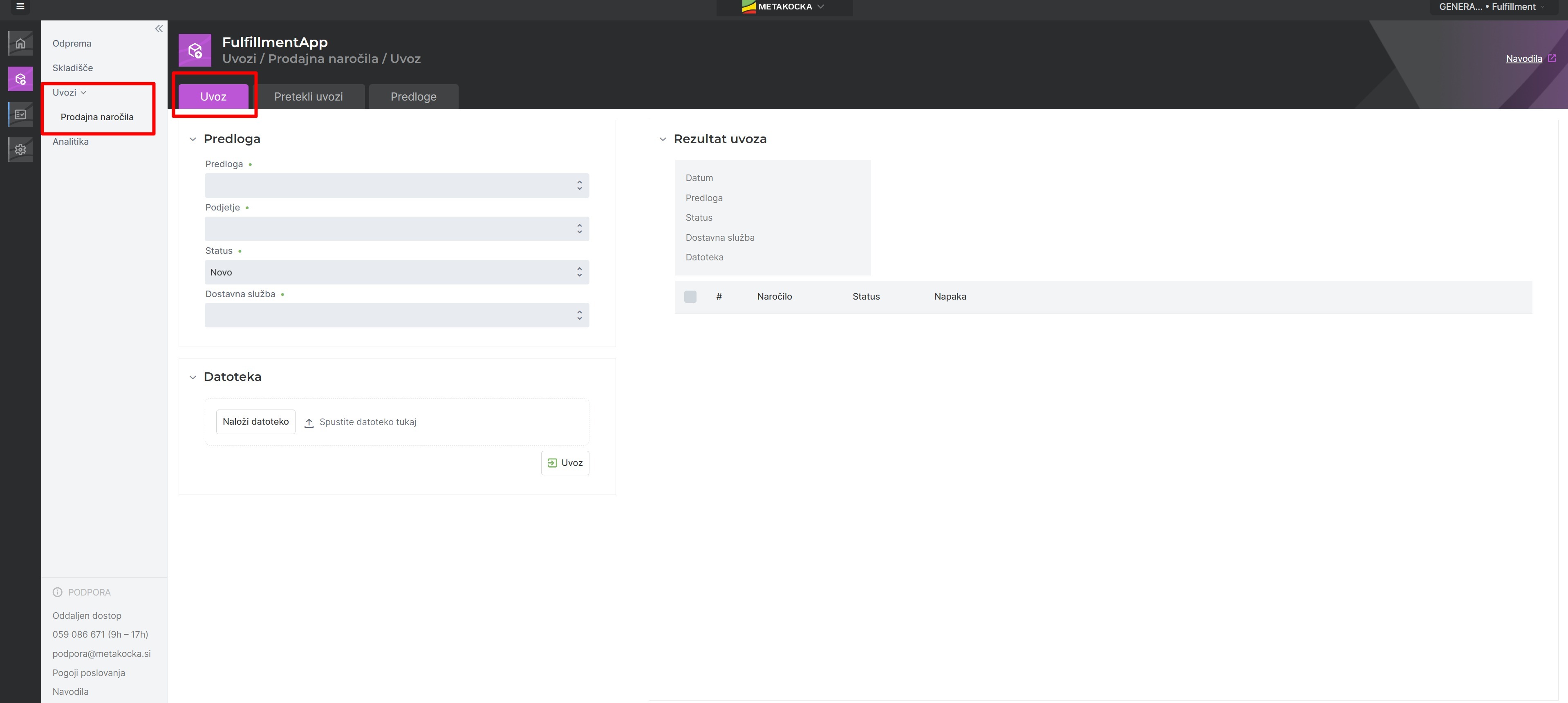
For the import, a template must be created first. It should be created based on the import. We differentiate two types of import: a basic import and an import with merged values; templates for both types of imports can be found in the instructions.
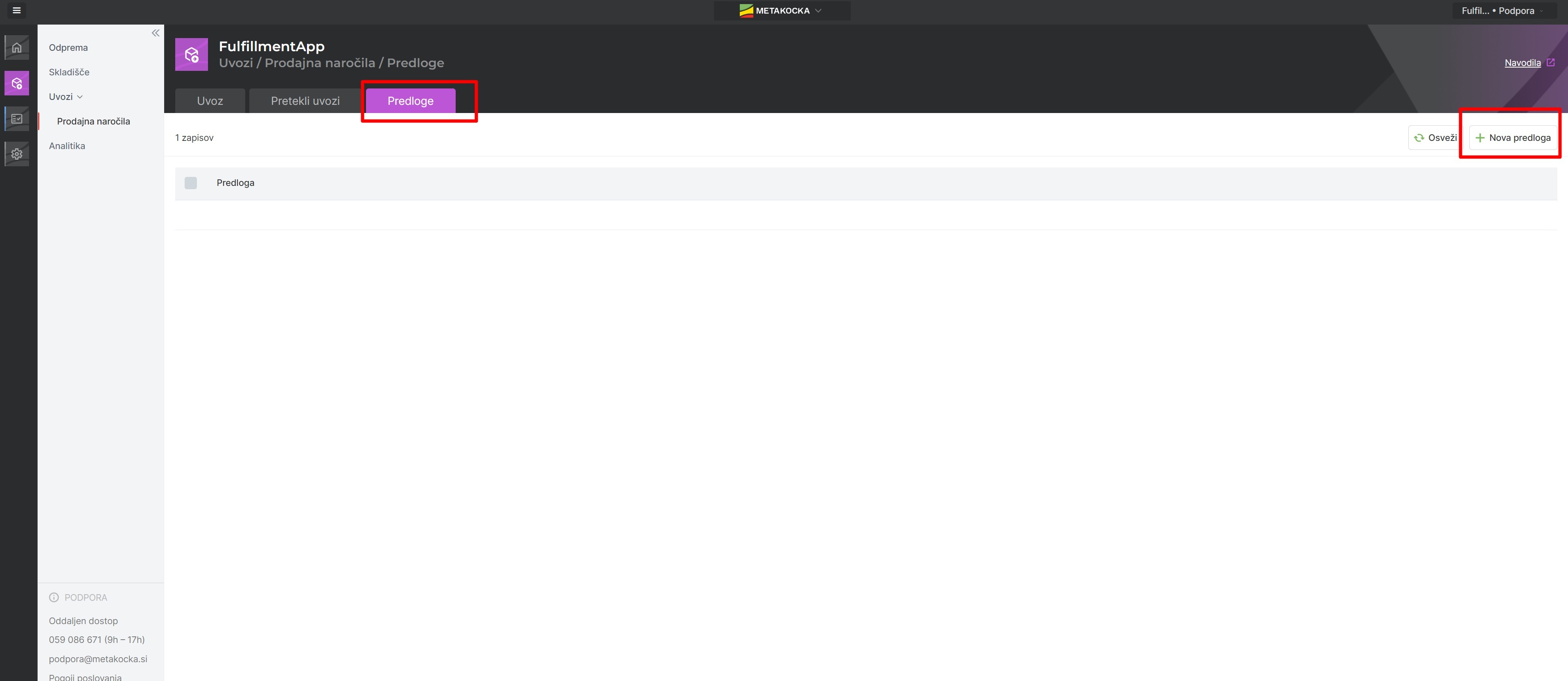
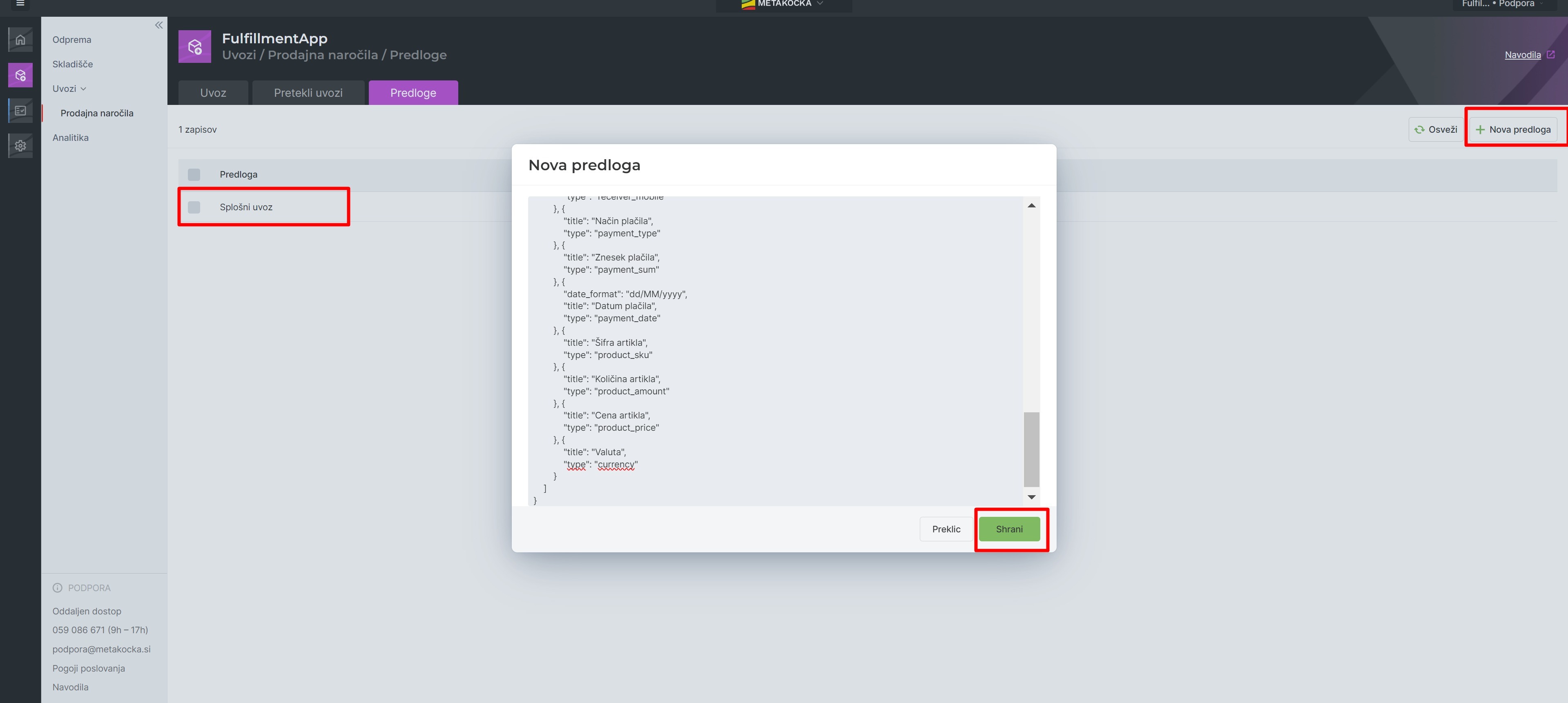
Then copy the selected template into the empty field and save; the created template will then be displayed on the list:
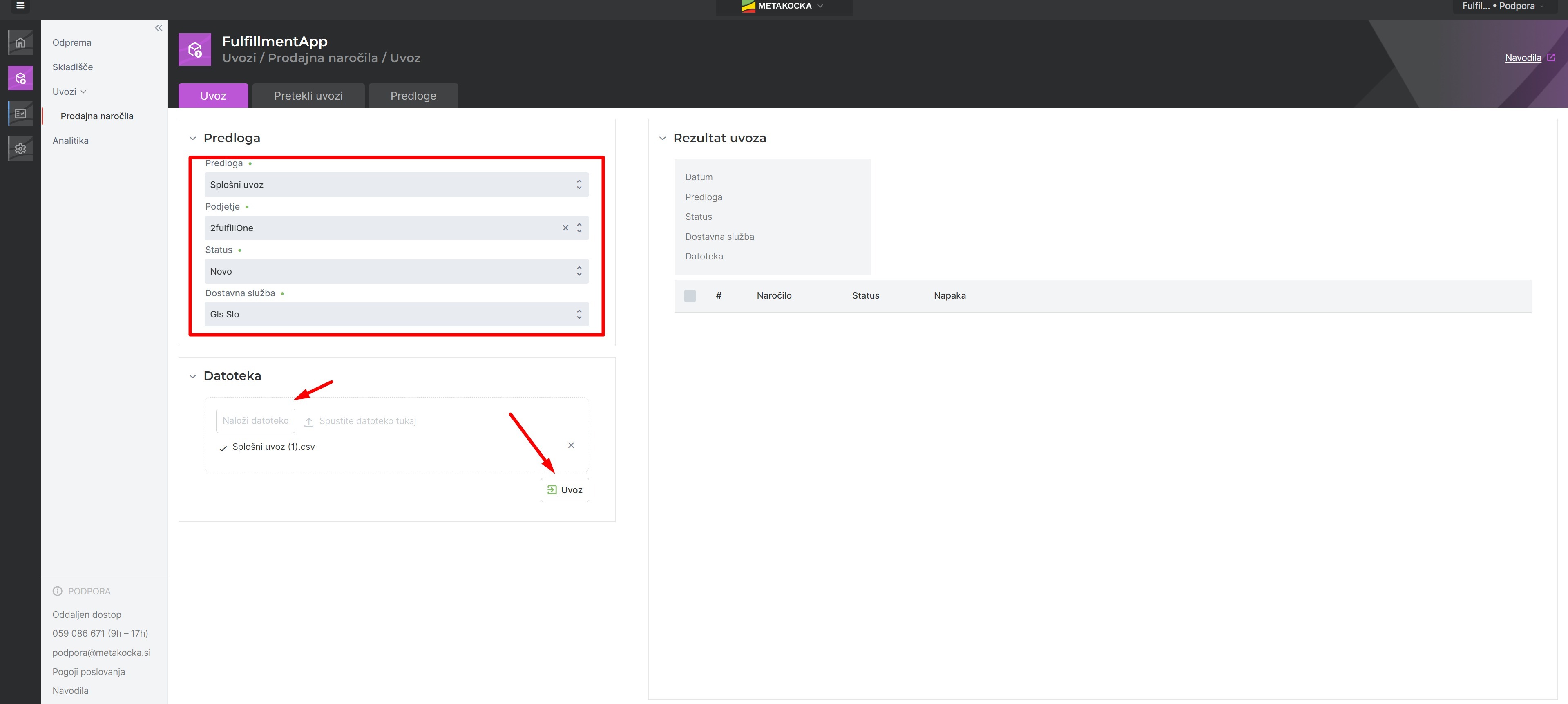
When importing the file, fill in the following data:
- Created template
- Company the orders are imported for
- Status the order should be assigned after the import
- Delivery service the orders are imported for
Upload the file and click Import.
Was this article helpful?
That’s Great!
Thank you for your feedback
Sorry! We couldn't be helpful
Thank you for your feedback
Feedback sent
We appreciate your effort and will try to fix the article