It is now possible to update the product list and warehouse stock directly from Fulfillment App for each customer.
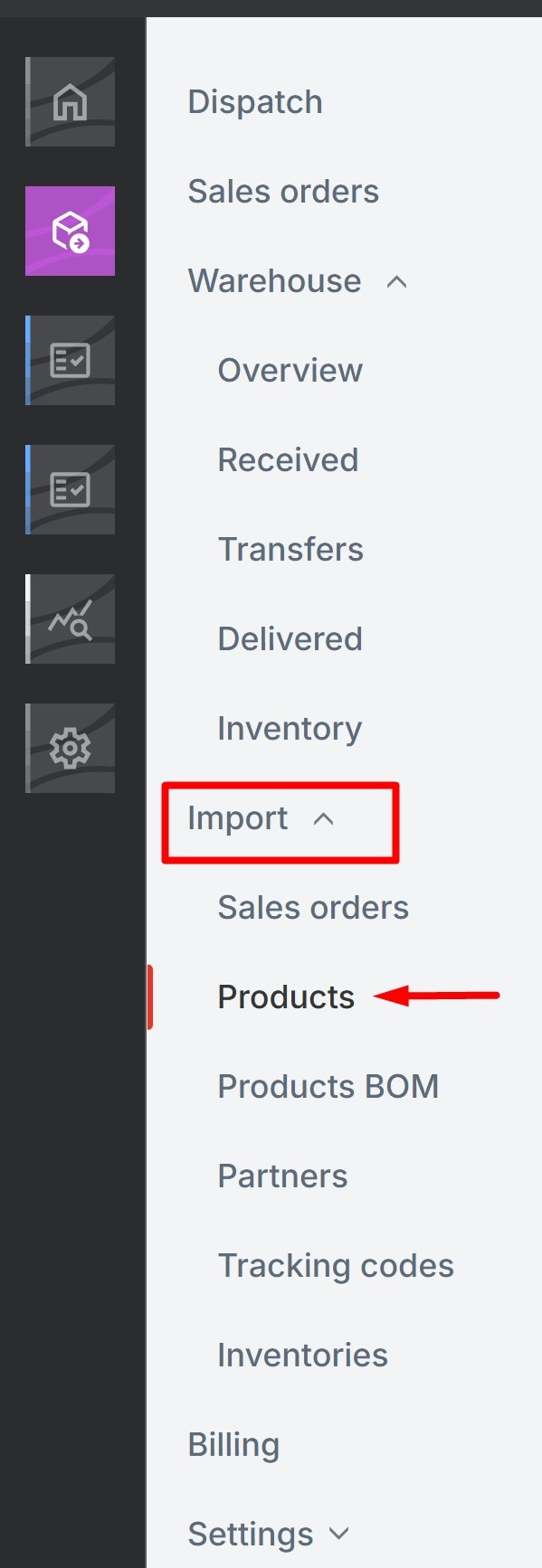
From the Fulfillment account, in the main menu go to Import -> Products
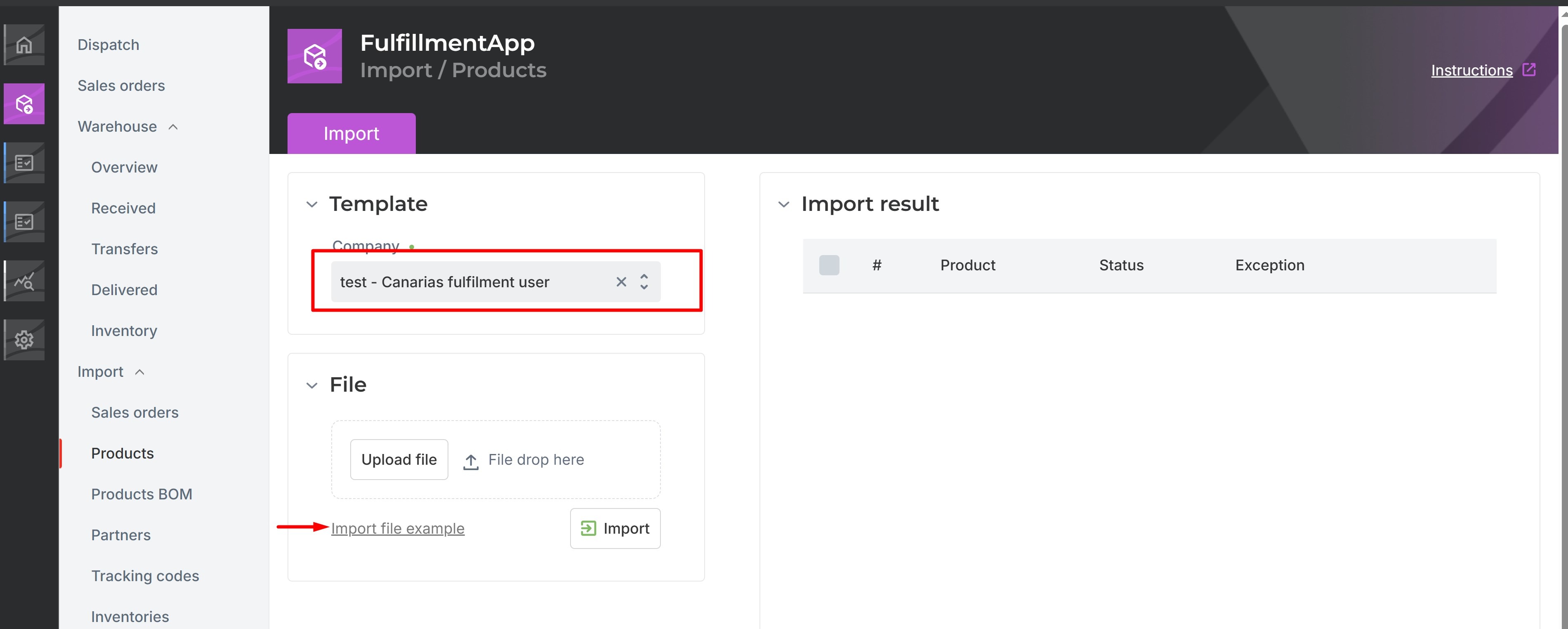
Select the company to update the list of products, and download the Excel file.
Open the downloaded table and fill in the columns with appropriate data (mandatory columns are marked with an asterisk and have bolded font ).

- If quantity column is filled in along with the warehouse and microlocation fields, Metakokca will create the product with its corresponding stock and microlocation in the selected warehouse.
- If, on the other hand, the stock quantity for a specific product is unknown, Metakocka will ignore the stock and warehouse columns for that item. As a result, it will create the product without its warehouse location or stock level. Its it possible to update this data later by re-importing an Excel file with the final details of the product.

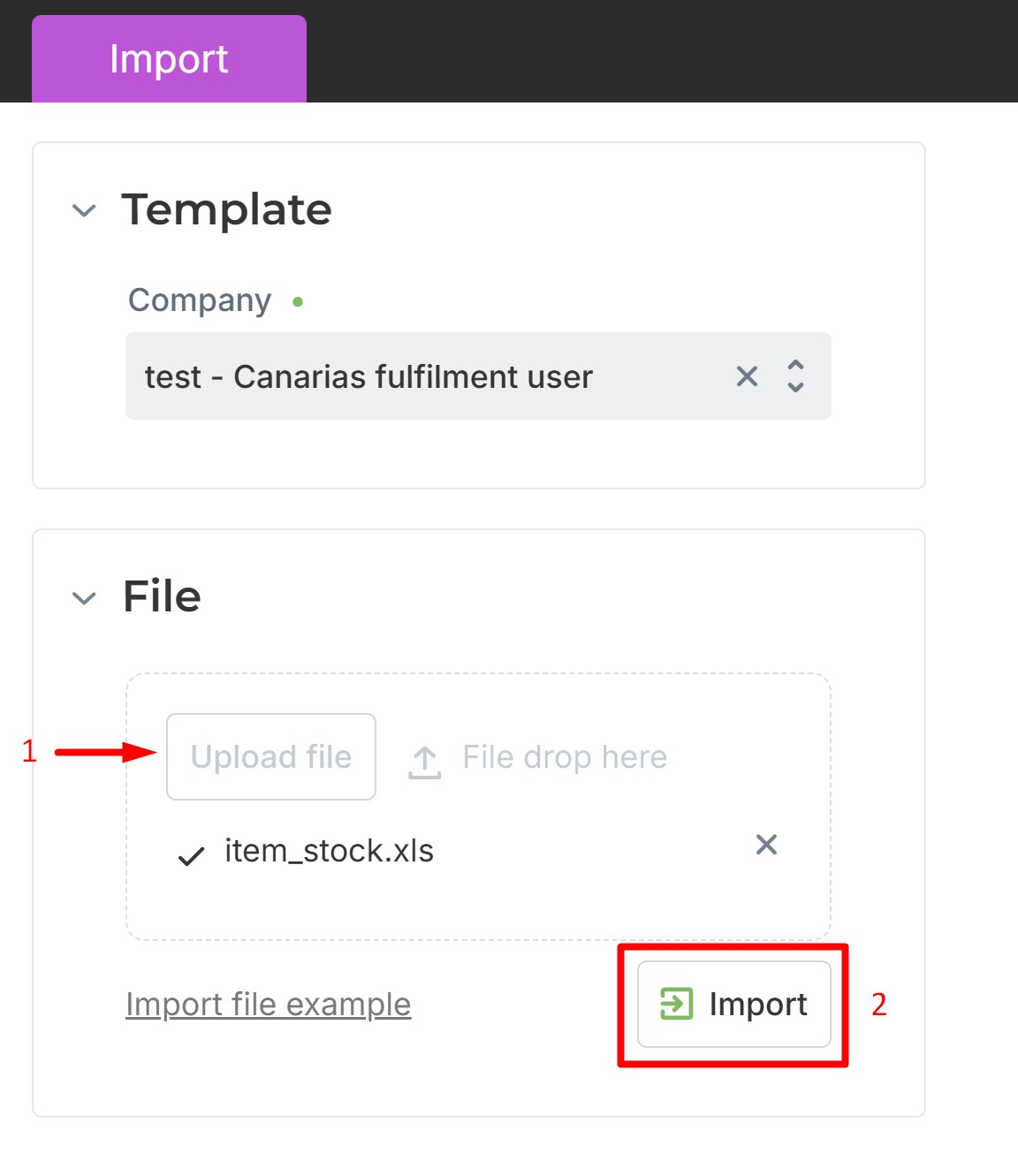
Once all fields in the Excel file have been filled in, save the data. click the "Update file" button, select the file completed in the previous step, and finally click "Import" to import the file.
Was this article helpful?
That’s Great!
Thank you for your feedback
Sorry! We couldn't be helpful
Thank you for your feedback
Feedback sent
We appreciate your effort and will try to fix the article