
FulfillmentApp - adding new client
When you need to add new client for your FulfillmentApp account go to
1. FulfillmentApp / Settings / Merchants
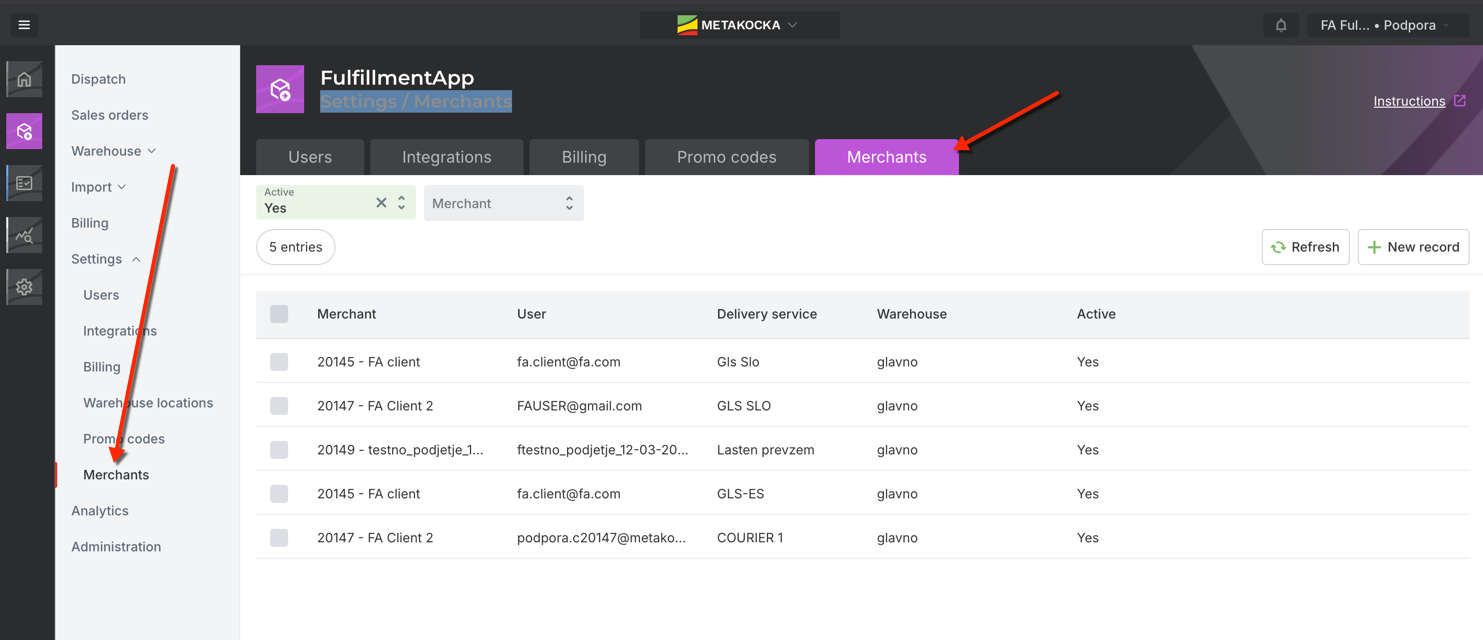
Click on button "+ New record" and follow steps
Enter company data ( clients)
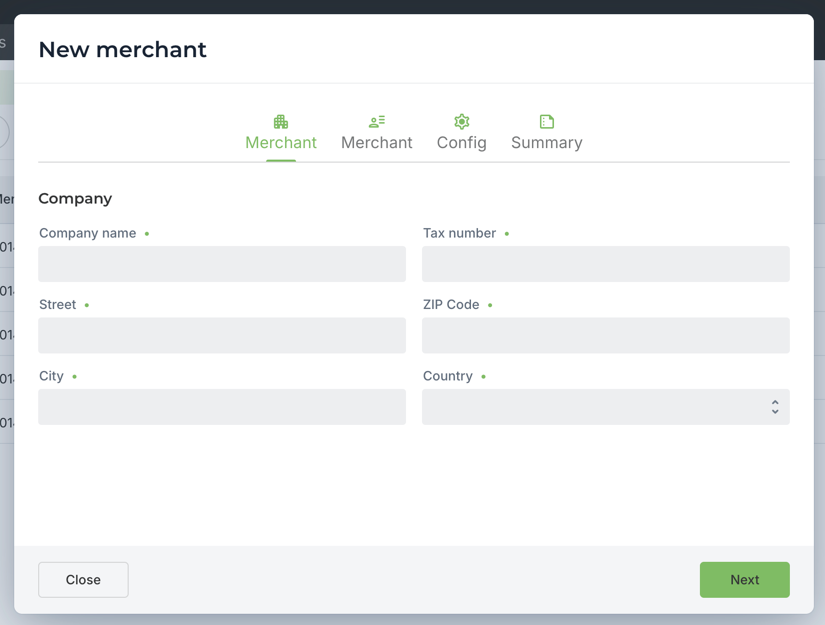
and click on Next
Enter user data (user for clients account and fulfillment user for accessing clients account for setup additional details.
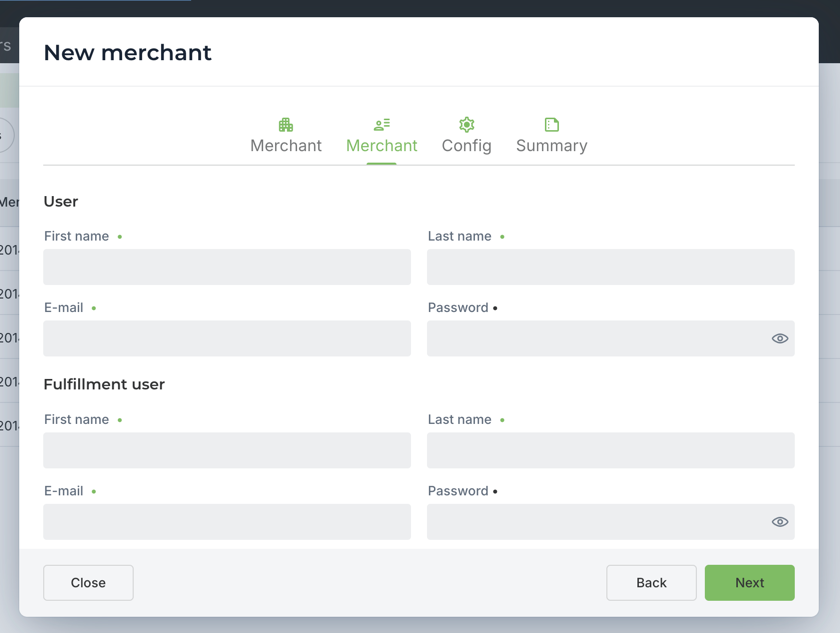
click on Next
Choose options for warehouse - if client uses lot ( batches(, exp.date or/ and serial numbers.
Choose courier / delivery service which will be used for delivering clients orders
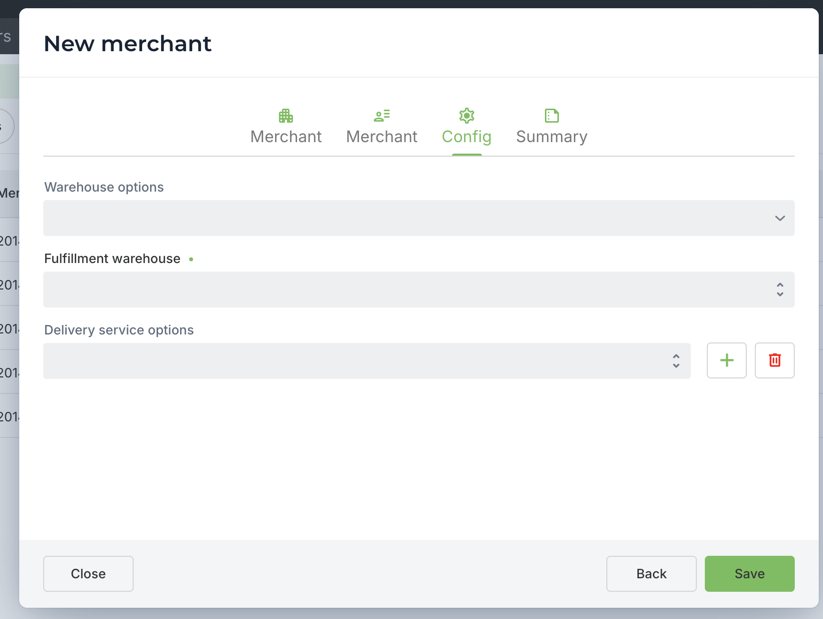
after clicking Next you will see summary of created account and clients account is ready to use.
You will get summary of everything you entered so you can copy data needed for customer access.
Was this article helpful?
That’s Great!
Thank you for your feedback
Sorry! We couldn't be helpful
Thank you for your feedback
Feedback sent
We appreciate your effort and will try to fix the article