
Fulfillment App
FulfillmentApp - Create an External Courier
This article is not available in Polish, view it in Slovenian
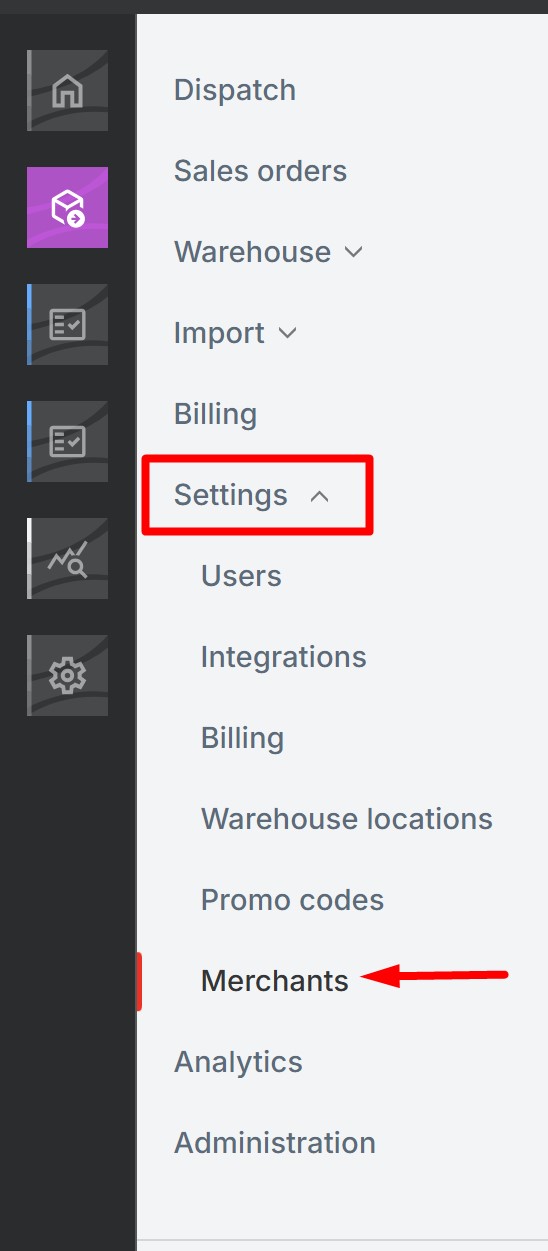
To add a new External Courier for a client, go to the FulfillmentApp account -> Settings-> Merchants
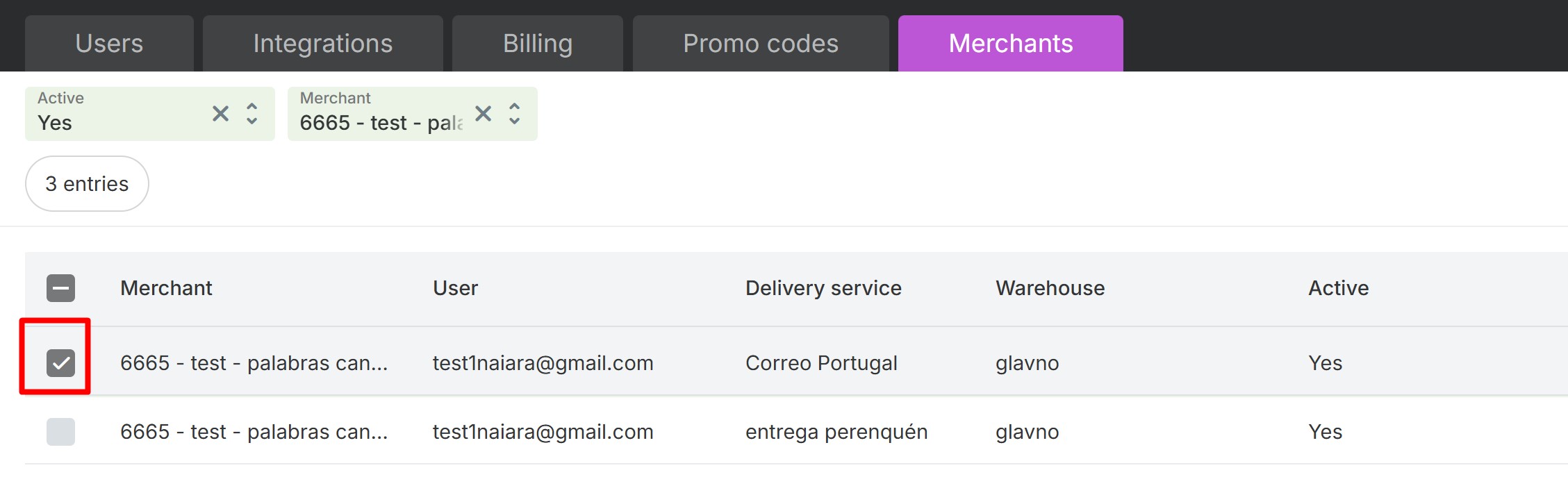
Enter the name of the company you want to add an external courier to.
Select the company and then click Delivery Service.
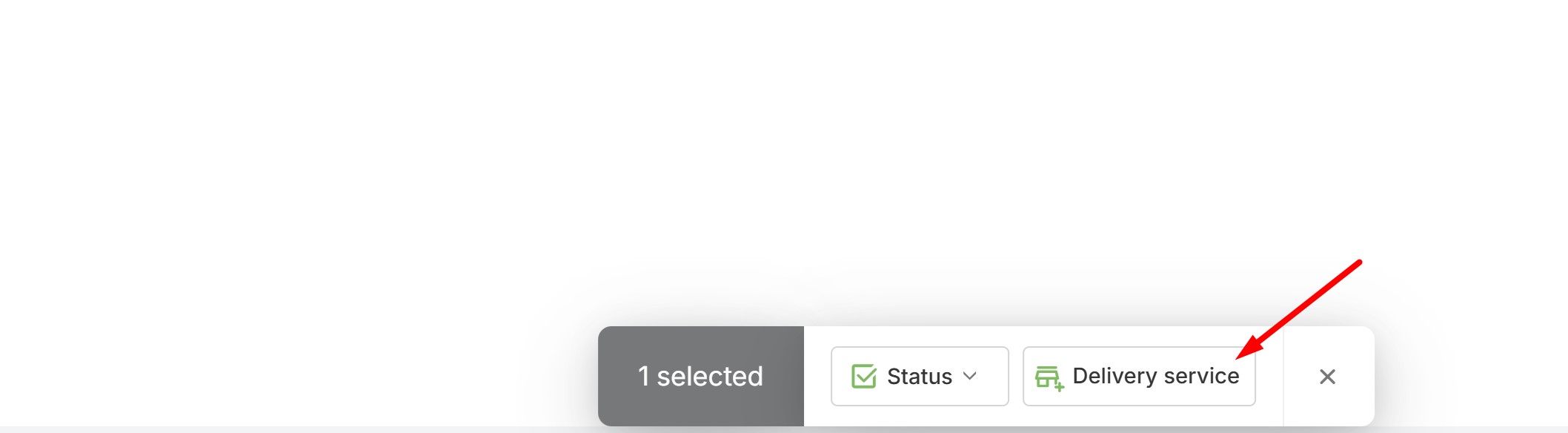
A dialog box will appear. Click Add.
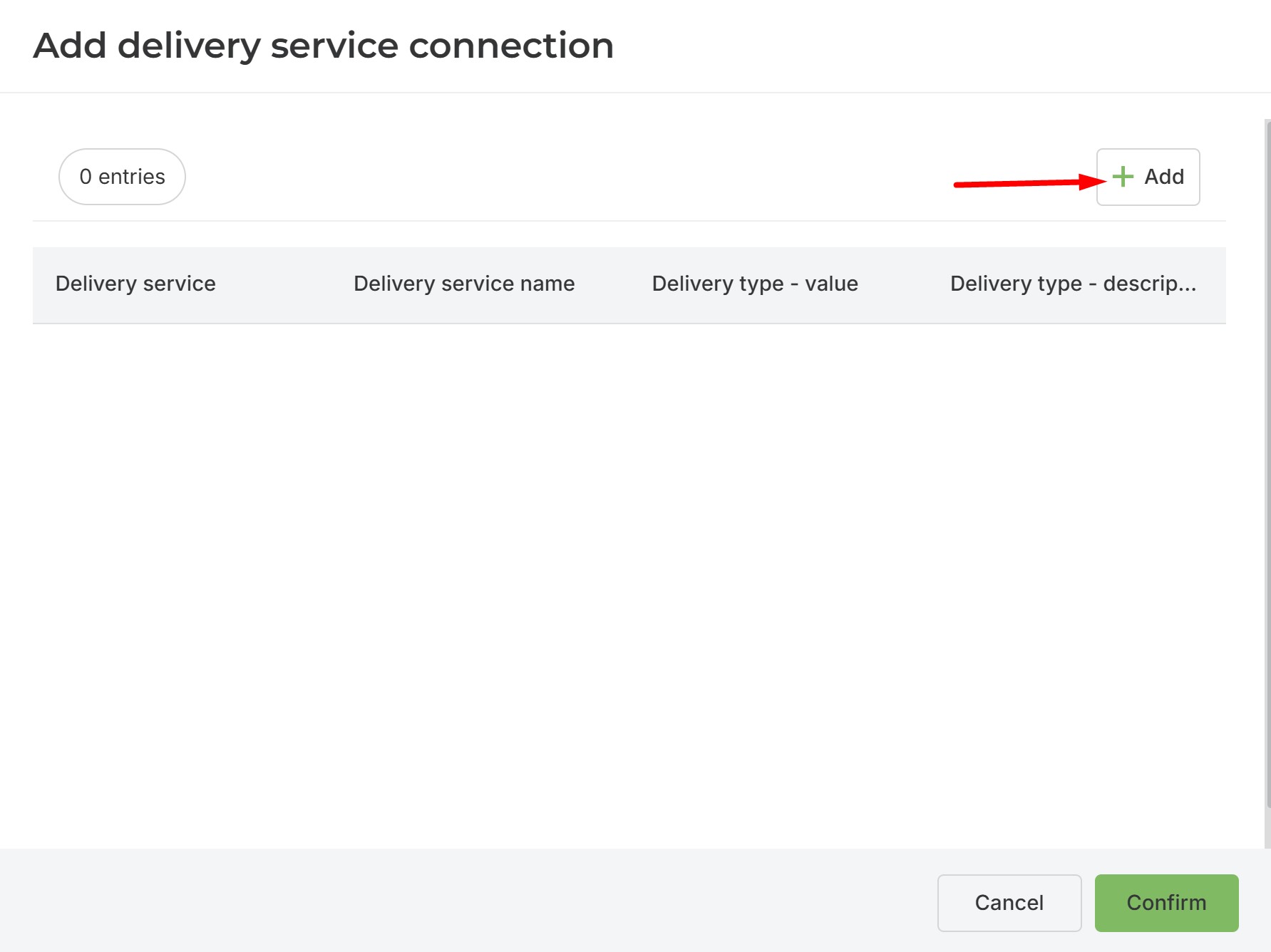
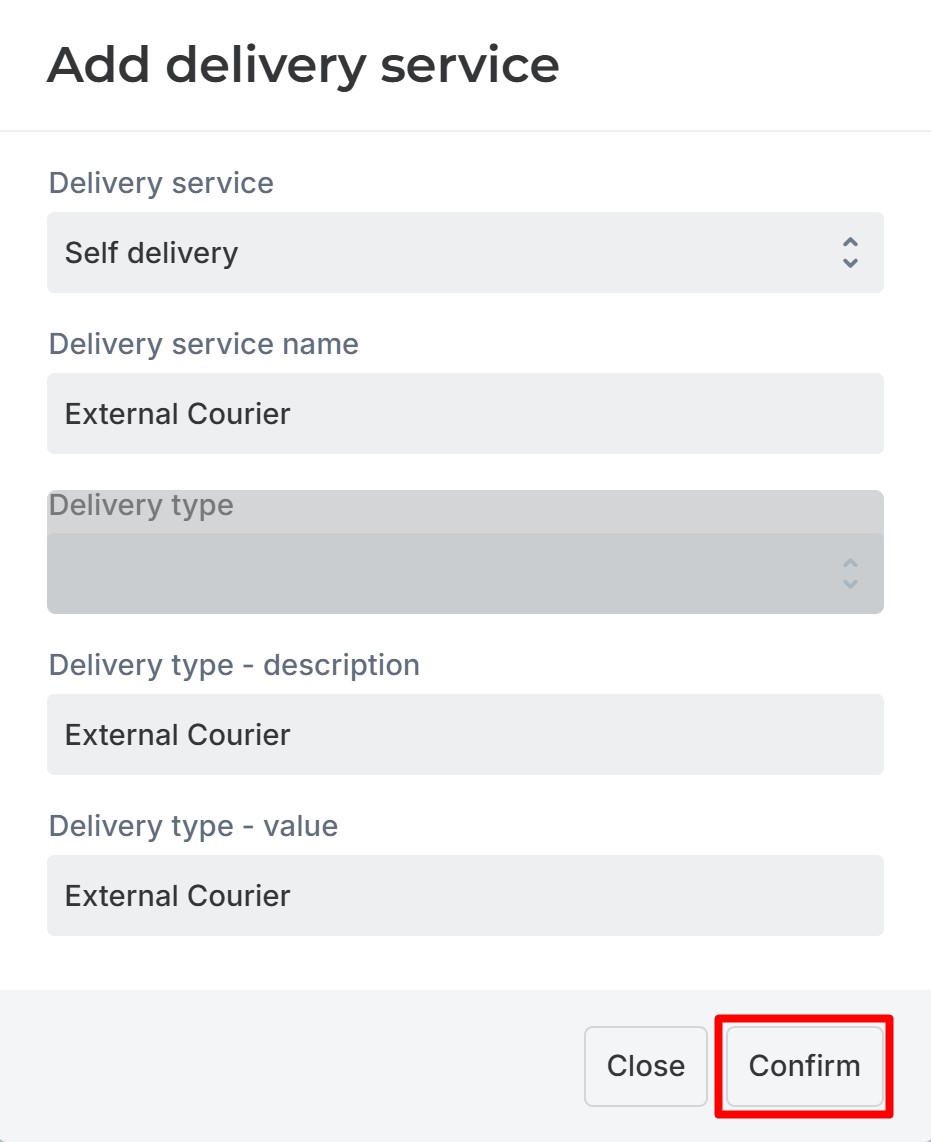
Fill in the fields as shown in the image below and confirm the data.
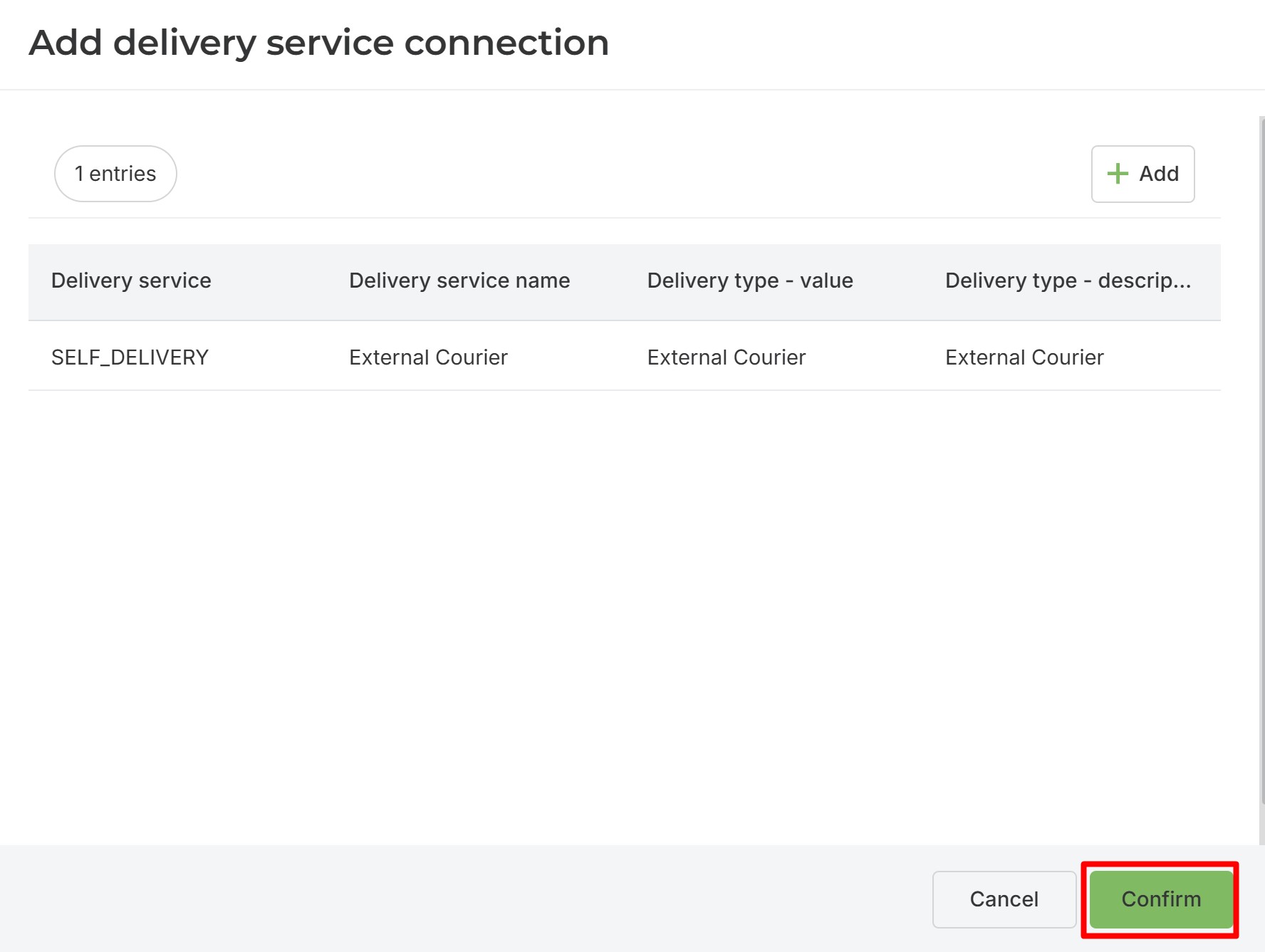
To conclude, confirm the newly added delivery service again, and you will see that it has been added to the Delivery Services list.
Was this article helpful?
That’s Great!
Thank you for your feedback
Sorry! We couldn't be helpful
Thank you for your feedback
Feedback sent
We appreciate your effort and will try to fix the article