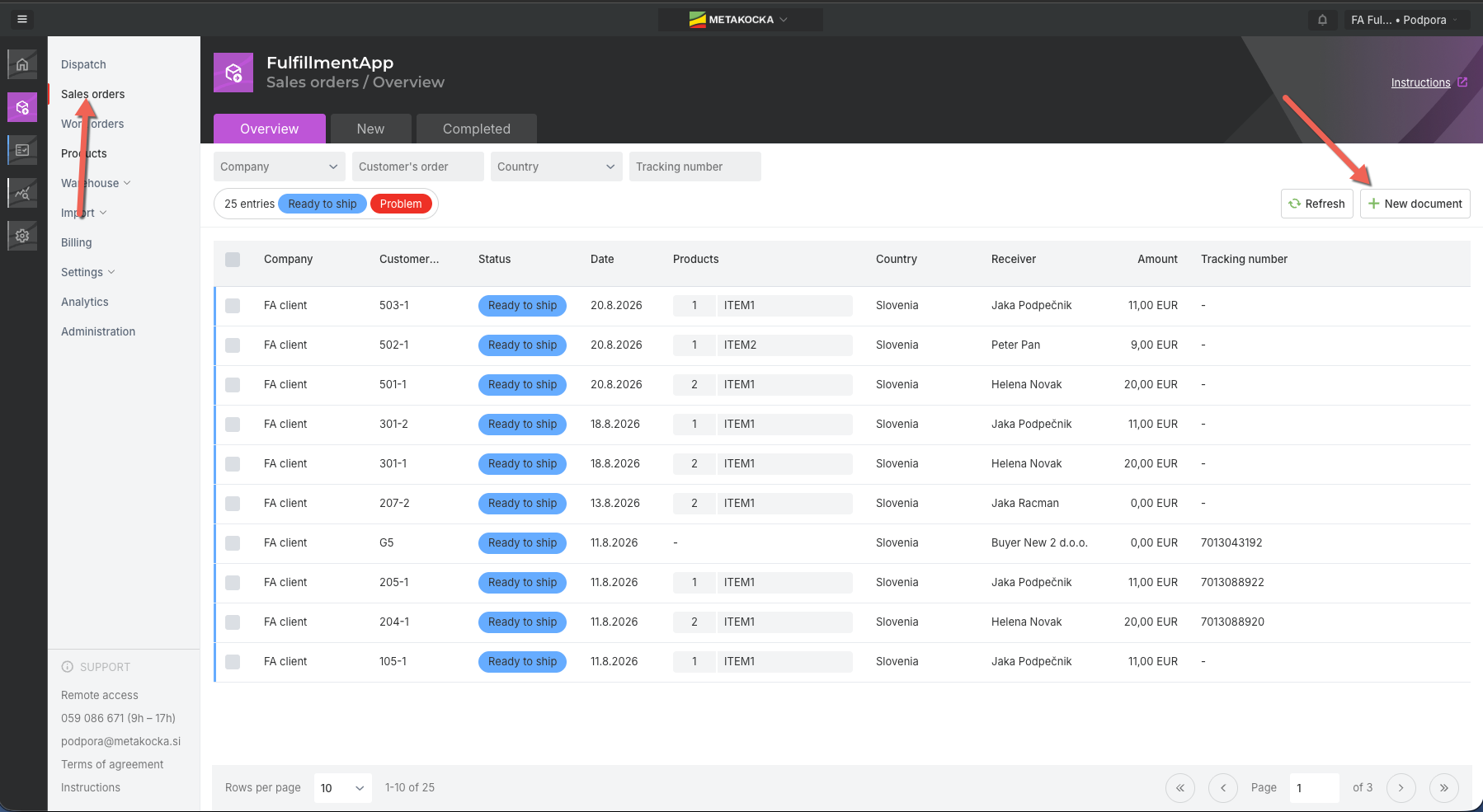
Go to Fulfillment APP - Sales Orders and click on ( + New document )
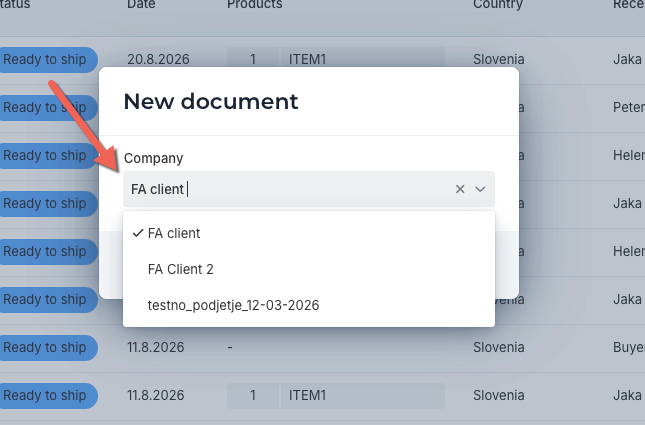
new window will open - select a client for which you are adding new order
Add or select buyer / receiver for new order 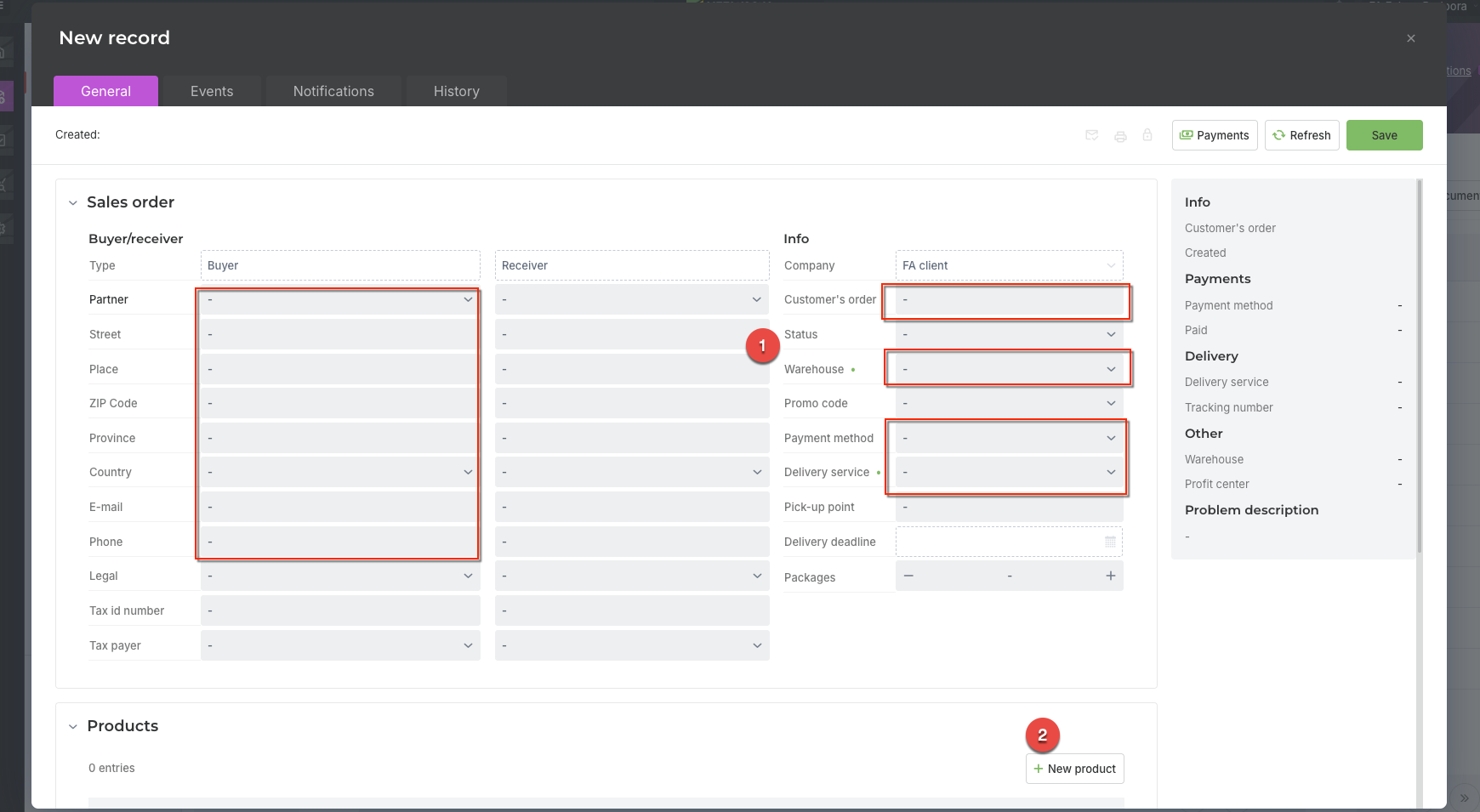 When new order opens, enter customer order number, warehouse (from which order will be sent), payment method and delivery service.
To add items select "+ New product" and enter sku code or start typing item name. 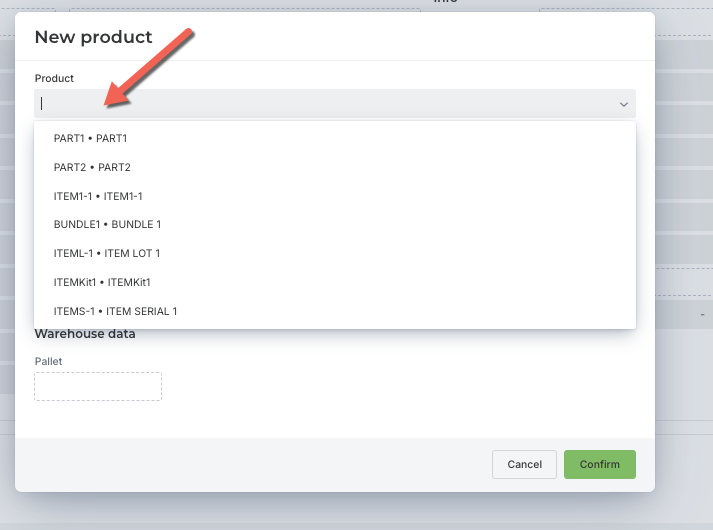
When selected enter quantity, Retail price and discount if applicable.
When finished Save order and status will be assigned - if stock is available status "Ready to ship" will be assigned, if not "Created - no stock" will be assigned.
Order will be also visible in Clients account to allow client to track packing and delivery status.
Was this article helpful?
That’s Great!
Thank you for your feedback
Sorry! We couldn't be helpful
Thank you for your feedback
Feedback sent
We appreciate your effort and will try to fix the article