
Order Management – Enable order deletion
It is possible to set statuses in which deleting an order is not allowed.
Under the Disable order deletion setting, you select the statuses in which an order cannot be deleted if it has a tracking number.
If the order is not in one of the selected statuses, deletion is allowed.
Additionally, it is possible to enable a restriction for orders without a tracking number. If this option is enabled, orders that do not yet have a tracking number cannot be deleted either while in the selected statuses.
Select the statuses in which order deletion is allowed.
Save the settings.
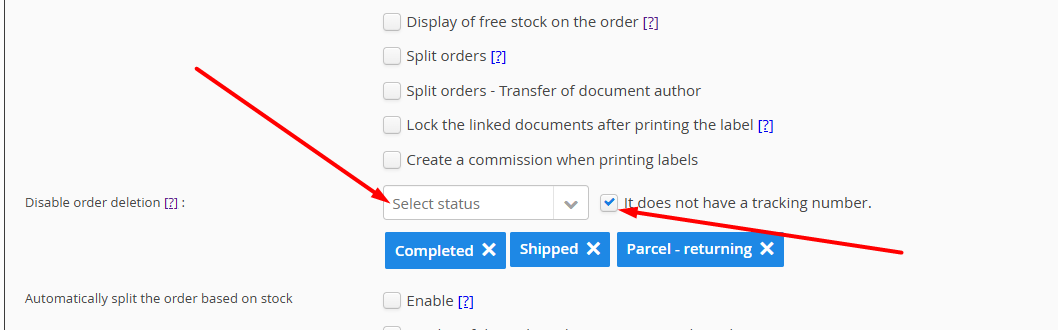
Example:
If you set deletion to be disabled for the following statuses:
Completed
Shipped
Returning
If the additional restriction for orders without a tracking number is also enabled, then orders in these statuses cannot be deleted regardless of whether they have a tracking number or not.
In statuses that are not selected in this setting, order deletion is allowed.
Was this article helpful?
That’s Great!
Thank you for your feedback
Sorry! We couldn't be helpful
Thank you for your feedback
Feedback sent
We appreciate your effort and will try to fix the article