It is now possible to select the packaging material, even after the order has already been shipped.
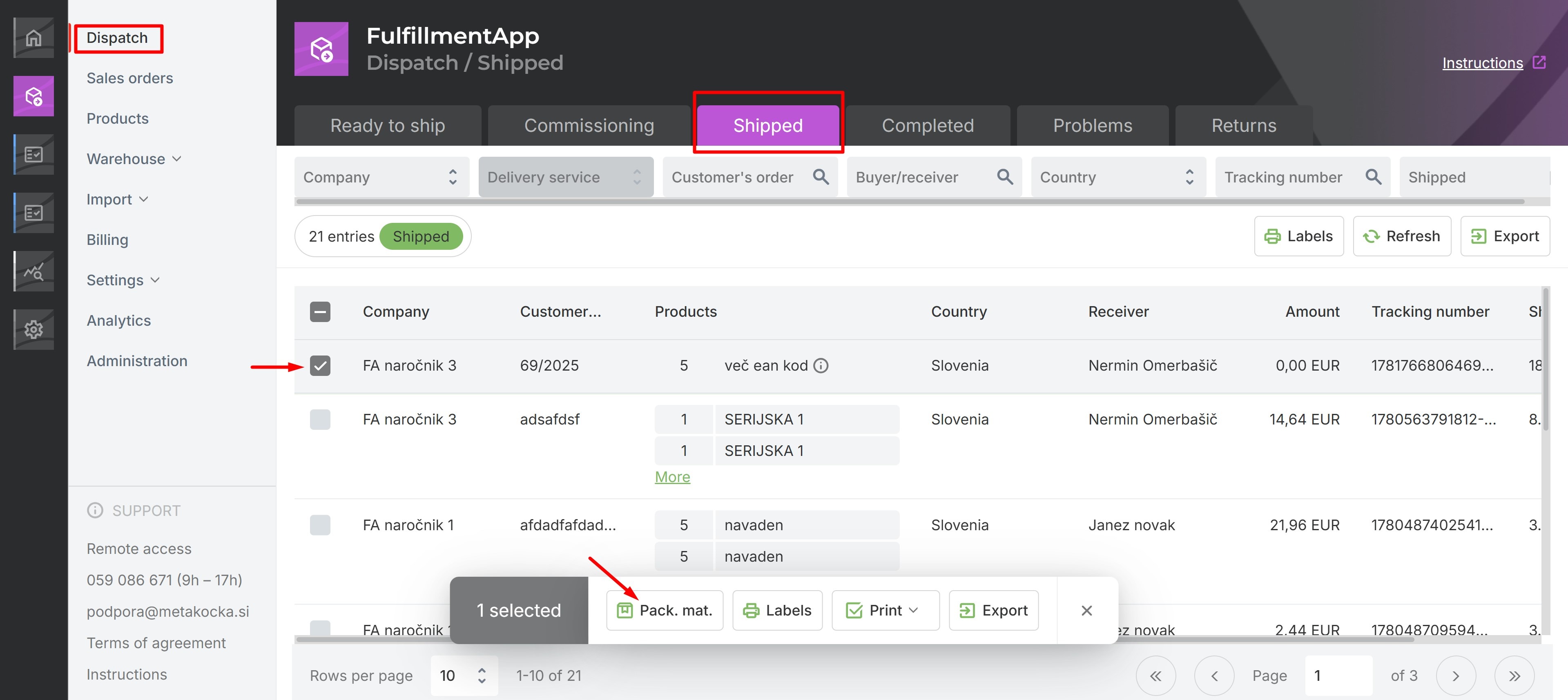
To use this feature, from your FulfilmentApp account, go to Dispatch-> Shipped.
Choose the order to which you want to add the packaging material and click "Pack. mat."
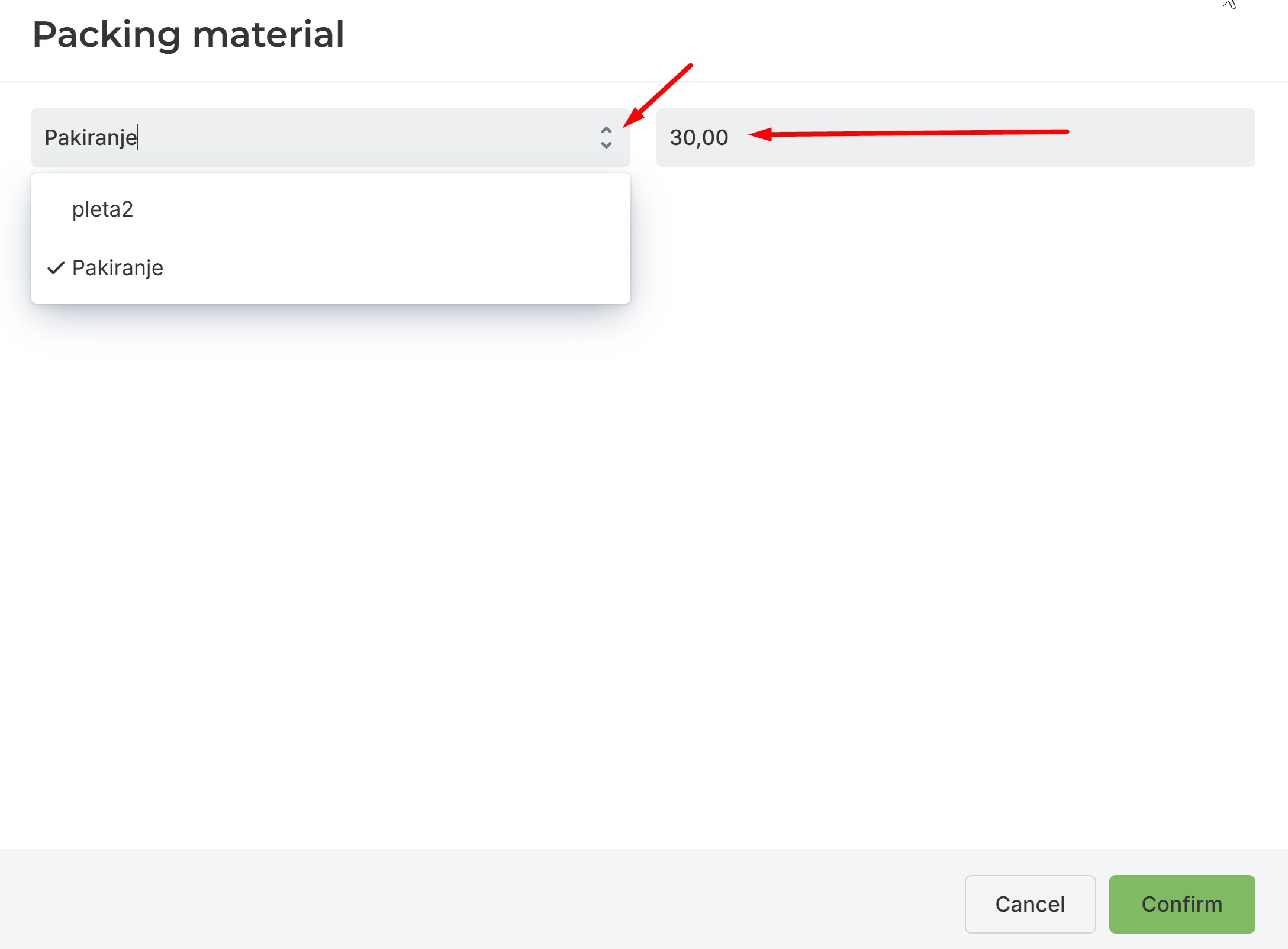
Select the type of material and the units you used for this order.
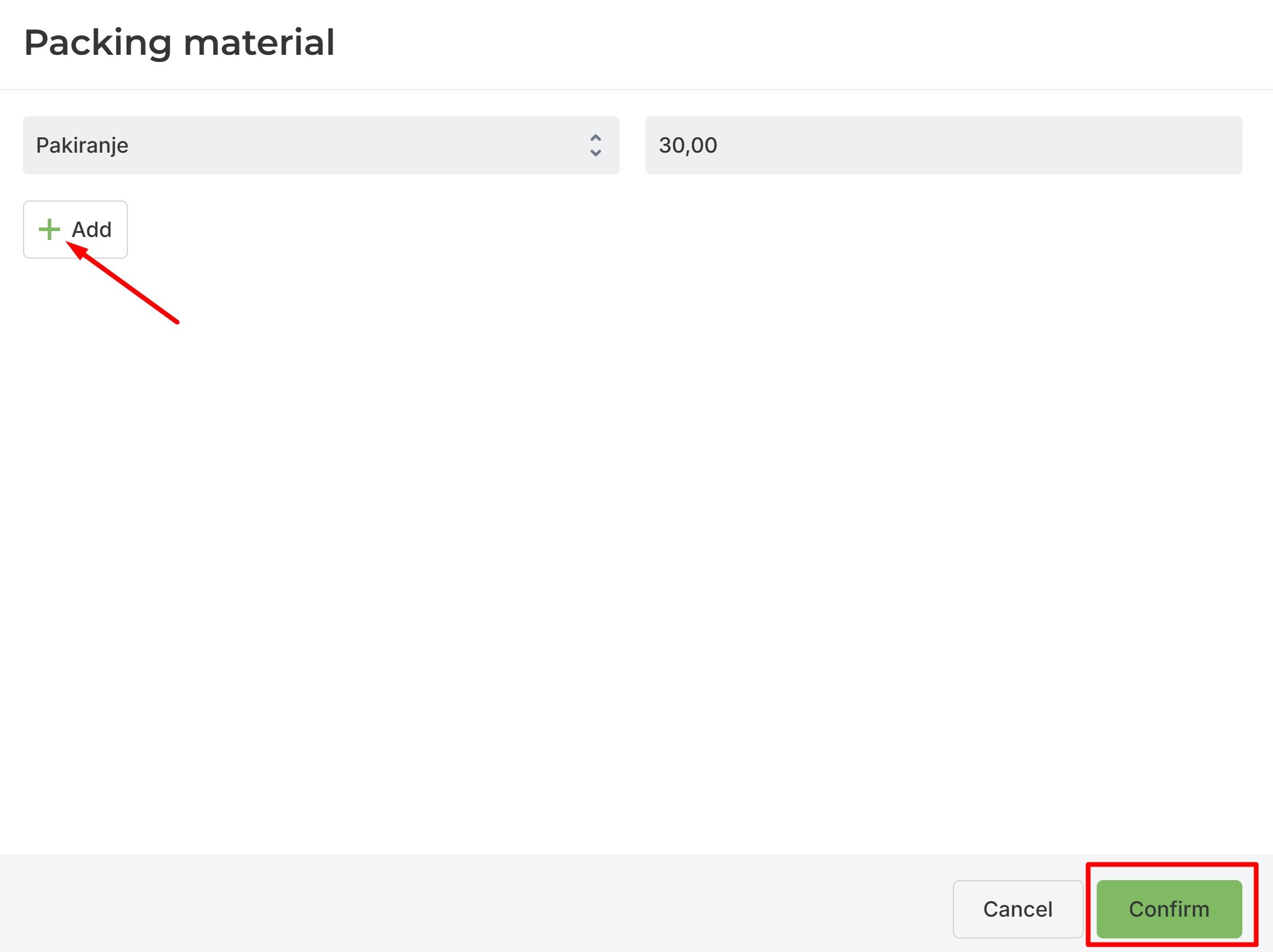
If you used multiple types of packaging material, you can add them by clicking "Add".
Once you have entered the information, click "Confirm".
Was this article helpful?
That’s Great!
Thank you for your feedback
Sorry! We couldn't be helpful
Thank you for your feedback
Feedback sent
We appreciate your effort and will try to fix the article