
Purchase Planning - creating a new projection
Select ''Purchase planning''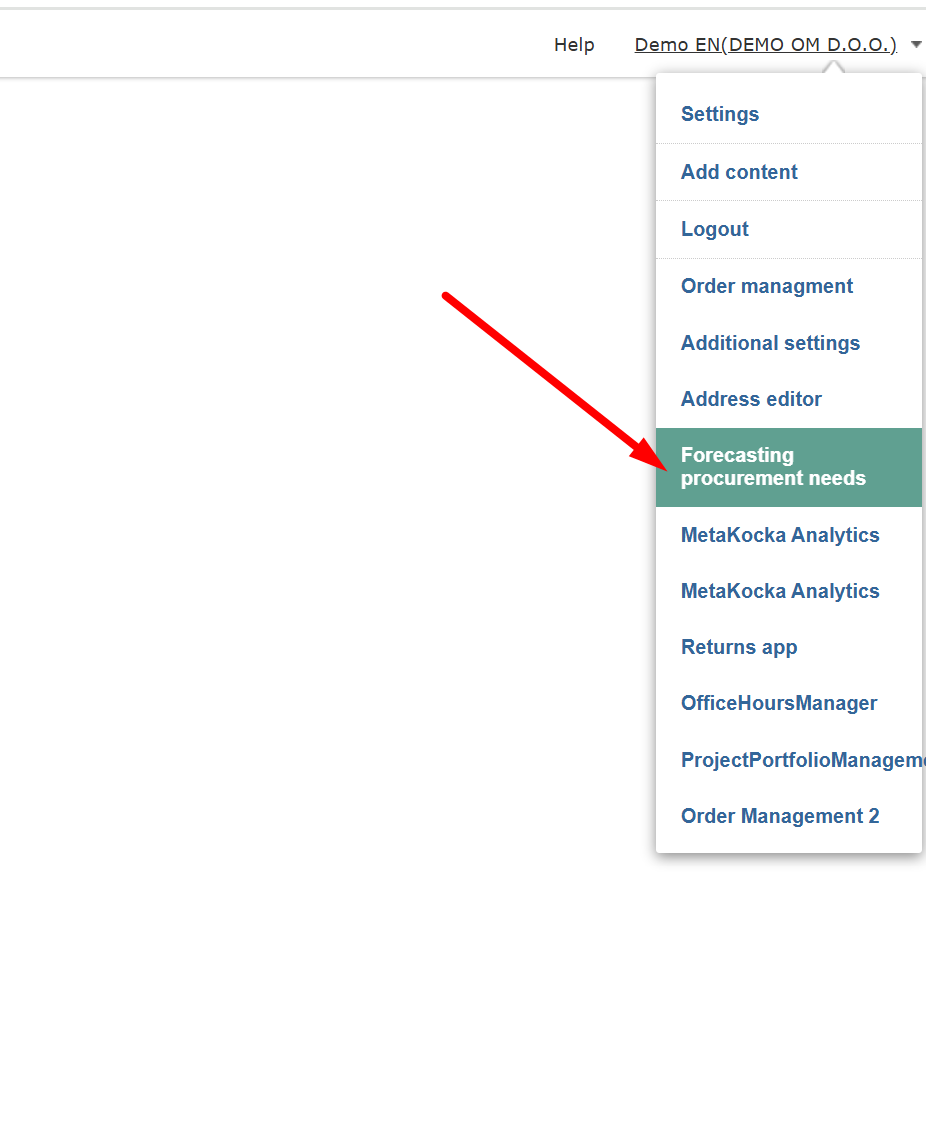
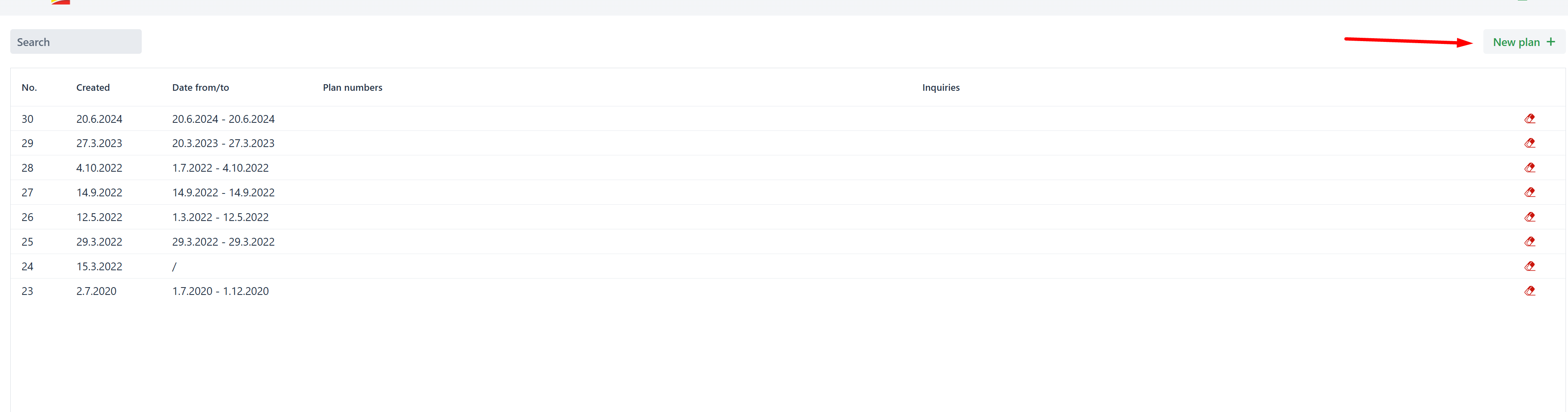
In the list of purchase plans, click on adding a new plan/projection
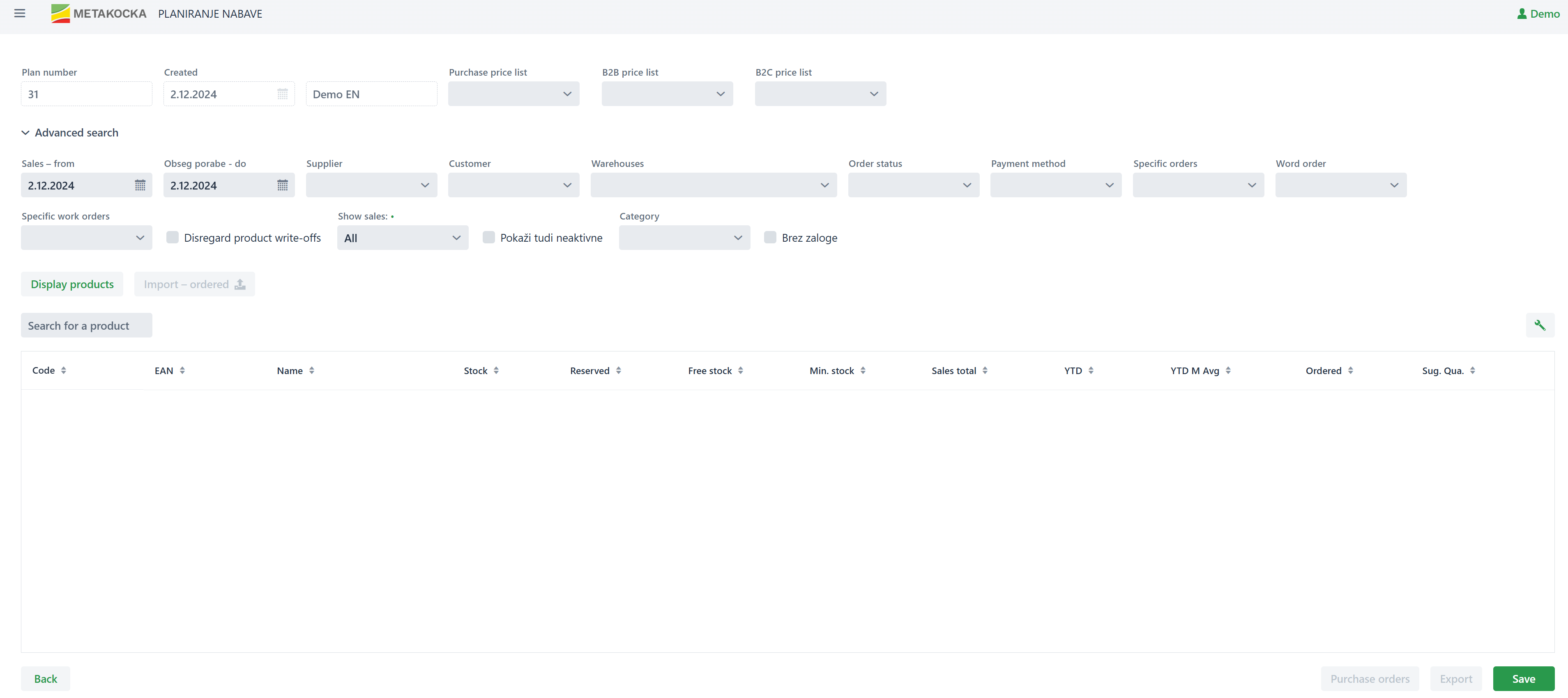
Add/select the parameters that will be used to obtain the product data:
Consumption range from - to: By entering this date range the consumption/sales display (invoices, consumption per WO, delivery notes) will be limited to the turnover in that period
Supplier: display of products can be limited to the selected supplier
Customer: A customer can be selected, thus limiting the consumption to the selected period
Warehouse: By selecting the warehouse, the display of sold/consumed products can be limited to the particular warehouse
Order status: A particular status can be selected for the sales order, while the orders can be checked/created for suppliers for the missing stock
Payment method (paid): A payment method can be selected - how the order was paid
Individual order: Select a sales order to prepare the orders for products belonging to the sales order.
Work order: All work orders or only active ones can be selected, which means that the production is still ongoing
Individual work order: A work order can be selected and respective needs for creating orders can be checked, which enables ordering missing stock.
Sales display: B2B/B2C - with this feature, the display of the B2B or B2C sales quantity can be limited.
Disregard product write-offs - if this feature is selected, then the products consumed/destroyed and written off with the delivery note in the selected period will not be considered
Category: Only a particular category for which the order should be created can be selected
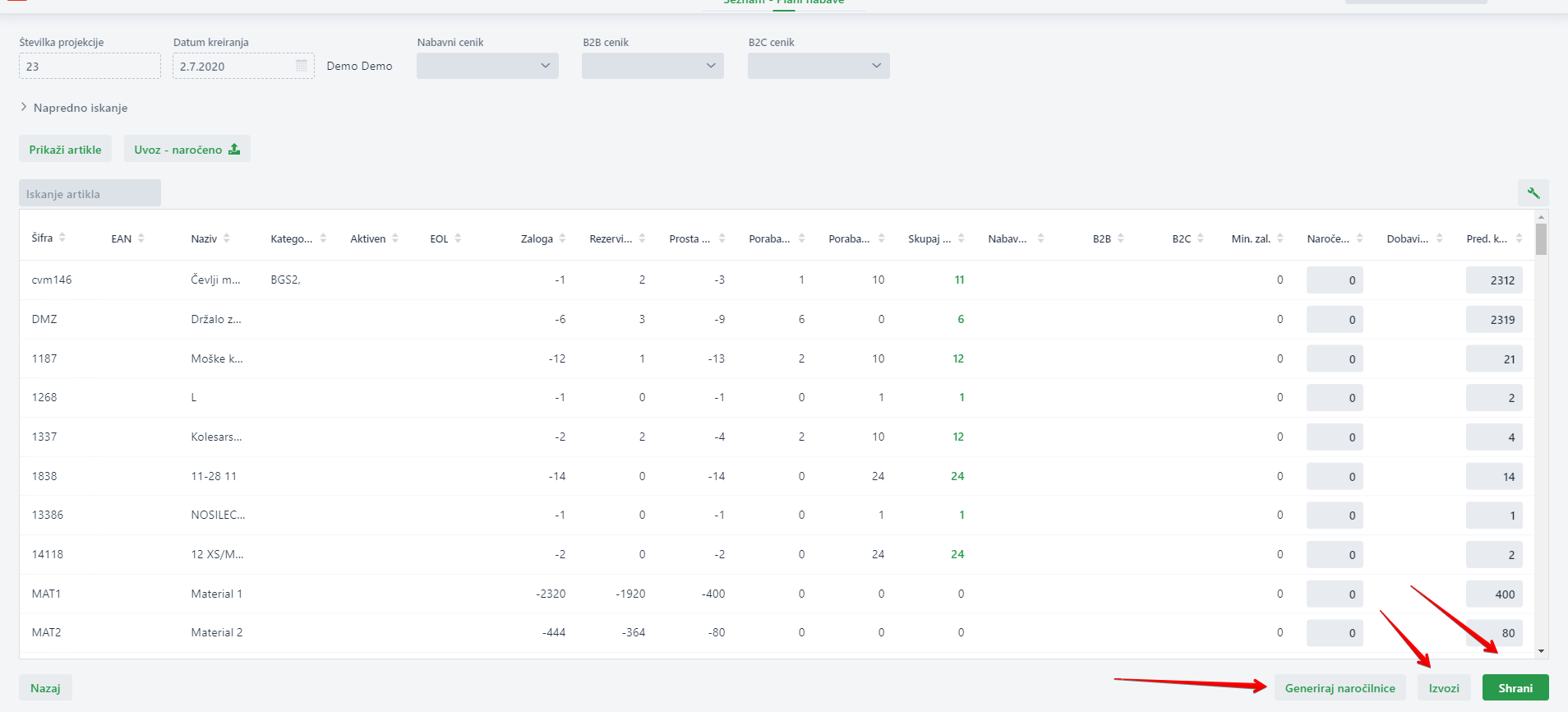
After selecting all parameters that will display the desired range of products and their consumption, click on ''Display products'', which will fill in the products table and display Stock in the warehouses, Reservations, Free stock, Local and Foreign sales, minimum stock set, already ordered and still unclaimed stock, supplier, and suggested order quantity, which can be adjusted
Suggested order quantity is calculated in the following way: Free stock missing + minimum quantity - already ordered
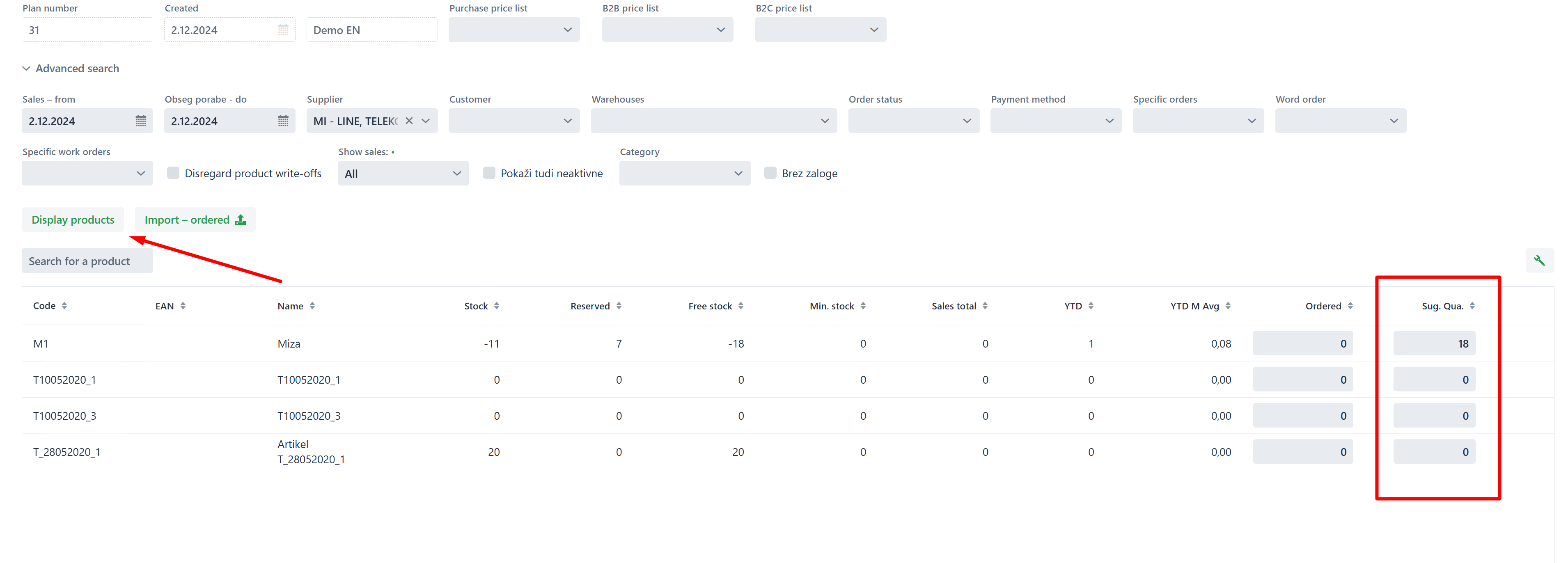
After adjusting the suggested quantities of product orders, save changes. Created projection can be imported into XLS (appropriate for external B2B systems for ordering) and by clicking on ''Generate purchase orders'', orders will be merged by a supplier and a purchase order will be created in Purchase/Purchase orders.
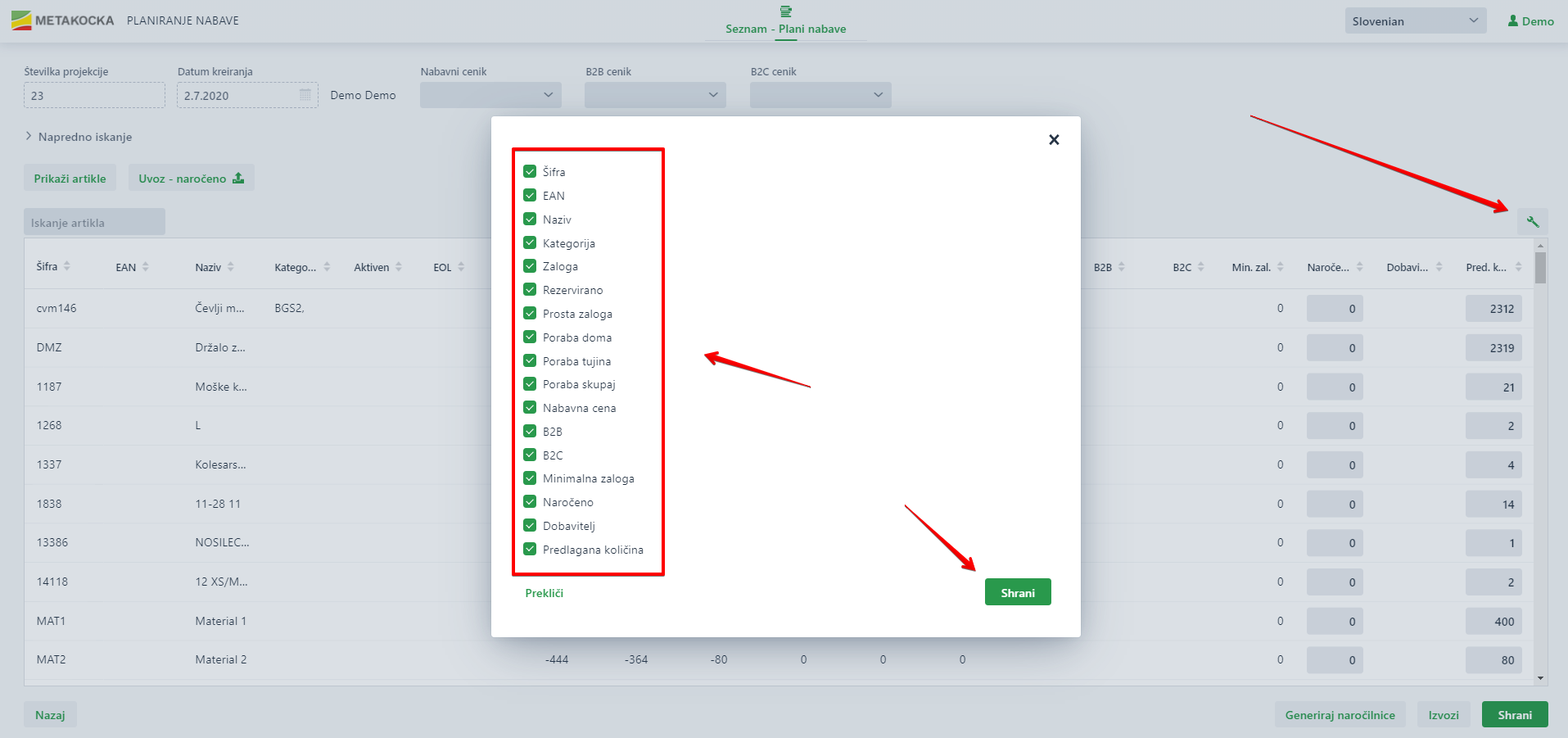
The column display can be limited if needed:
Was this article helpful?
That’s Great!
Thank you for your feedback
Sorry! We couldn't be helpful
Thank you for your feedback
Feedback sent
We appreciate your effort and will try to fix the article