If your tax certificate has expired, apply for a new one in eDavki.
You download the tax certificate on your computer and download it to MetaKocka
Certificate transfer - a button to select the certificate is shown - click on it
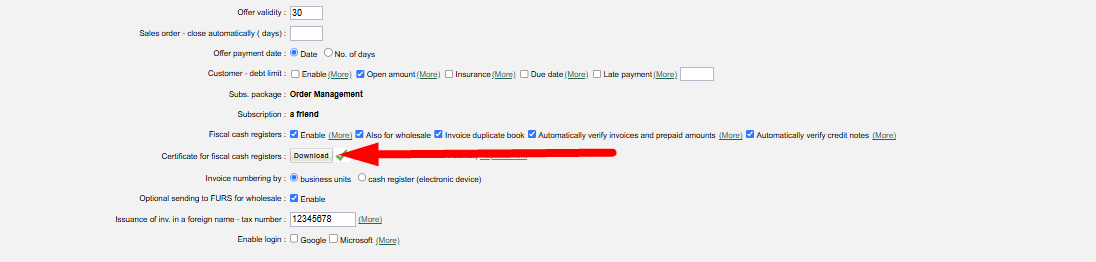
Select/download the certificate that you accepted from eDavki, for signature and transfering information to FURS. (http://www.datoteke.fu.gov.si/eDavki/PrevzemNamenskegaDigitalnegaPotrdila.pdf). At this dialog for certificate download use the same password as you enetered at accepting from FURS.
Was this article helpful?
That’s Great!
Thank you for your feedback
Sorry! We couldn't be helpful
Thank you for your feedback
Feedback sent
We appreciate your effort and will try to fix the article