Order Management 2 – Ready for Shipment
When you issue an invoice in Metakocka, the order status changes to Ready for Shipment. This means that the package is ready for label creation.
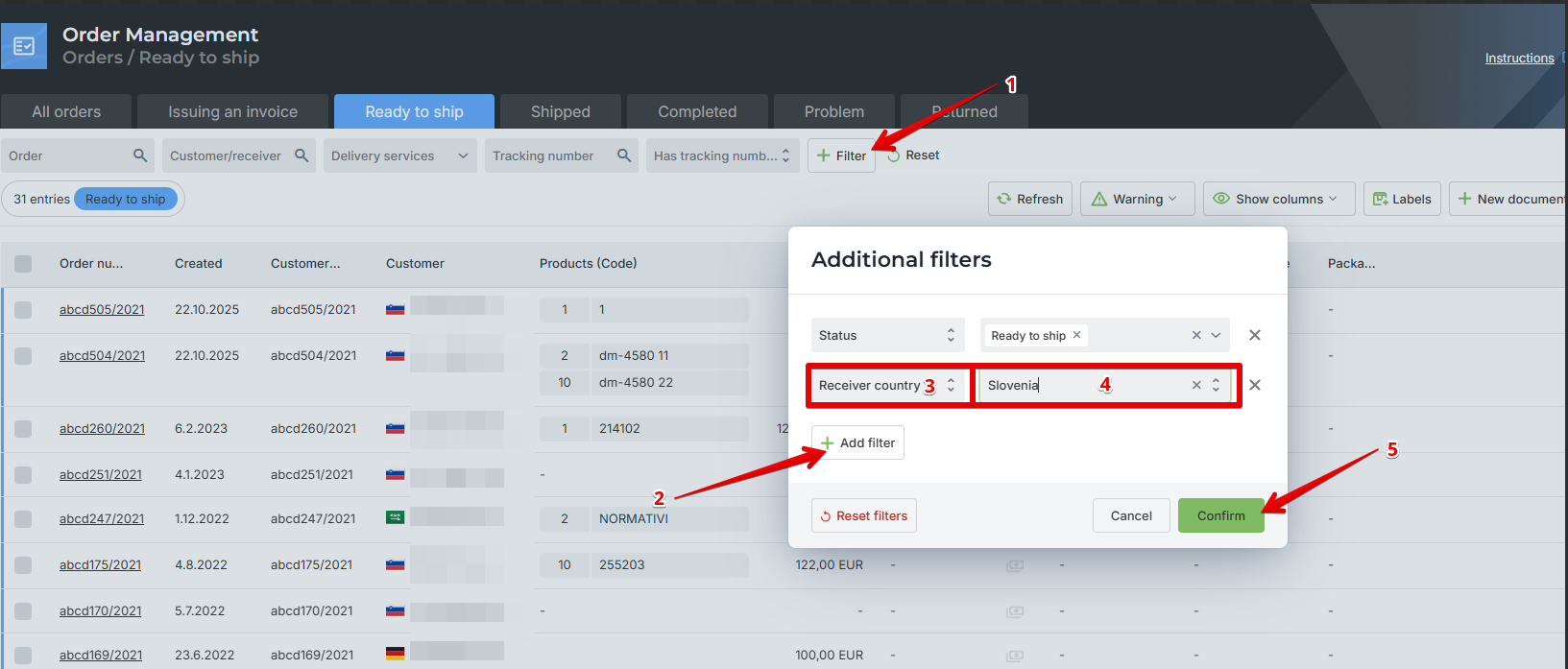
If you ship to multiple countries or use different delivery services, you can use filters to display only the orders you want to ship.
For example, if you want to ship all orders to Slovenia first:
Click on Filters.
Select Add filter.
Choose the Country filter.
Select Slovenia.
Click Confirm.
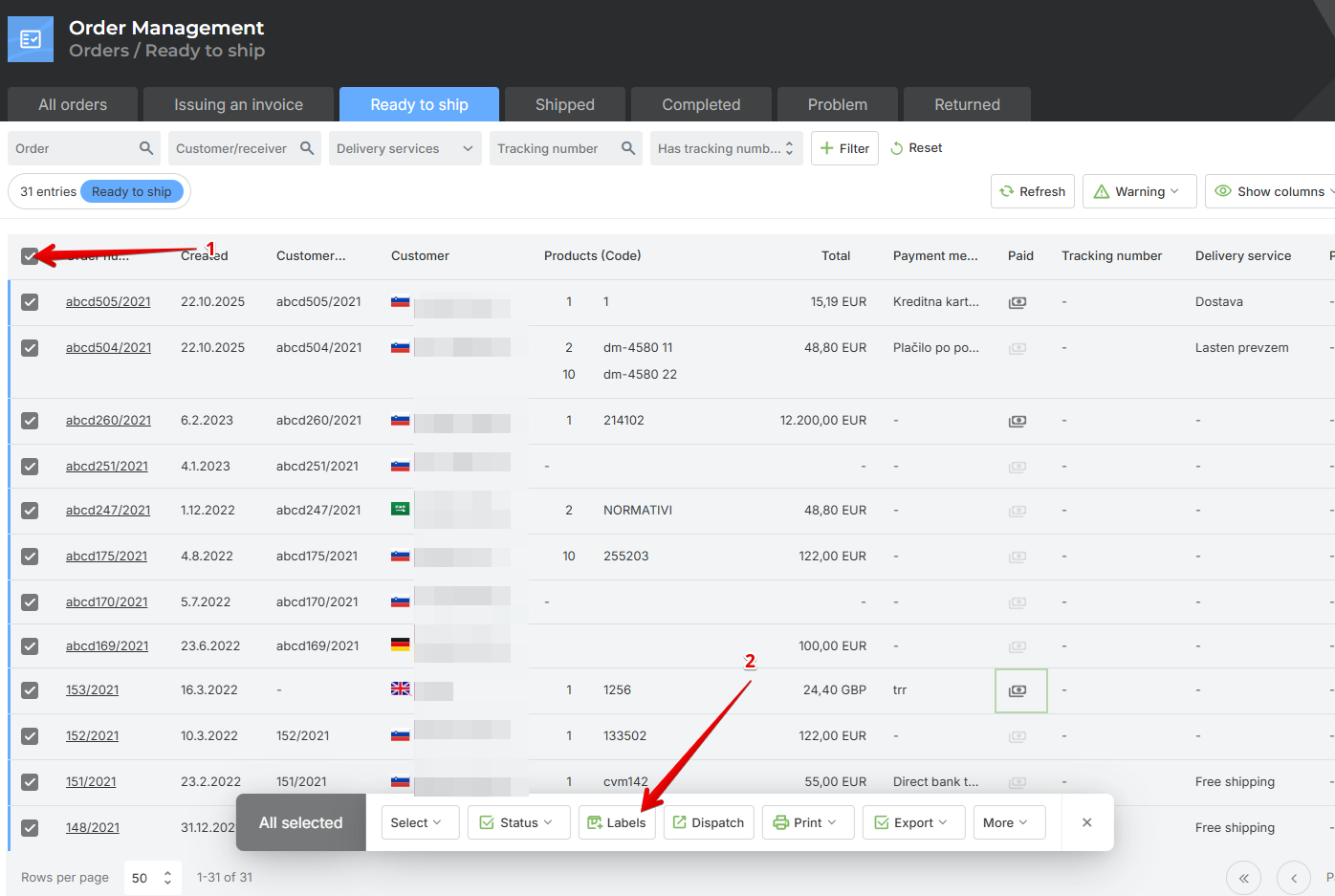
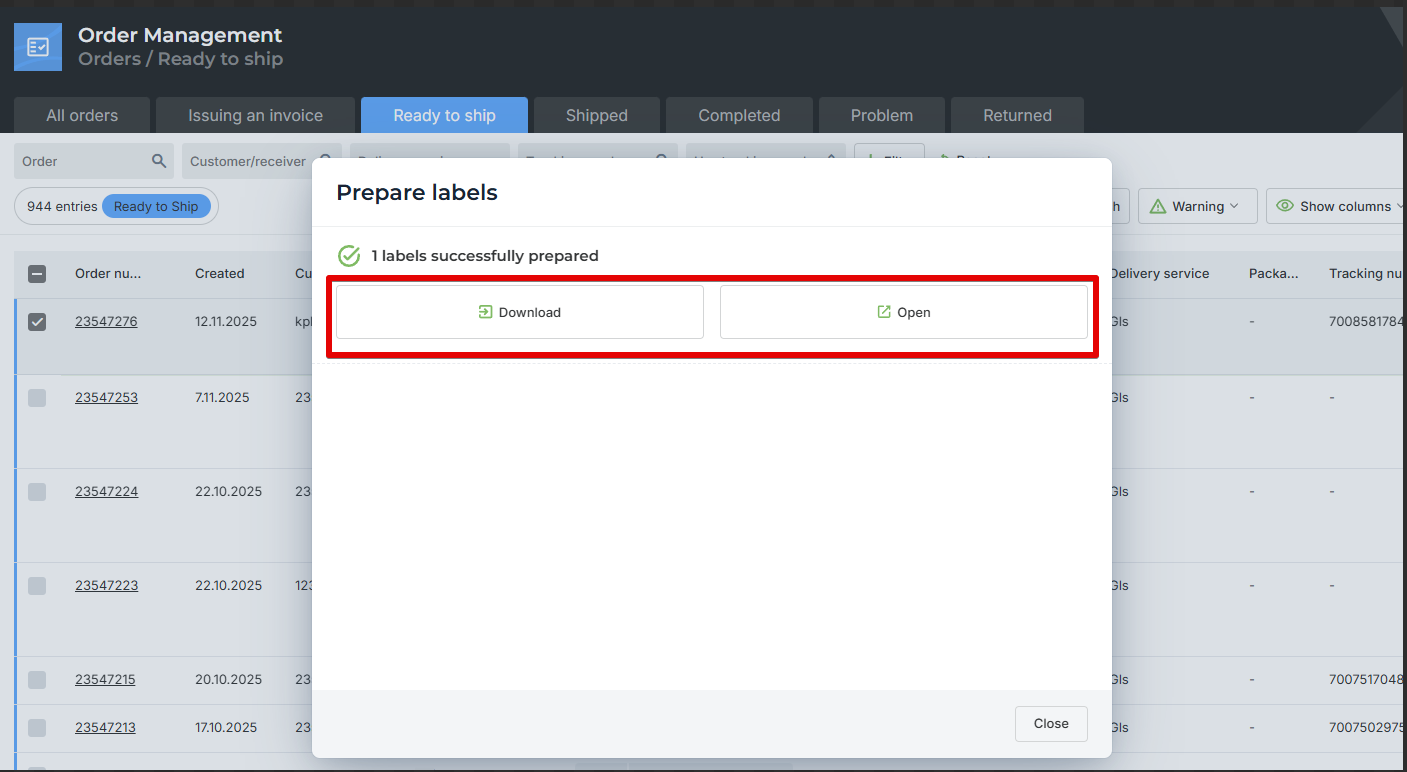
The next step is to create shipping labels for the delivery services for the selected orders.
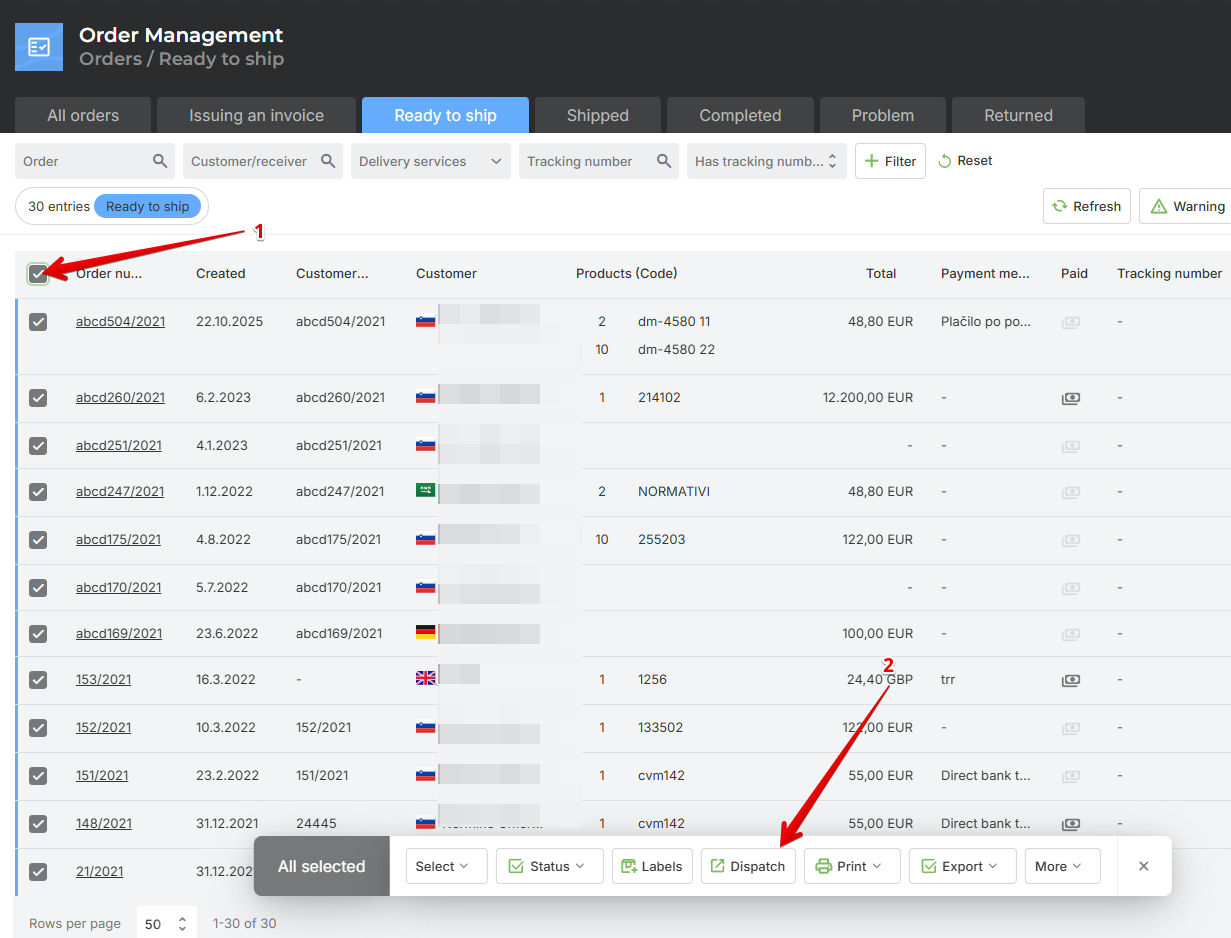
Select the orders for which you want to create labels and click on Labels.
Other:
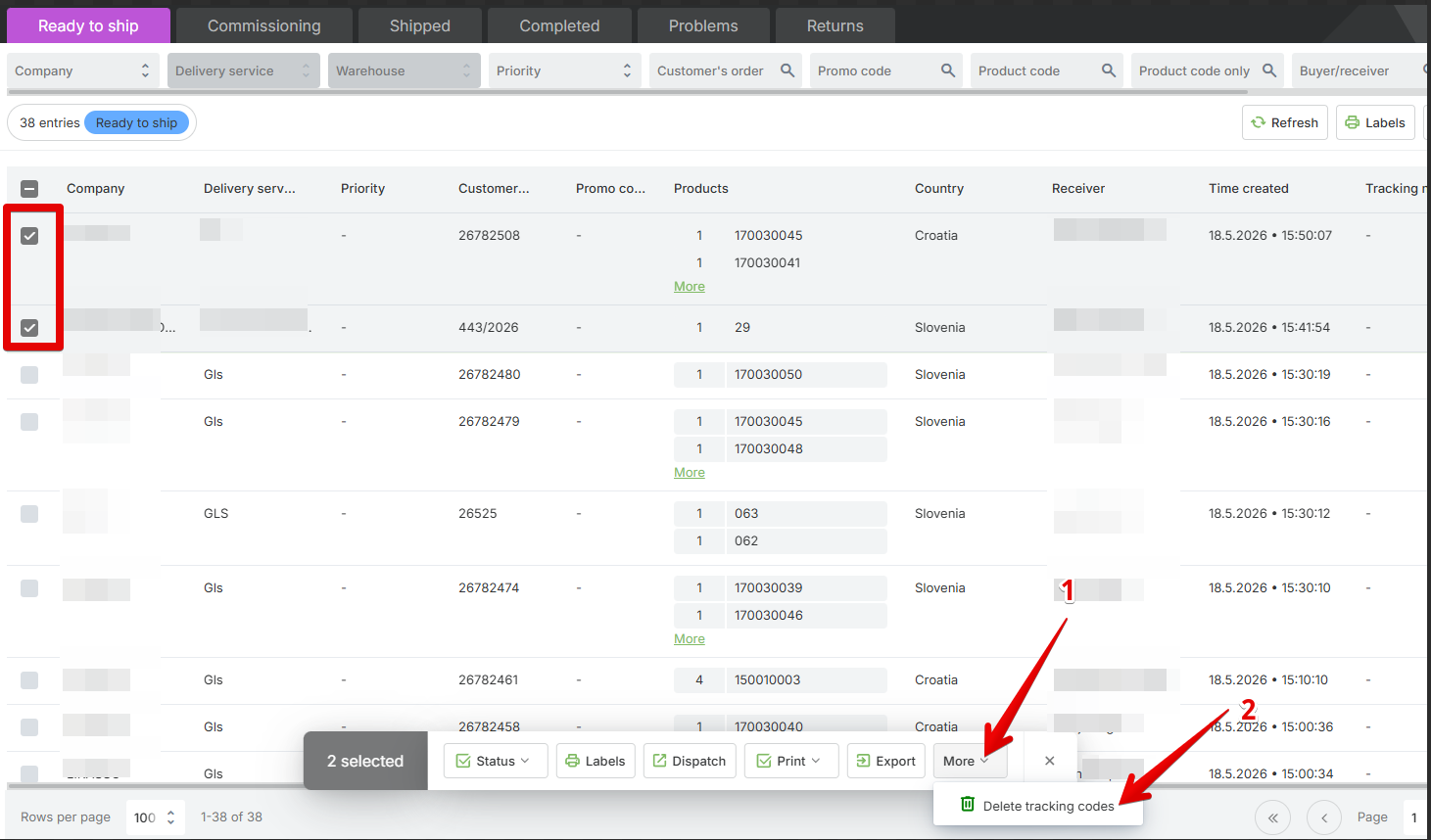
In case there has been a change to the order (address, change of payment method from cash on delivery to another payment method or vice versa, etc.) and a new label needs to be created, the existing tracking code must be deleted and the label reprinted so that the updated information is shown on it.
The tracking code can be deleted for one or more orders. Select the desired orders and then click the option “Delete tracking numbers.”
Was this article helpful?
That’s Great!
Thank you for your feedback
Sorry! We couldn't be helpful
Thank you for your feedback
Feedback sent
We appreciate your effort and will try to fix the article