Create a picking list when printing labels
This function lets you create a picking list in the dialog where labels are prepared for the selected delivery service
Enabling the function: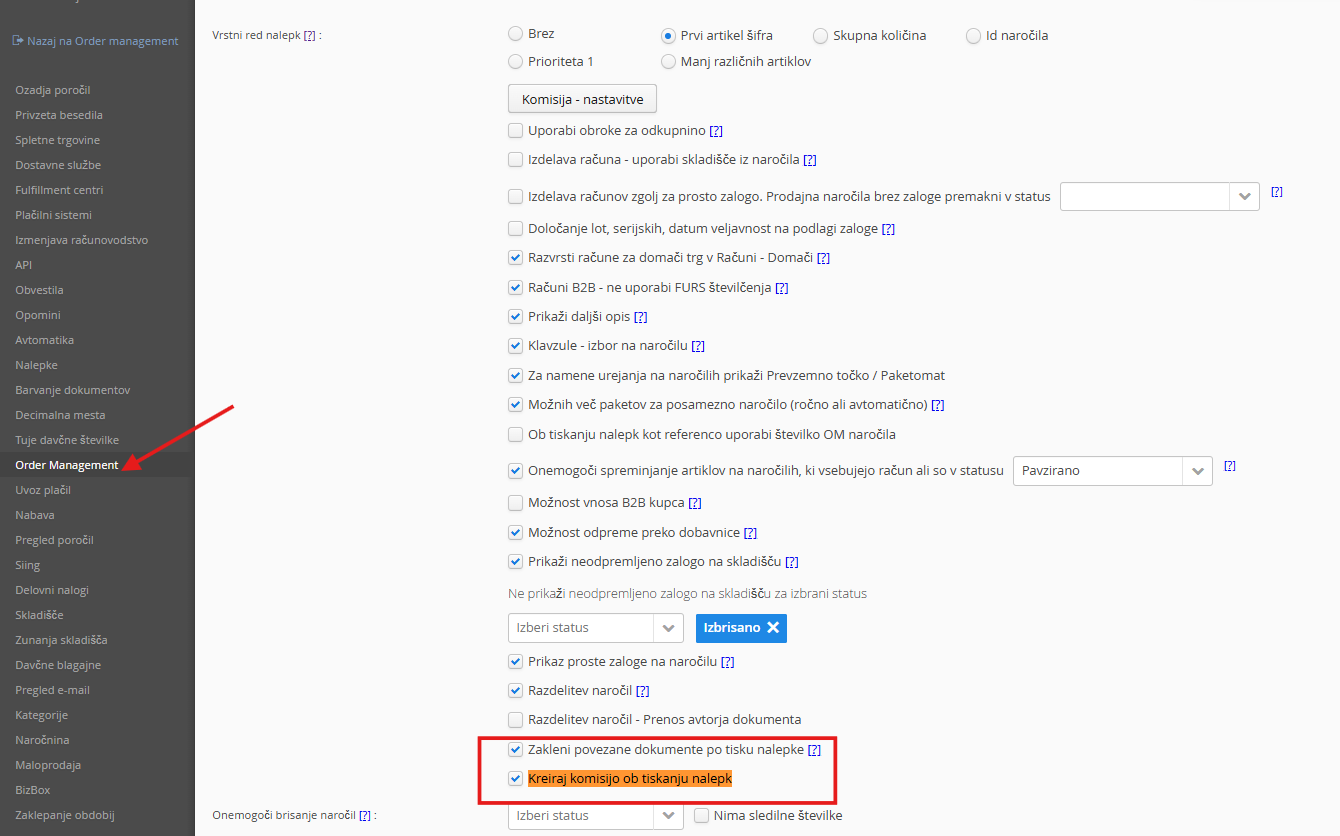
When it is enabled, the label printing dialog also shows the option to create a picking list: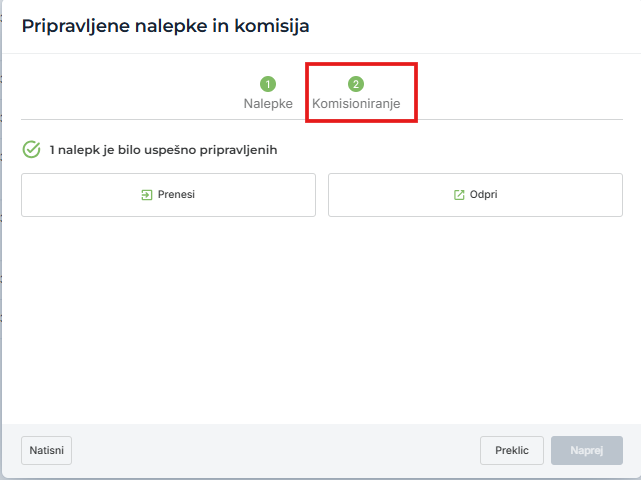
First download the labels, then continue by clicking Next, where you create the picking list: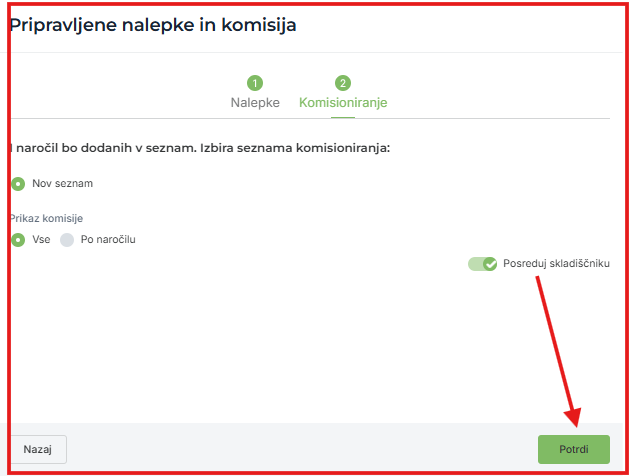
When you confirm, the picking list is created in the scanner.
You can extend the function
1. with an order status change when the picking list is created:

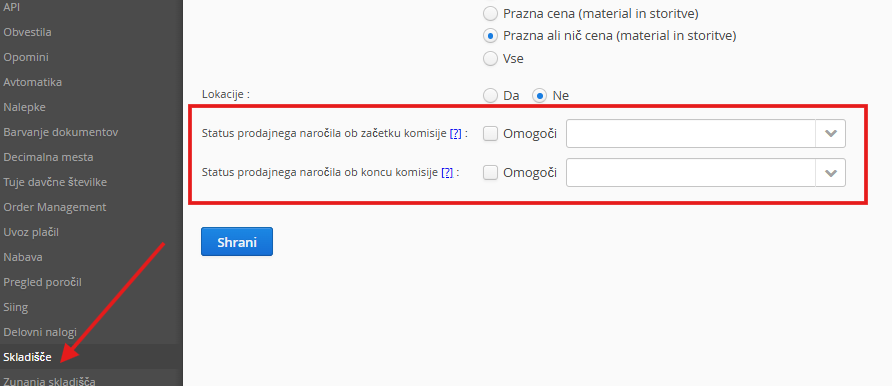
2. with the sales order status at the start of picking
3. with the sales order status at the end of picking
Was this article helpful?
That’s Great!
Thank you for your feedback
Sorry! We couldn't be helpful
Thank you for your feedback
Feedback sent
We appreciate your effort and will try to fix the article