
Order Management 2 - Editing an order
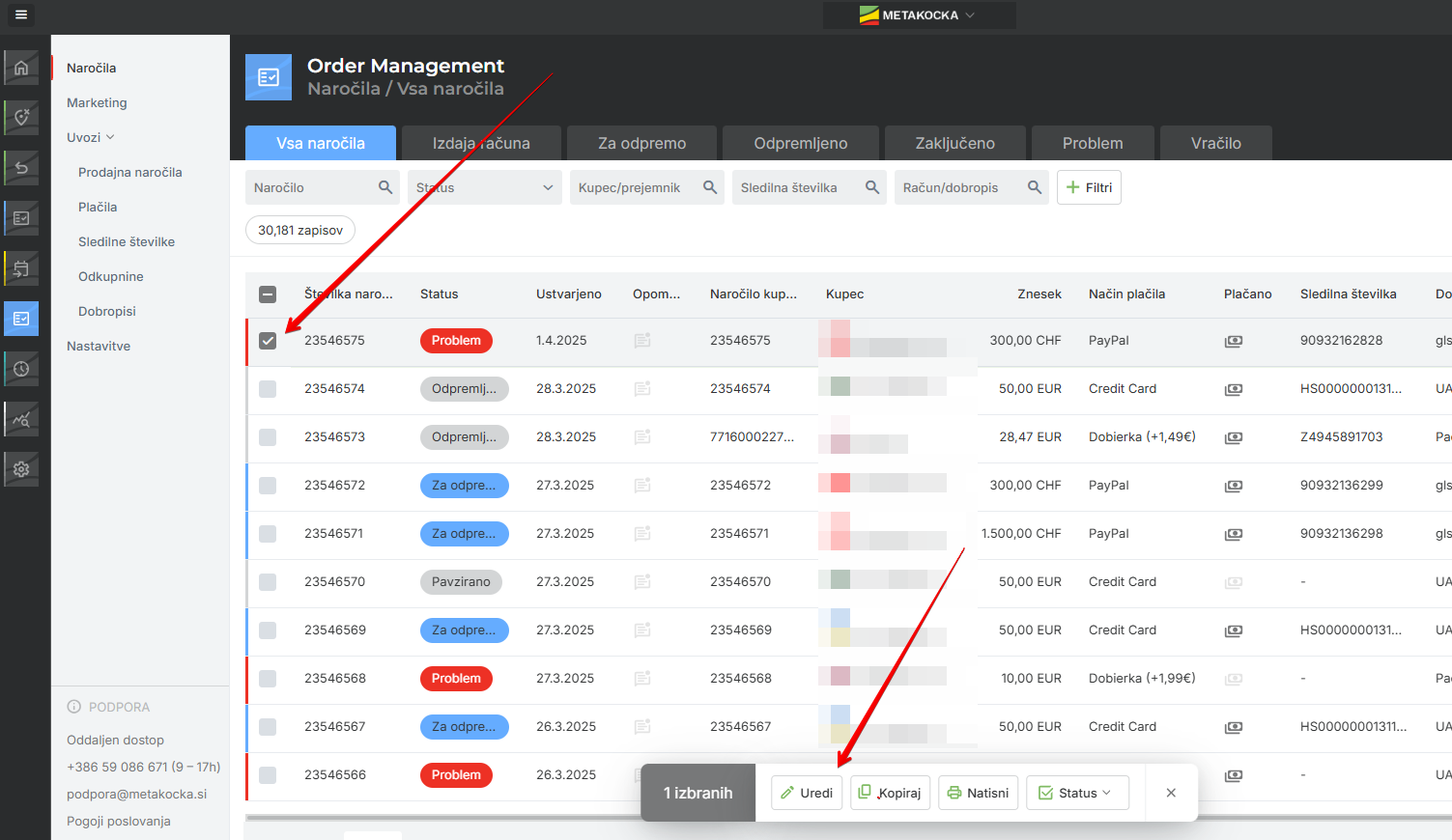
To edit a sales order, just click it, or select it and open it with the "Edit" button.
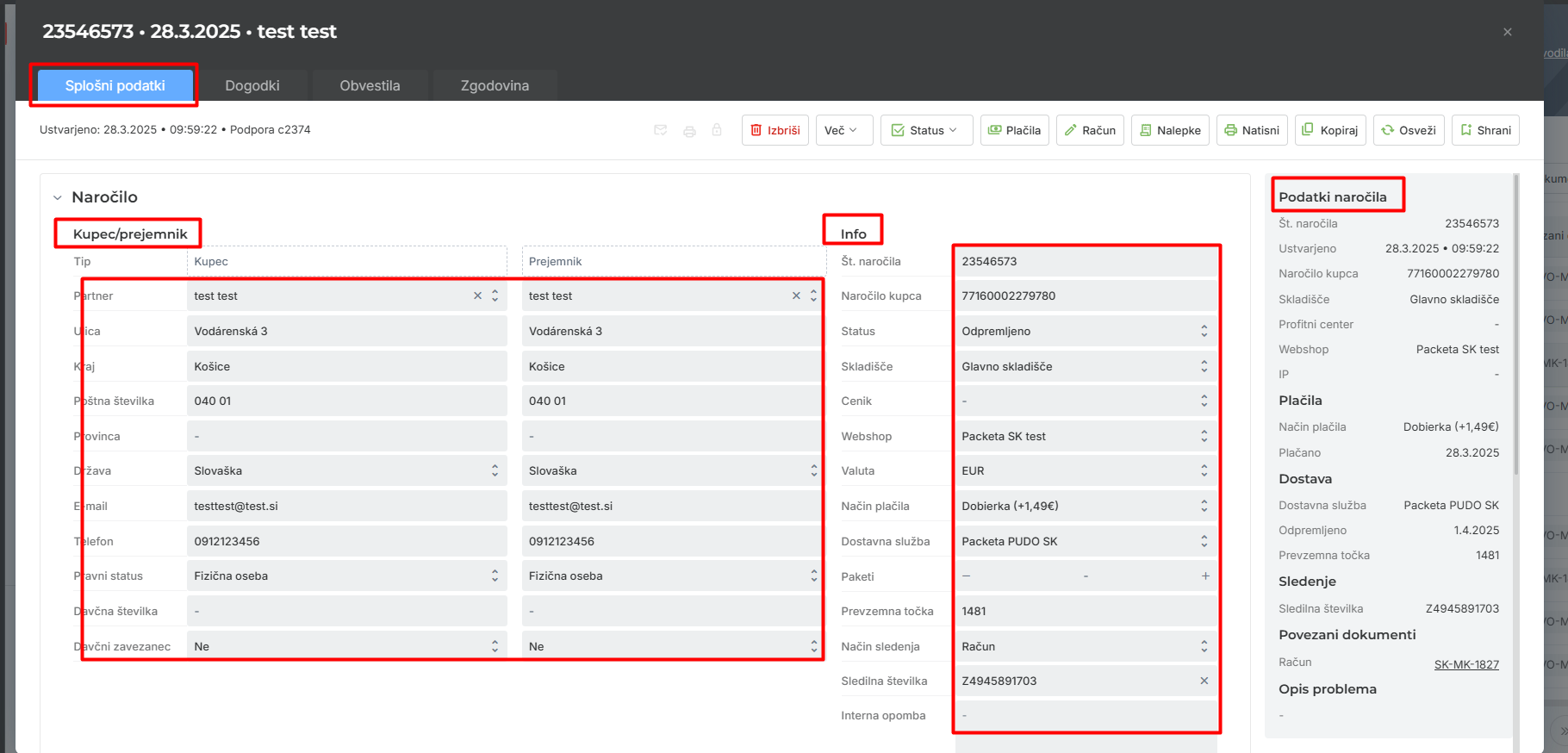
Each sales order is divided into:
- General data
- Events,
- Notifications,
- History.

GENERAL DATA
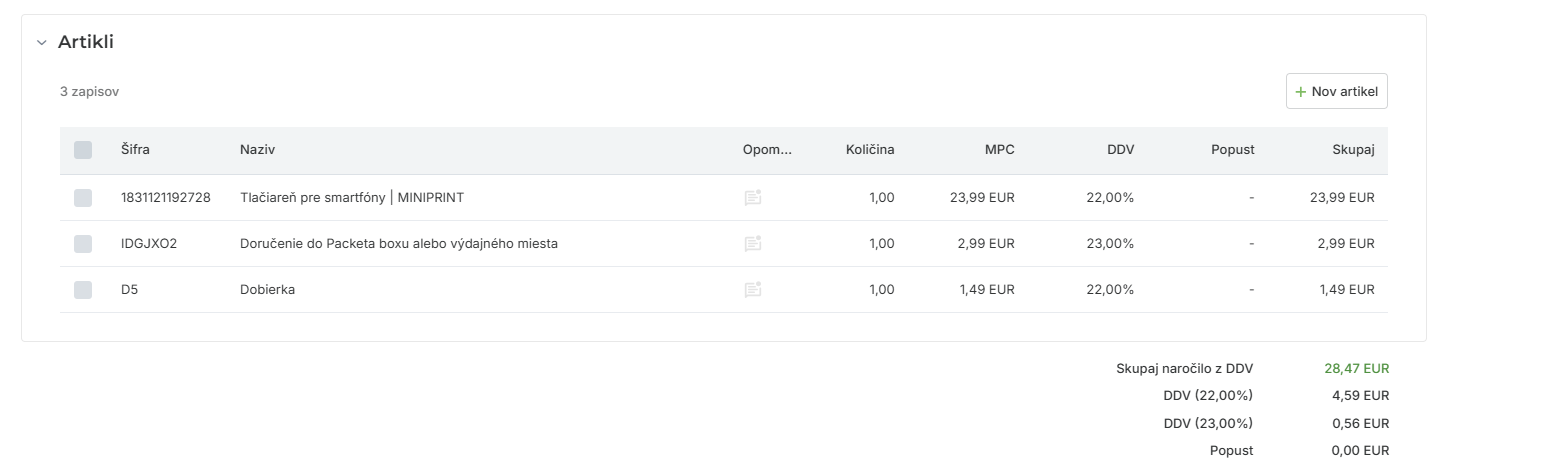
Here you can see the customer and invoice recipient data, order information, order data and order products.
You can edit all of this data later.
Some data is there for information only and cannot be edited directly: "Created" - when the order was created in MetaKocka, and weight - the total weight of all products.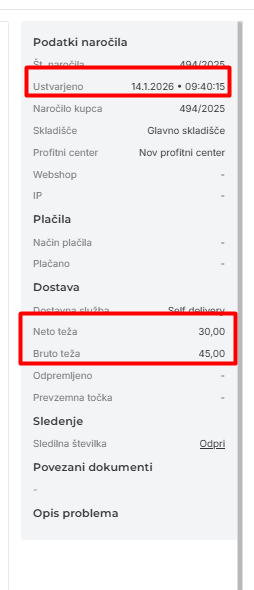 EVENTS
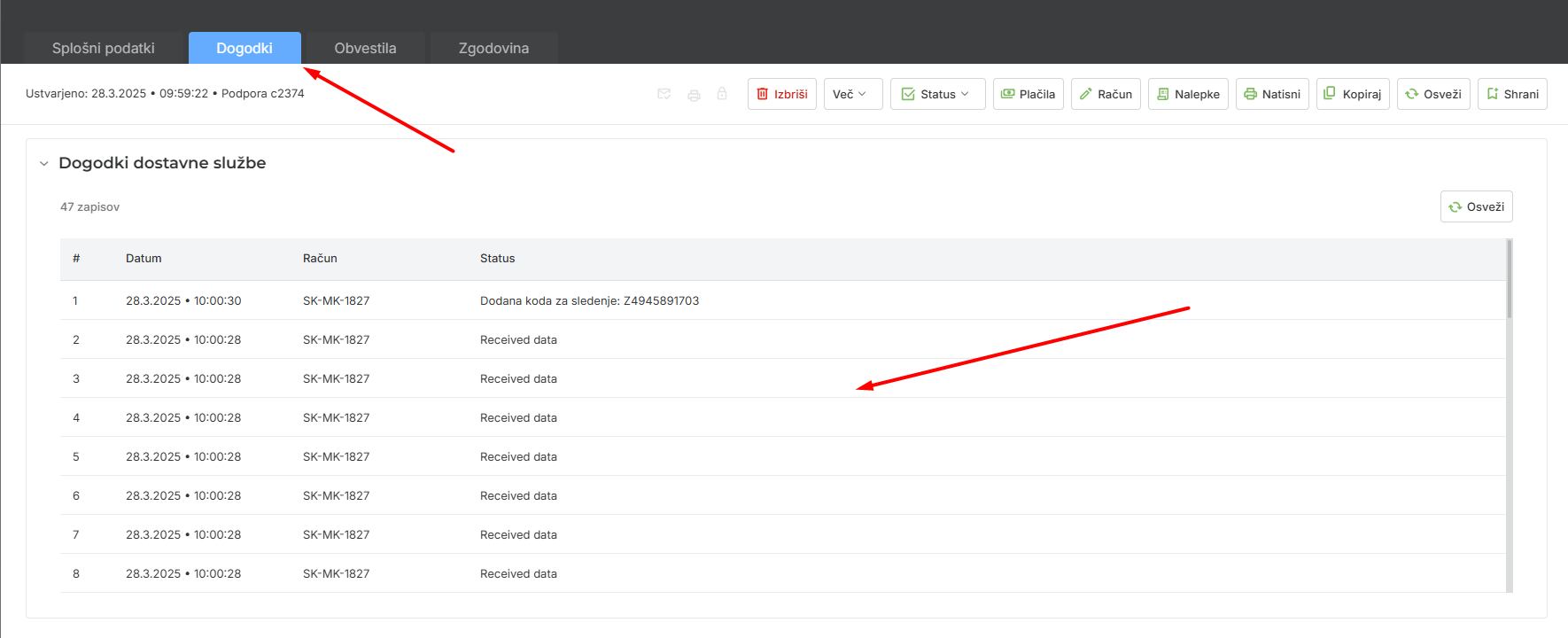
Shows all delivery events, so you can easily follow what is happening with the sales order. For each delivery entry you can see: date, delivery service, invoice and status.
NOTIFICATIONS
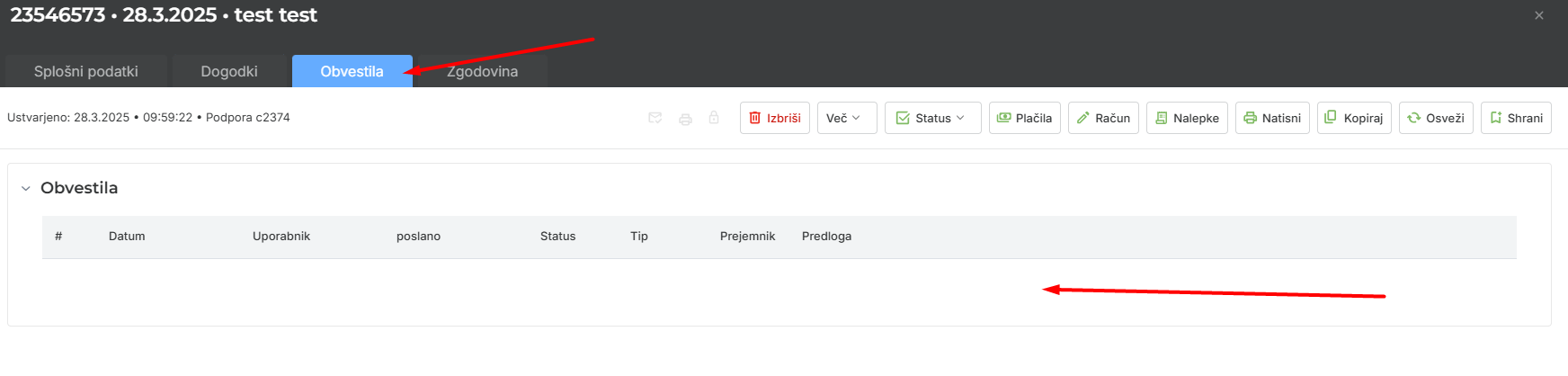
Shows all notifications triggered for this sales order. For each notification you can see the date, user, sending status, notification type, recipient and which templates were used.
History
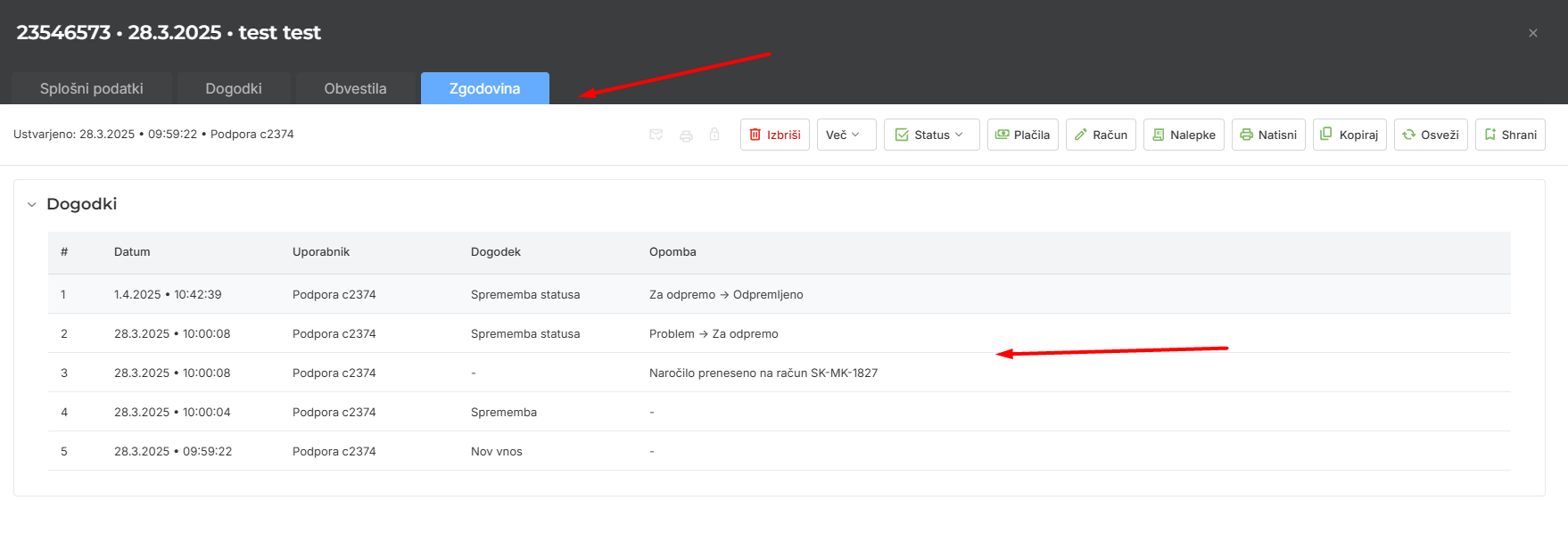
Shows when changes were made to the order. You can see the date/time and the user who made the change.
Was this article helpful?
That’s Great!
Thank you for your feedback
Sorry! We couldn't be helpful
Thank you for your feedback
Feedback sent
We appreciate your effort and will try to fix the article