
Integration - Nova Global
The delivery service delivers to the USA, the UK, China, Ukraine and Moldova.
MetaKocka - setting up the connection
Set up a new delivery type that you will use for the Nova Global delivery service
1. go to Additional settings/Delivery services/New
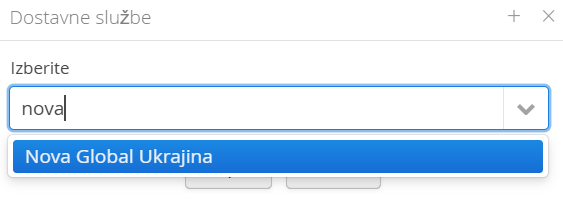
2. Select the delivery service Nova Global
3. enter the data you received from Nova Global
4. save andtest the connection
1. Adding the delivery service in Additional settings: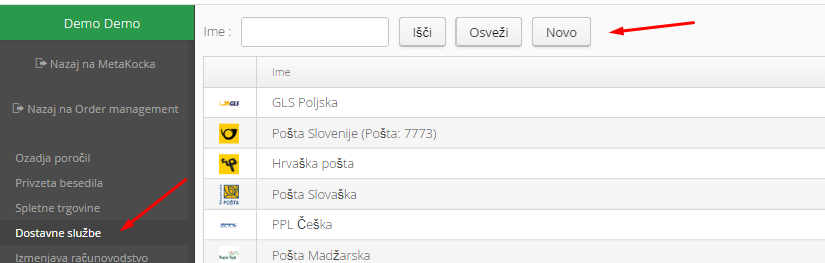
2. Select the Nova Global delivery service and confirm:
3. If you have not set up the delivery type yet, click + and enter the required data:
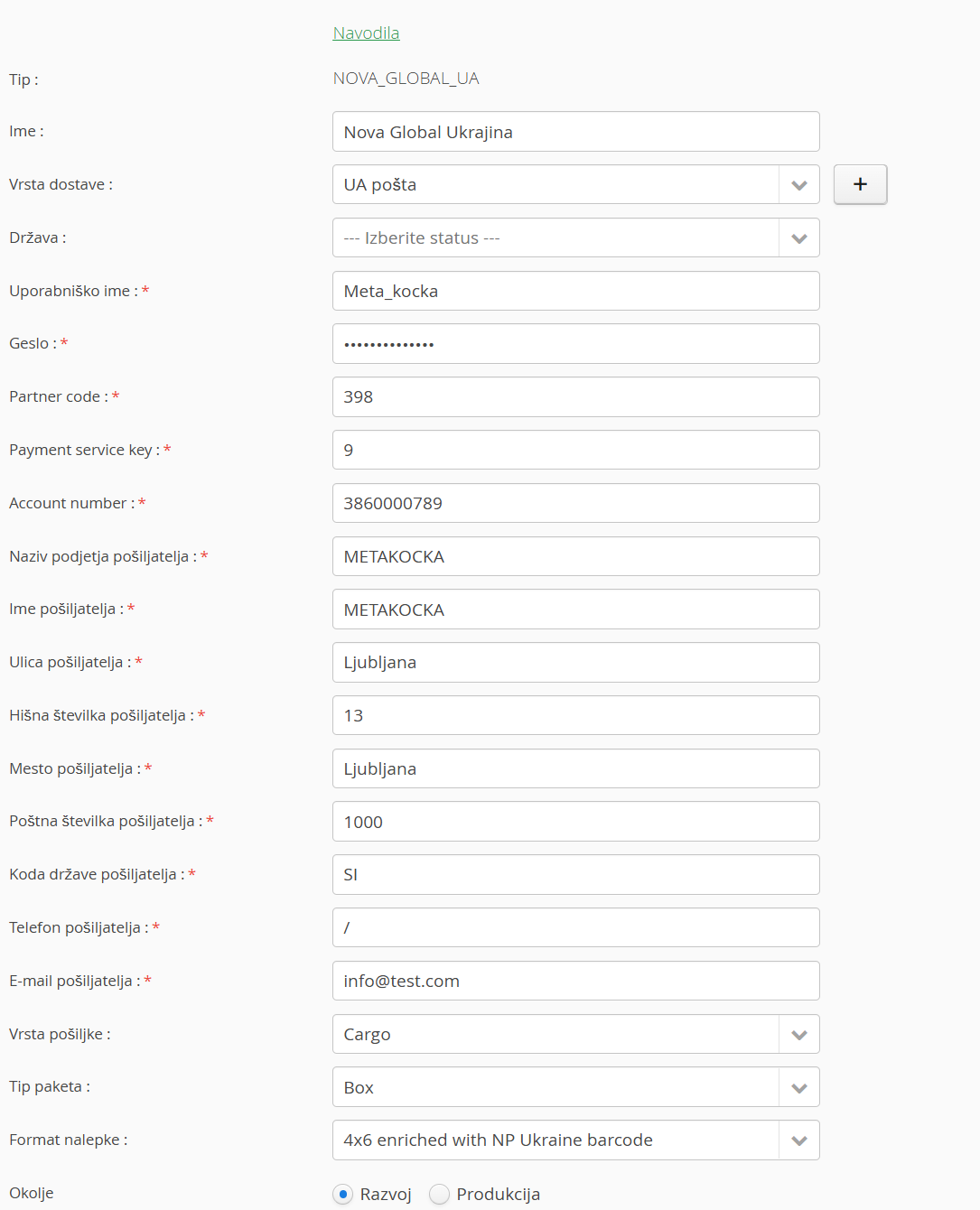
Parcel pickup location:

If you bring the parcels to the Nova Global warehouse yourself, select Nova Global warehouse. If the delivery service picks up the parcels at your address, select Company warehouse
4. Save and test:

Save the data and click "Test connection" to check that the data is correct.
5. Parcel lockers:
WooCommerce support:
You need to send the data:
and
Was this article helpful?
That’s Great!
Thank you for your feedback
Sorry! We couldn't be helpful
Thank you for your feedback
Feedback sent
We appreciate your effort and will try to fix the article