Within Order Management, there is a function available for printing the item card. This allows you to quickly review the stock history – you can accurately check the dates of receipts (stock increase) and issues (stock decrease) for the selected item.
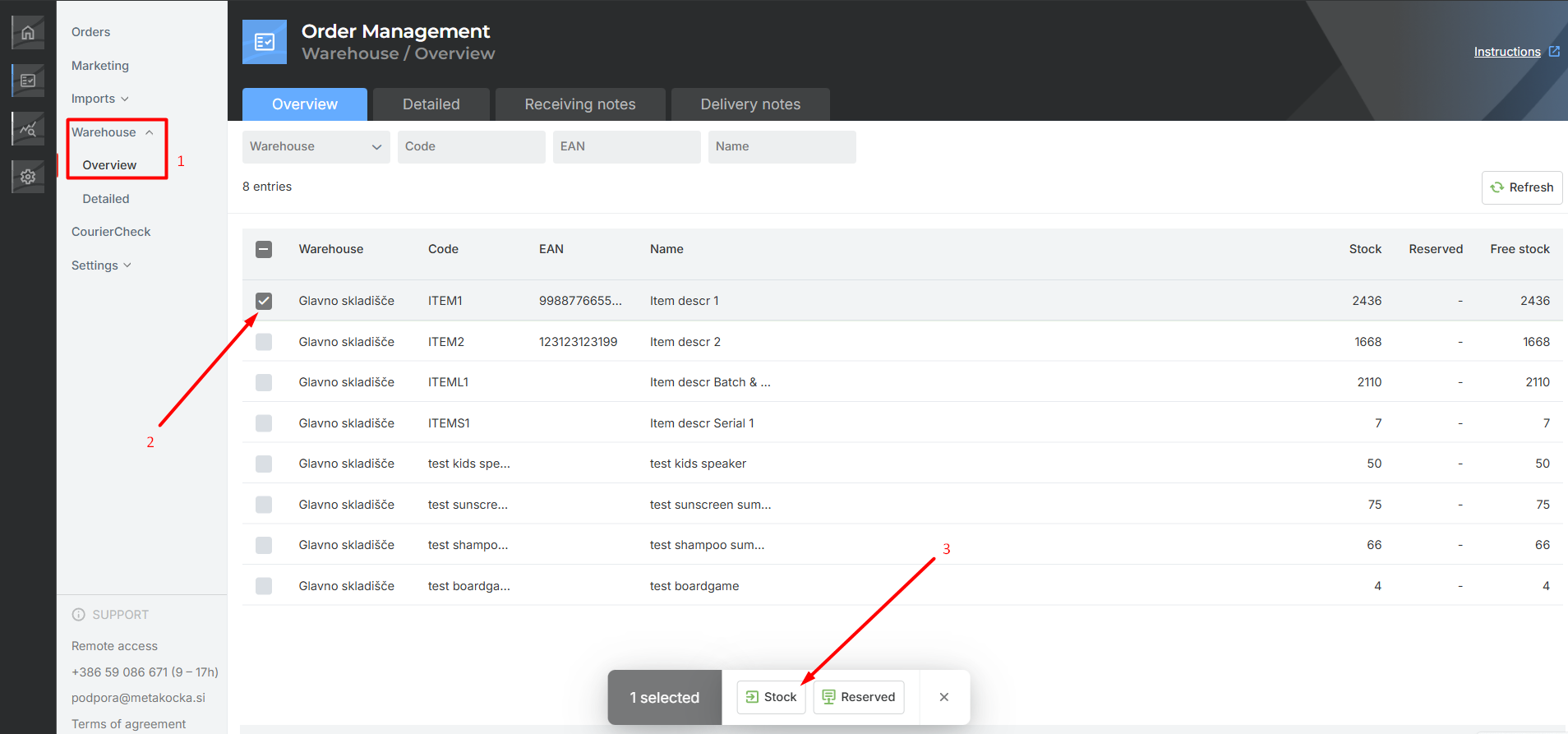
- Open the Warehouse - Overview tab, where the list of items in stock is displayed.
- Click on the selected item to display the toolbar.
- In the toolbar, click the Stock button.
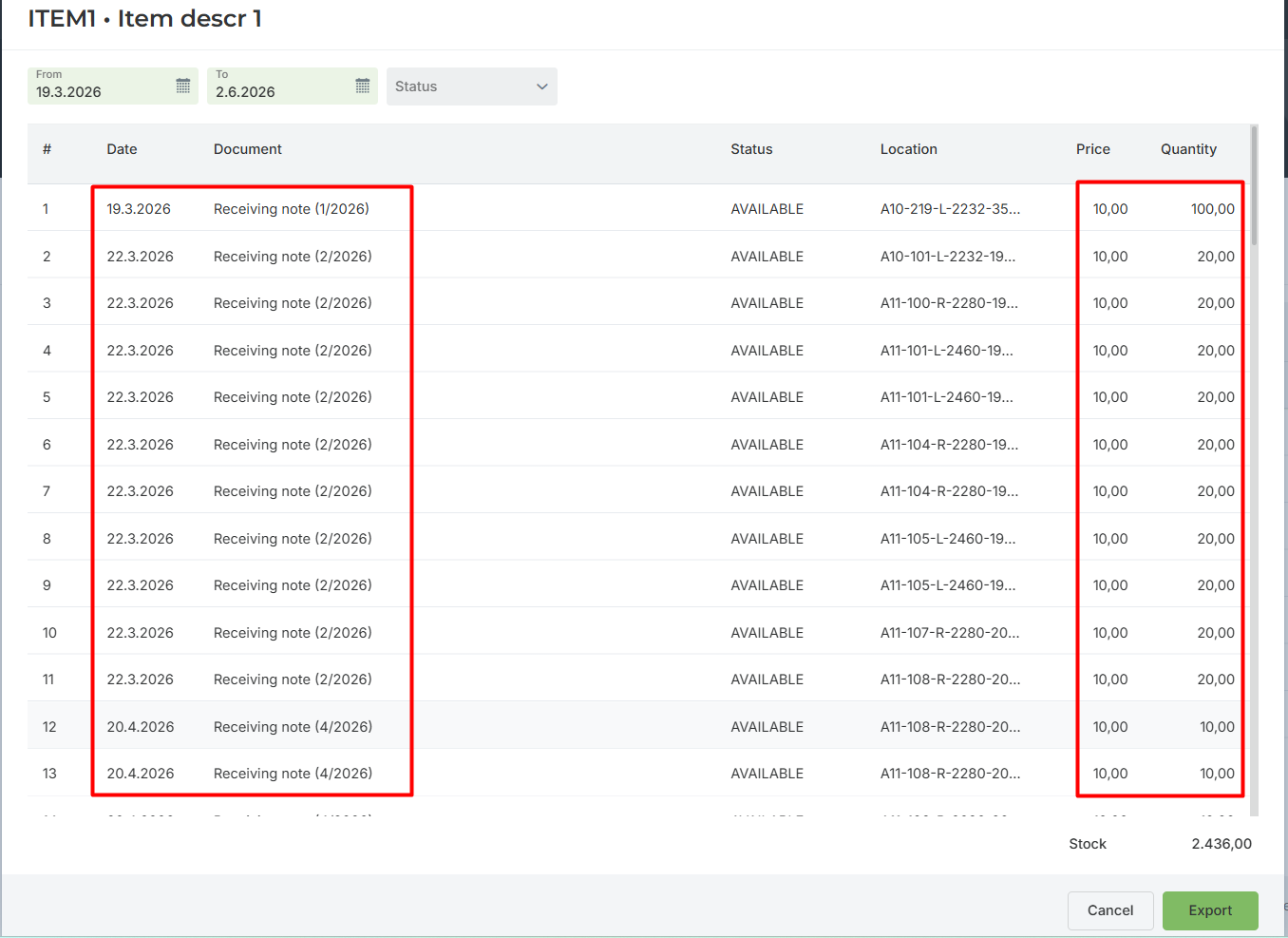
A list of issued goods receipt notes, delivery notes, and other documents that affected the stock change will be displayed.
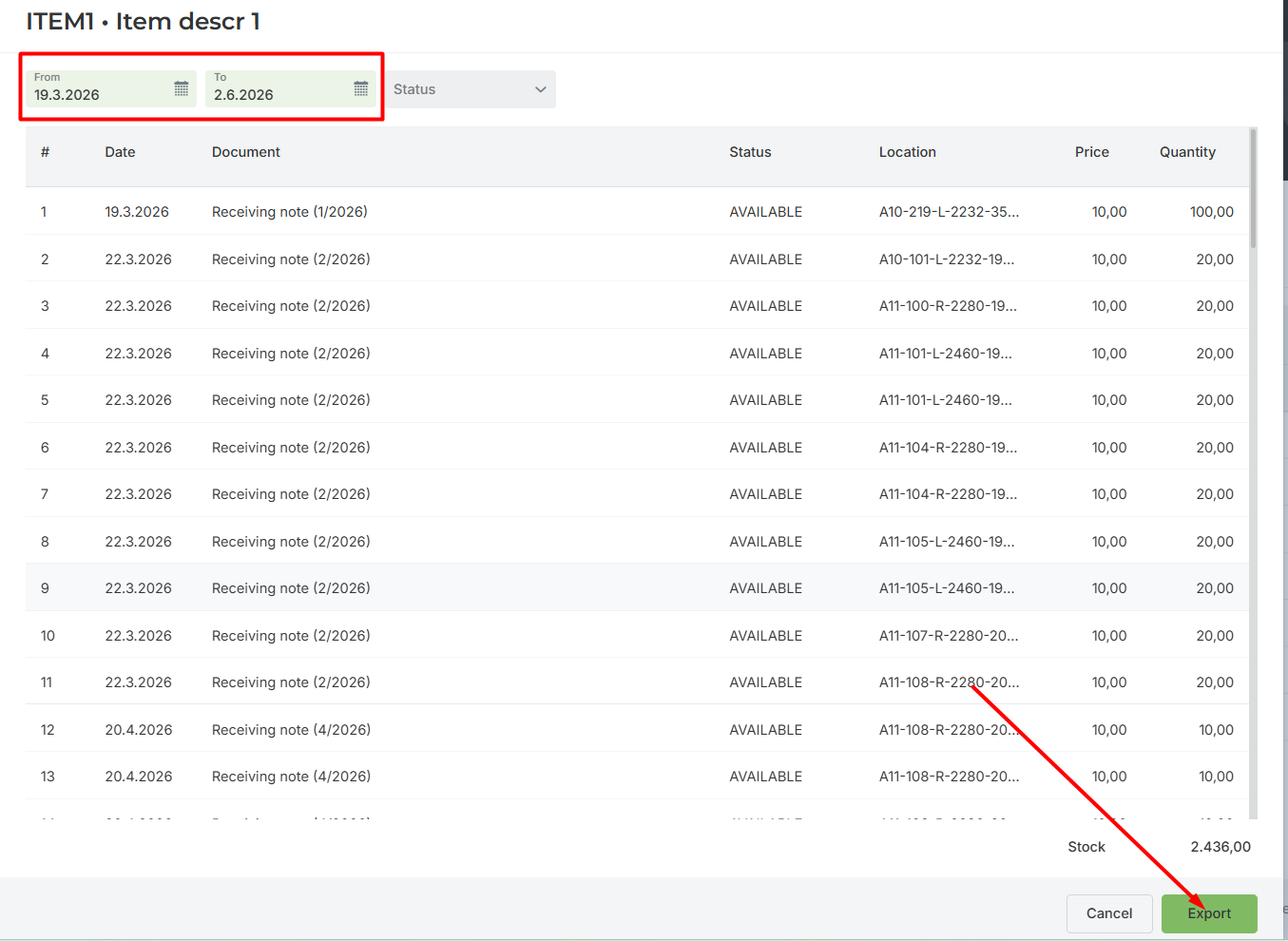
You can limit the report to a selected period and export it to Excel if needed.
Was this article helpful?
That’s Great!
Thank you for your feedback
Sorry! We couldn't be helpful
Thank you for your feedback
Feedback sent
We appreciate your effort and will try to fix the article