
Sales order status change - Picking
This function lets you follow the status of picking in the warehouse directly through the sales order status.
When picking starts for the products on an order, the order status is updated automatically as picking progresses. This way, you can quickly see in the sales order overview which stage each order is in - waiting for picking, currently being processed, or picking completed.
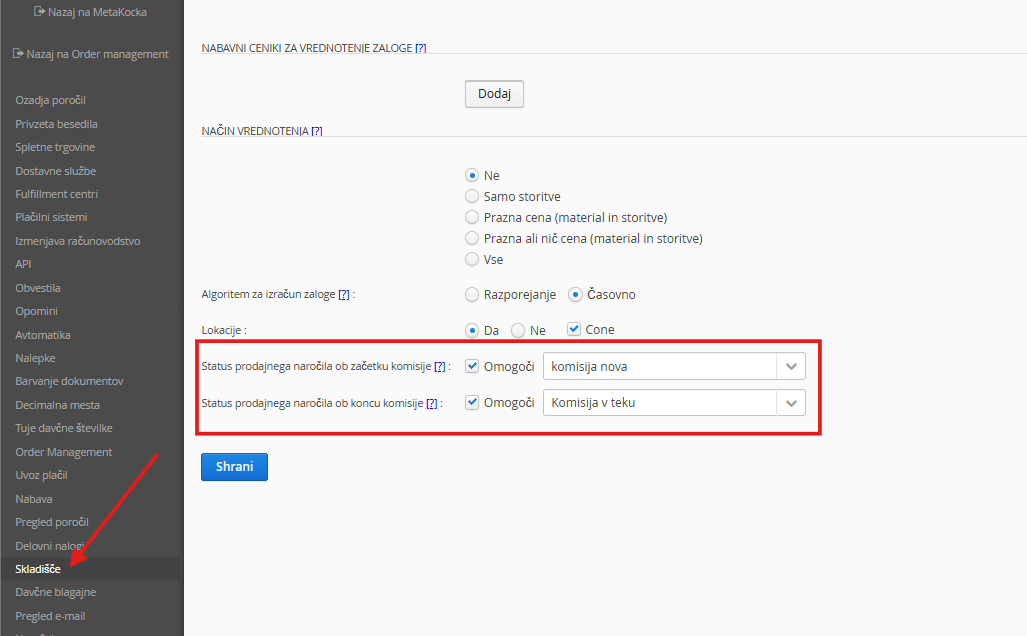
Sales order status at the start of picking: Set the status the sales order changes to when the first product in the picking list is scanned.
Sales order status at the end of picking: Set the status the sales order changes to when the picking list is completed.
Instructions for picking in the scanner are available at this LINK
Was this article helpful?
That’s Great!
Thank you for your feedback
Sorry! We couldn't be helpful
Thank you for your feedback
Feedback sent
We appreciate your effort and will try to fix the article