
Order Management 2 – Import Tracking Numbers
The General Tracking Code Import allows you to use a prepared Excel file where you can copy one of the order identifiers and the tracking code. Upon import, the tracking codes are added to the orders.
Imports – Tracking Numbers
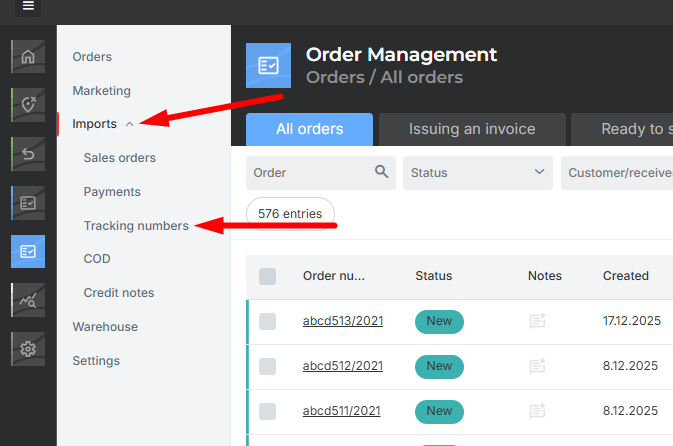
In Order Management, go to Imports – Tracking Numbers.
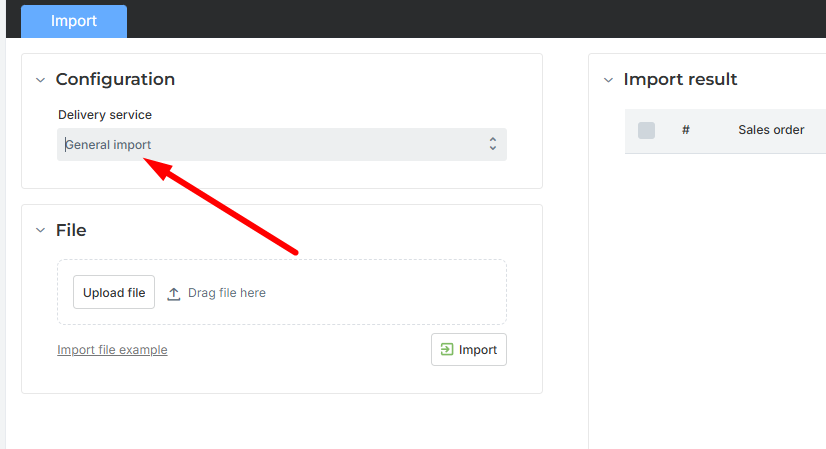
For import, select General.
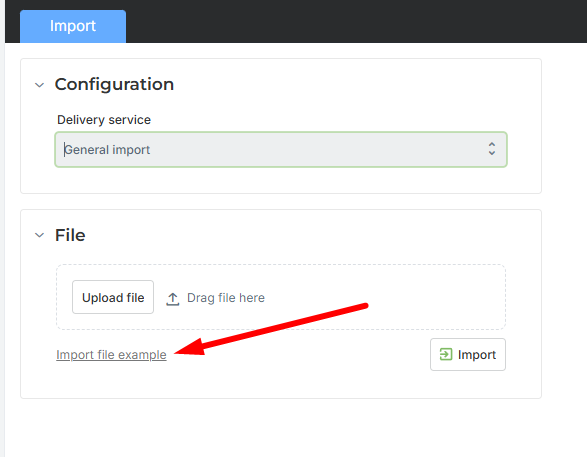
Import File
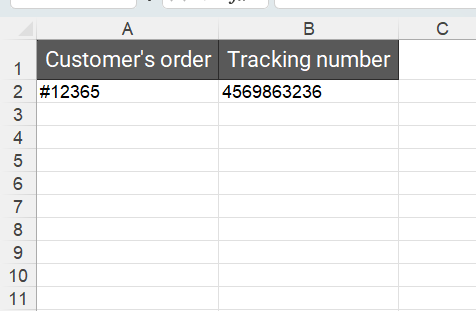
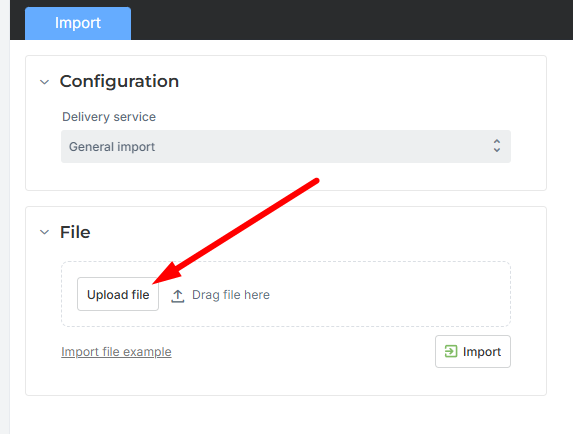
You can download the template for the import file from the application by clicking Example Import File (shown below). It is important that at least the order identifier for which the cash-on-delivery payment was received – Order Number – and the Tracking Code are entered.
Adding Tracking Codes to Orders
Click Upload File and select your Excel file.
After a successful import, the tracking code will be added to the order.
Was this article helpful?
That’s Great!
Thank you for your feedback
Sorry! We couldn't be helpful
Thank you for your feedback
Feedback sent
We appreciate your effort and will try to fix the article