
Archiving data
Over the years, MetaKocka accumulates a large number of documents (sales orders, invoices, delivery notes, etc.), which can make the application and reports slower. Since documents that are a few years old are usually not needed for daily work or future business decisions, you can archive them in the application.
Archiving is carried out by MetaKocka support by prior arrangement with the customer. Usually, archiving up to a certain year is chosen (e.g. up to 31 December 2022). It always runs from the start of your business to the chosen date (you cannot archive only a certain period within the whole period you have used MetaKocka).
Archiving always starts with the Sales order document and includes all linked documents (invoices, delivery notes, any credit notes and goods received notes). If not all linked documents of a sales order fall within the archiving range, the order is not archived and the document stays in MetaKocka. Example: you archive up to 31 December 2023; the sales order and invoice were created on 10 December 2023, but you then created a credit note on 5 January 2024. The sales order and all linked documents will not be archived. When archiving is run up to 31 December 2024, the sales order will be included.
Recommended archiving range
We recommend keeping 2 business years plus the current business year. Example:
- the current date is 10 August 2025, which means business year 2025
- keep business years 2024 and 2023
- archiving runs up to 31 December 2022
Accessing archived documents
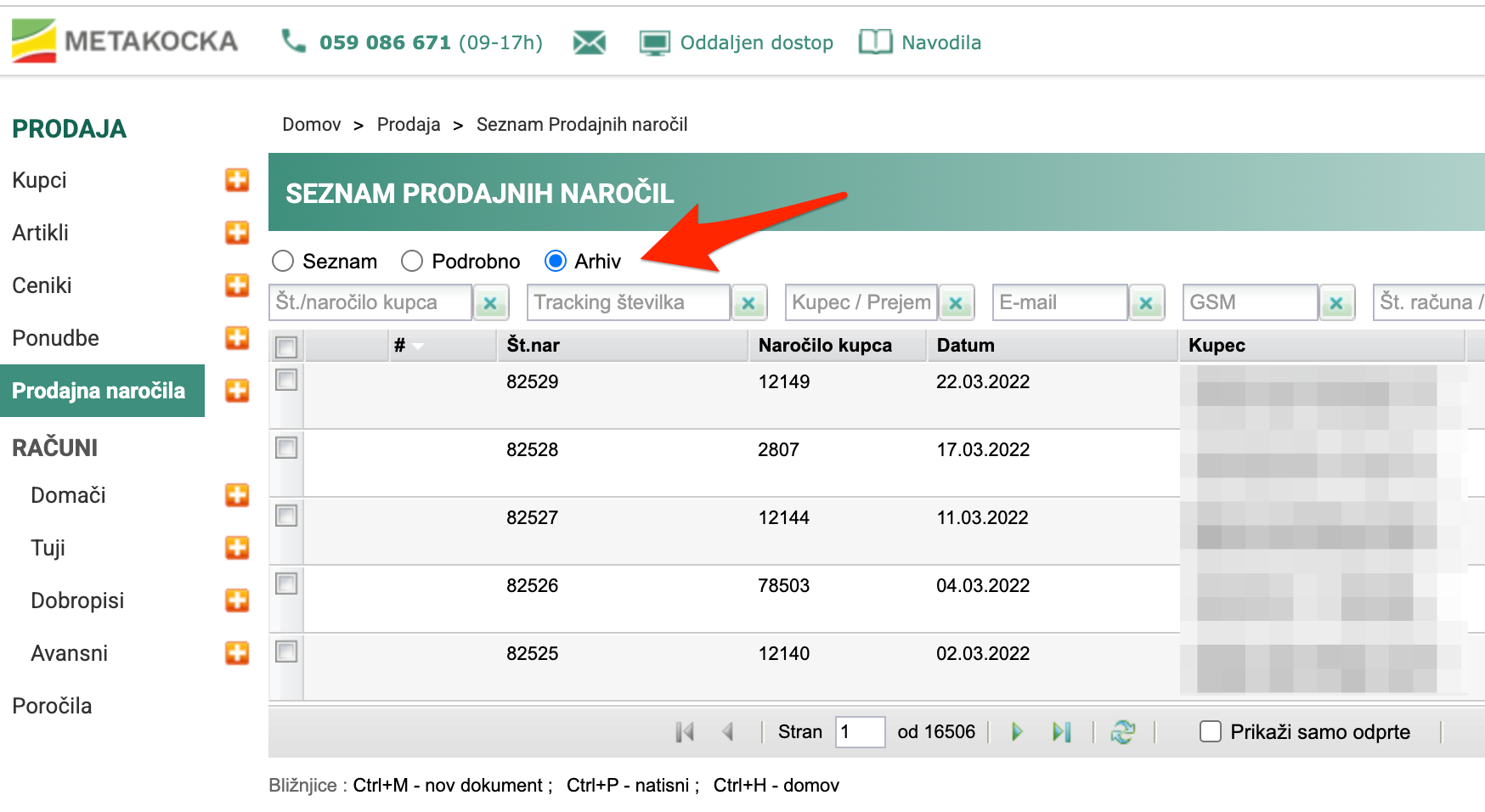
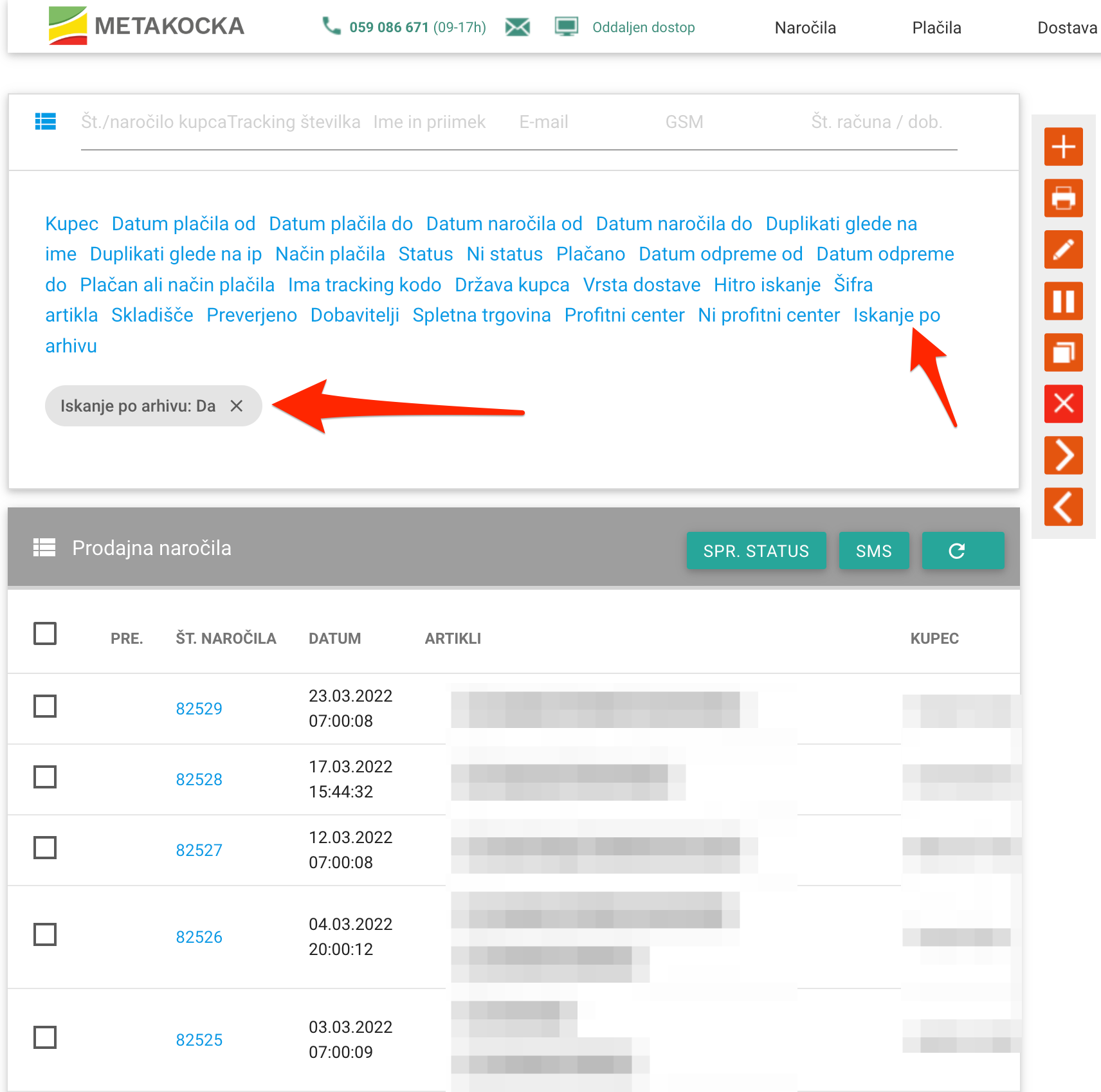
Archived documents are no longer available on the usual page for sales orders / invoices or orders in Order Management. You can access them through the "Archive" option. You can search the documents and check their content. You can also copy them to a new document.
The documents are also included in these reports:
- List of sales orders
- List of issued invoices V2 (in progress)
Moving individual documents out of the archive
If you need to change a document, write to support and we will move it back to the regular part of the application, where you can edit it again.
Limitations of archived documents
Once documents are archived, they have certain limitations:
- They can no longer be changed / deleted
- They do not appear in reports (except certain ones - see Accessing archived documents)
- They are not included in the Analytics application
Was this article helpful?
That’s Great!
Thank you for your feedback
Sorry! We couldn't be helpful
Thank you for your feedback
Feedback sent
We appreciate your effort and will try to fix the article