
Self delivery labels
If you have customers who pick up their package in person from you, the warehouse can also create a label for personal pickup. In this case, for orders with the delivery service Own delivery, a label with a code (tracking number) will be created, which the warehouse will be able to scan with a scanner.
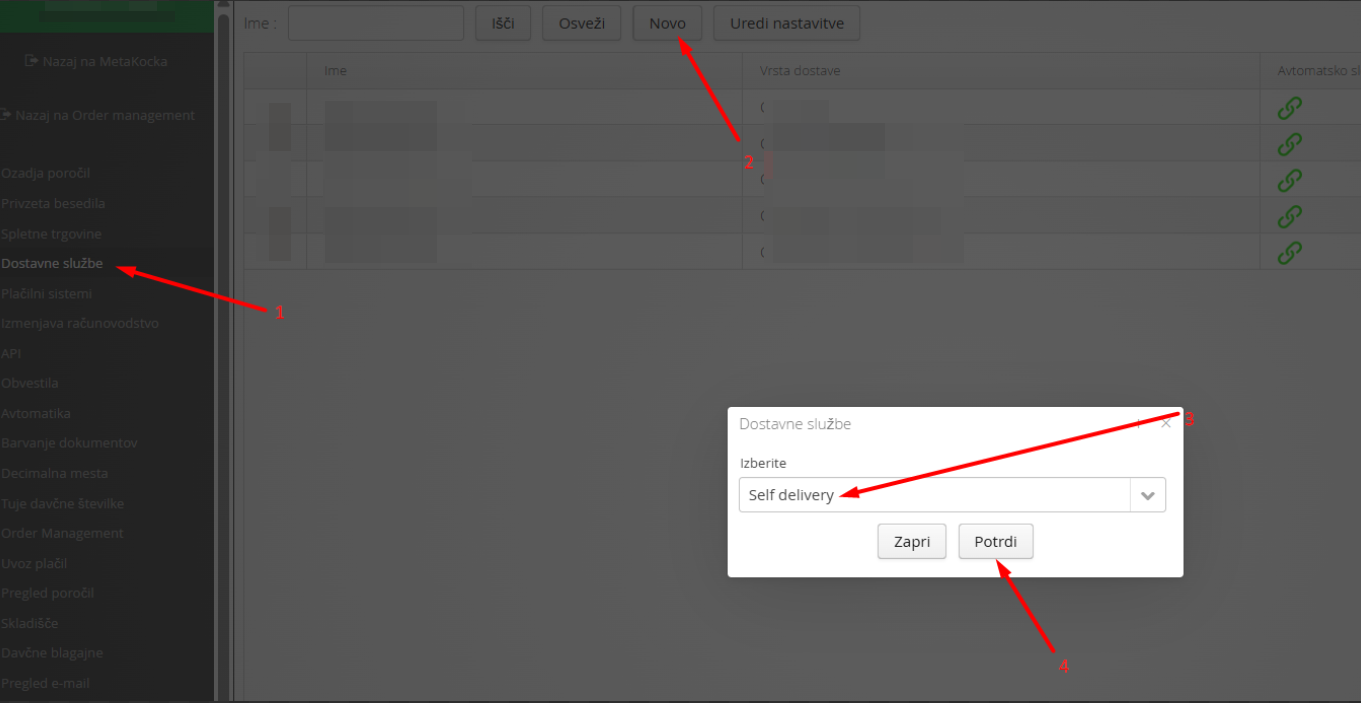
Go to additional settings, then
1.Go to delivery services
2. click New
3. select Self delivery as the delivery service
4. confirm
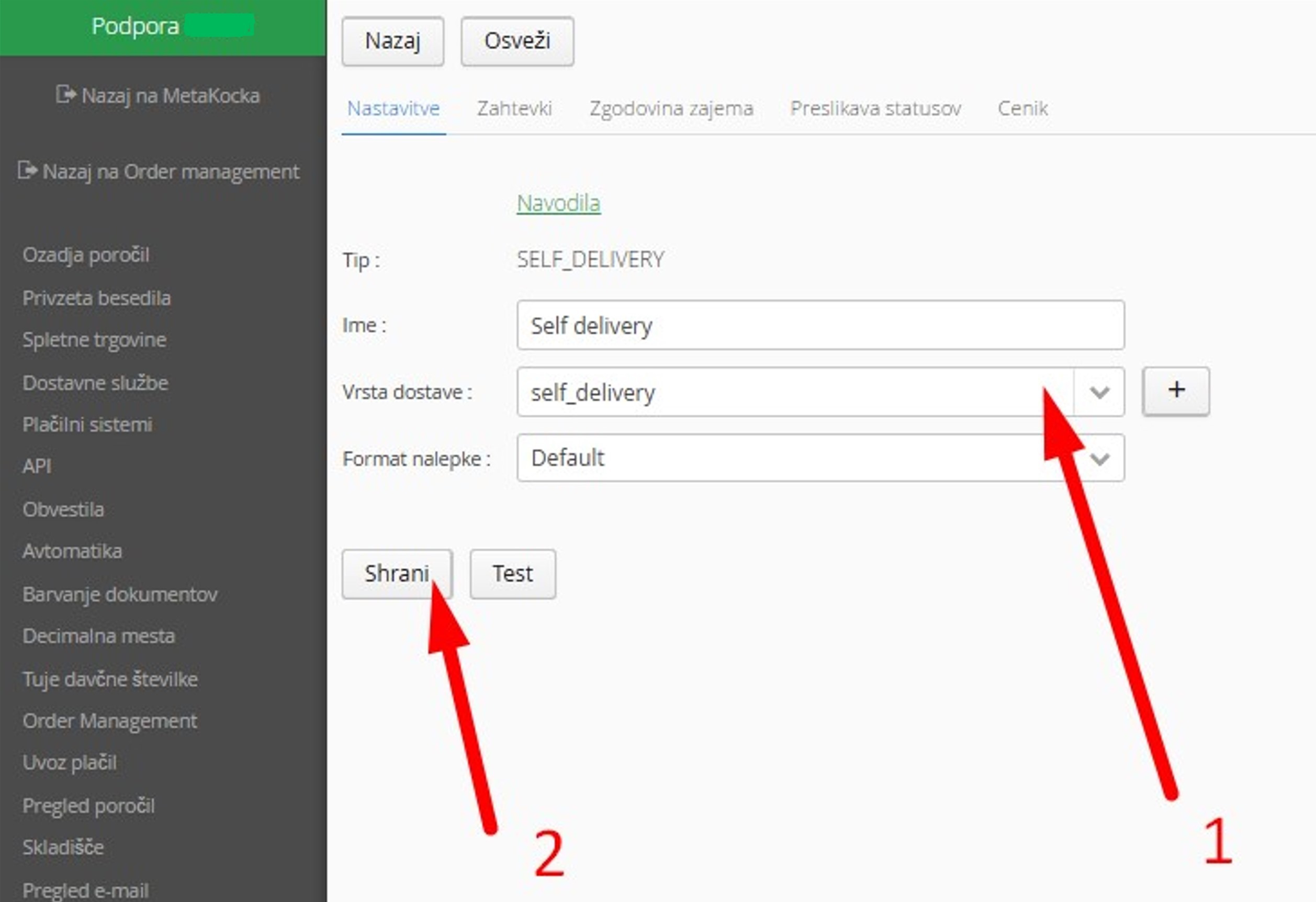
Then, in the delivery service settings:
1. Under Delivery type, select the option "self_delivery"
2. Save the data
All orders for which you would like to create a label for personal pickup must have the delivery service Self delivery.
PALLET LABEL 75X50
This label is valid only for group orders.
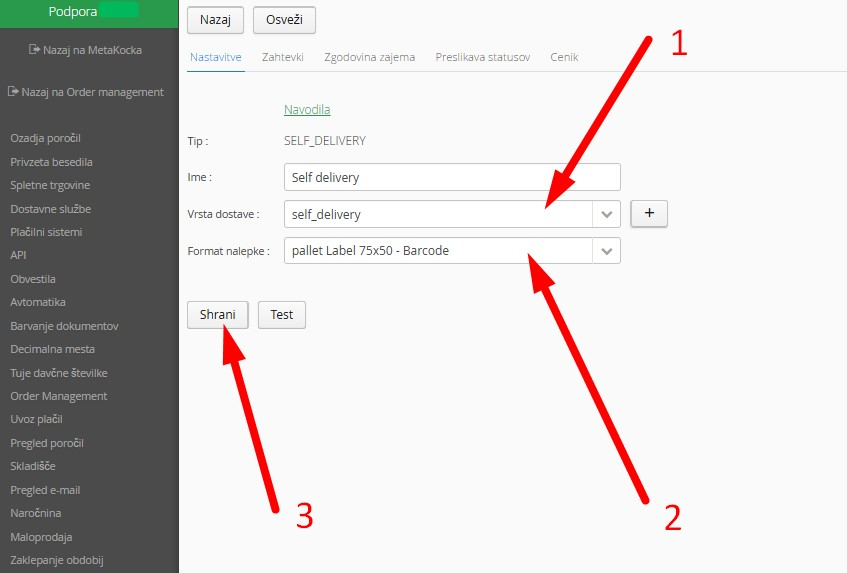
If you want the specific internal 75x50mm label for the Self delivery service, proceed as follows:
1. Make sure that in the "Delivery type" field the option "self_delivery" is selected
2. In the "label format" field select the new format "pallet Label 75x50 - Barcode"
3. Save changes
Was this article helpful?
That’s Great!
Thank you for your feedback
Sorry! We couldn't be helpful
Thank you for your feedback
Feedback sent
We appreciate your effort and will try to fix the article