Safety stock is the quantity of a product that is not sent to the online store. When MetaKocka sends stock levels to an online store or marketplace, it subtracts the safety stock from the free stock and sends the difference.
Example: free stock is 20 pieces and safety stock is 5 pieces. The online store receives the information that 15 pieces are available.
Stock and free stock in MetaKocka do not change. Safety stock only affects the quantity that is sent to the store.
1. Enabling the field on the product
Enable the field in Settings / Your company: under Additional fields - products, select Safety stock and save the changes.

2. Entering safety stock
On the product, enter the quantity in the Safety stock field:
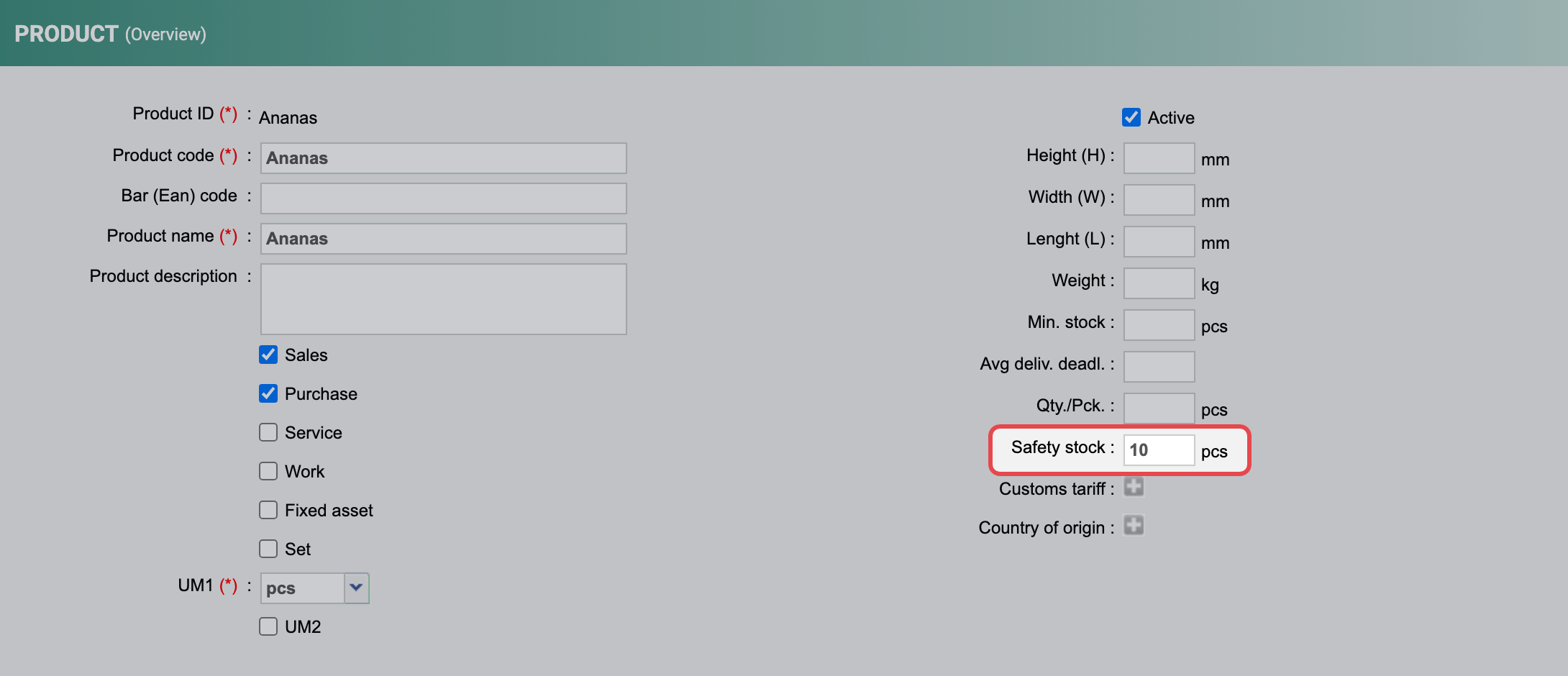
To set it for many products at once, use the Excel import: add the Safety stock column to the table, both when adding and when changing products. The procedure is described in the article Importing products.
The value can also be set through the API when adding or changing a product. Reading stock through the API also returns the safety stock.
3. Enabling it for an online store
Safety stock is subtracted only for the stores where you enable it. In Additional settings / Online stores, select the store and in its settings check Take safety stock into account when sending free stock:
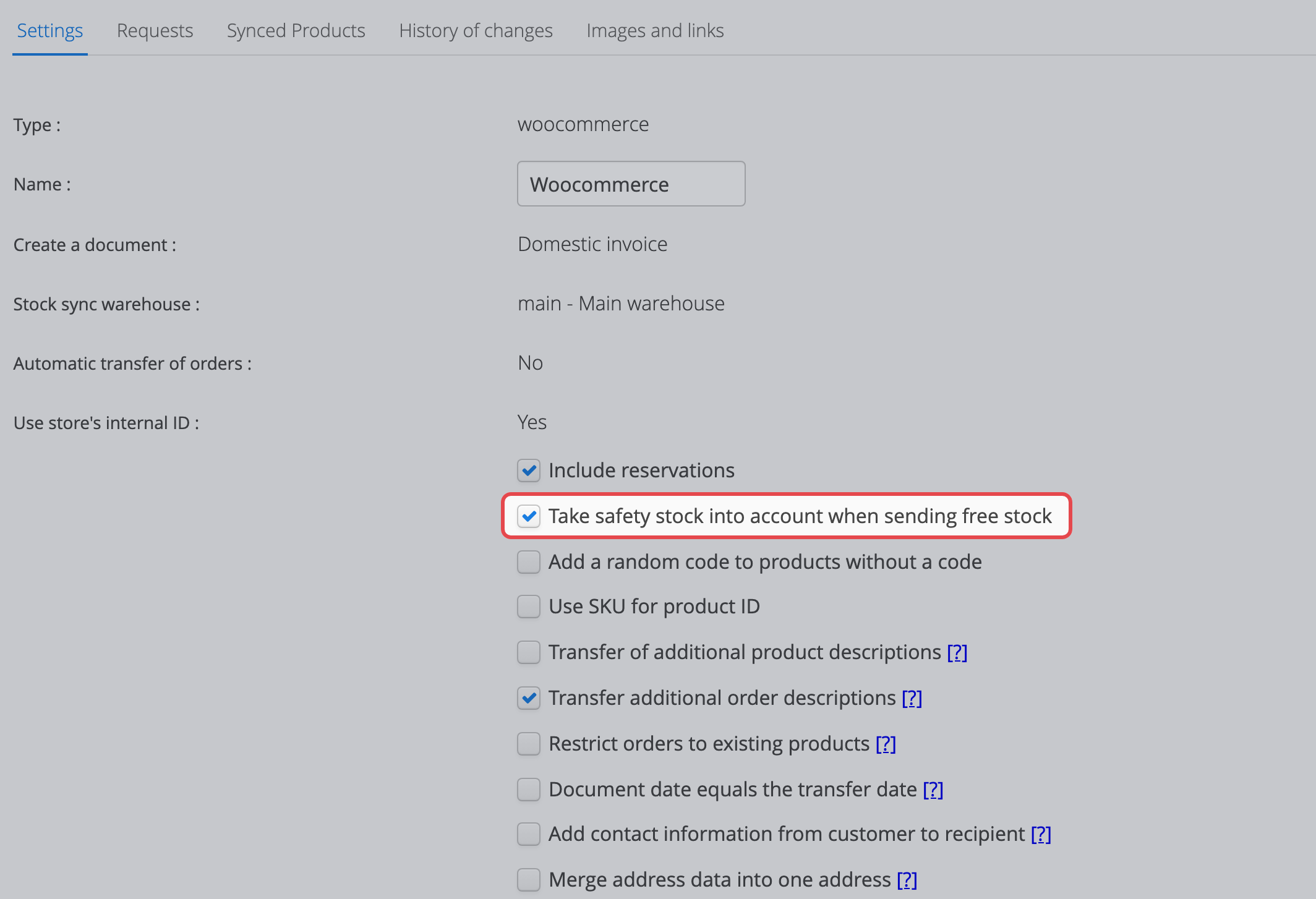
The setting applies to each online store or marketplace separately, so you can keep the reserve only where you need it.
Was this article helpful?
That’s Great!
Thank you for your feedback
Sorry! We couldn't be helpful
Thank you for your feedback
Feedback sent
We appreciate your effort and will try to fix the article