
Order Management 2 – Problem
If an order acquires the Problem status, it will also be visible in the tab of the same name.
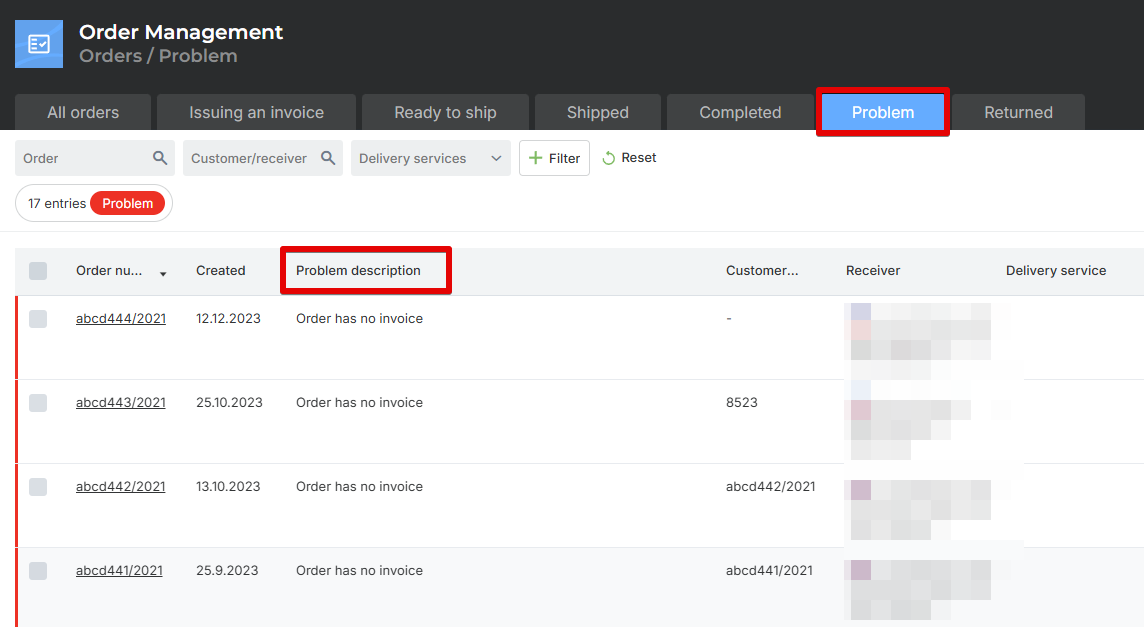
Reasons why an order appears in the Problem tab can include:
There was an error connecting to the delivery service when printing the label.
Incomplete or incorrect shipping information on the order.
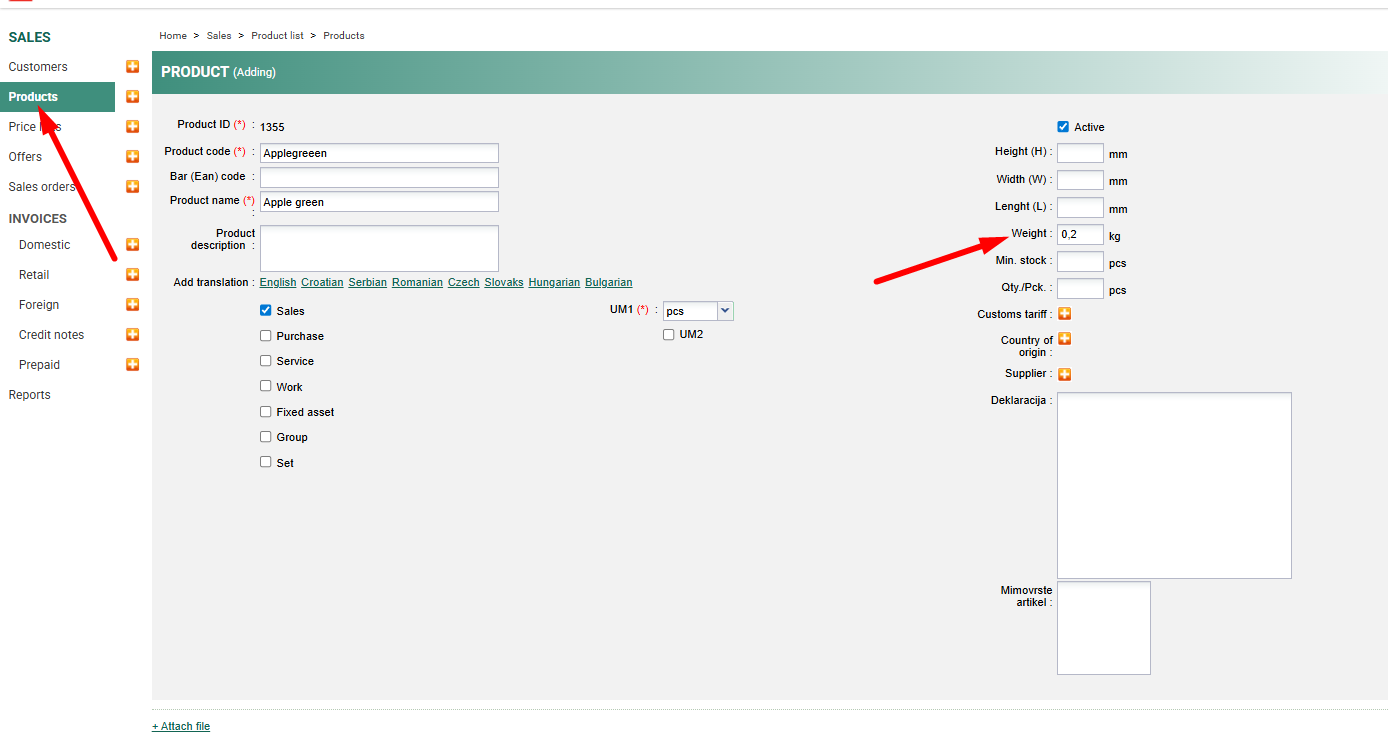
The item on the order does not have a weight entered.
A duplicate order was detected.
The reason why the order was assigned the Problem status is recorded in the Problem Description menu and also within the order itself.
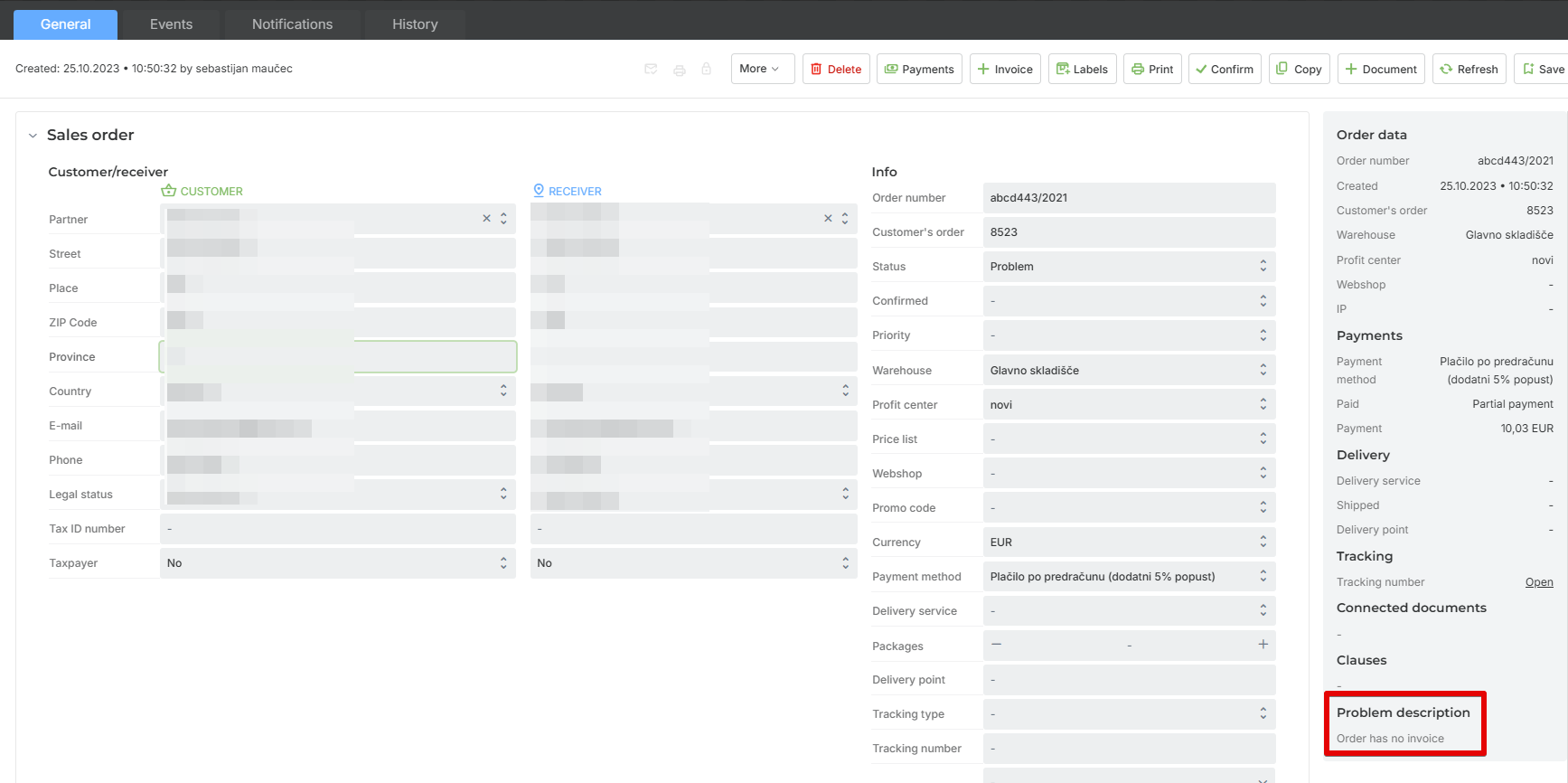
Troubleshooting Problems:
1 Error connecting to the delivery service when printing the label
Check the connection to the delivery service. If the connection fails, report the error to the delivery service.
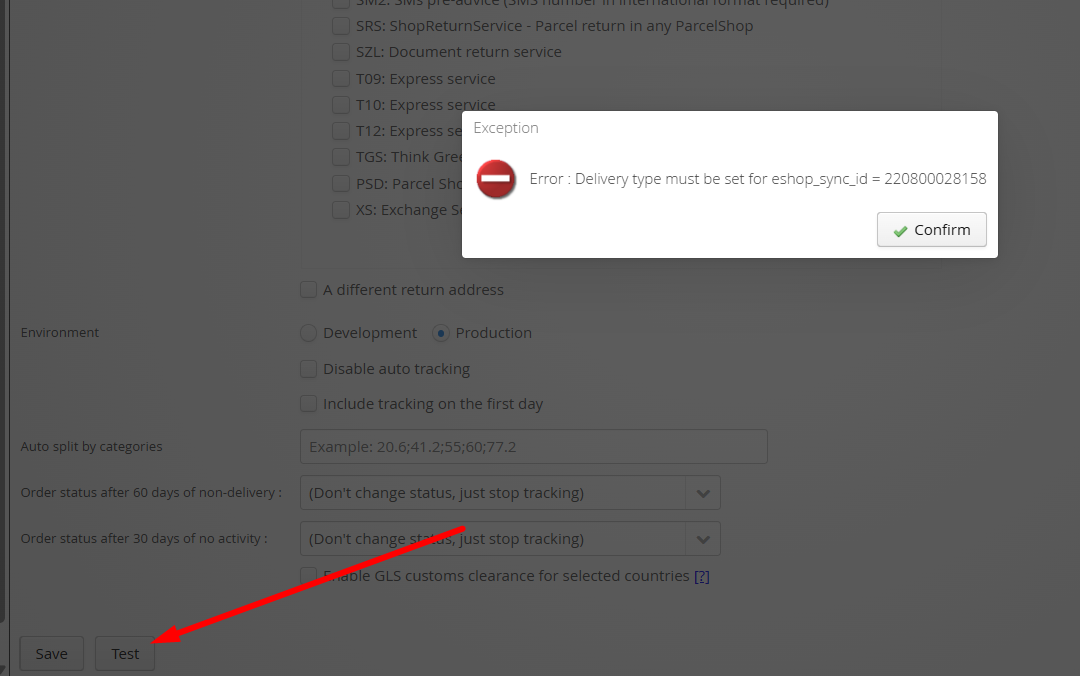
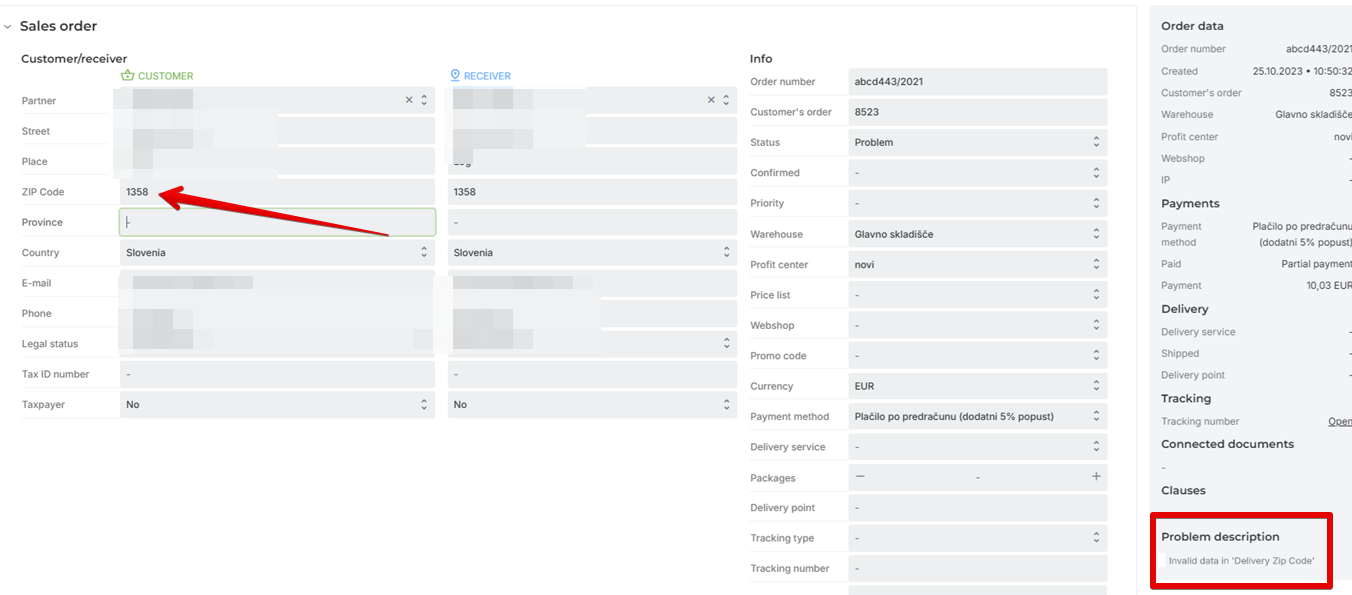
2 .Incomplete or incorrect shipping information on the order
If the label creation failed due to invalid shipping information, this will be displayed in the Problem Description. The error is provided by the delivery service. Correct the data and attempt to print the label again.
3. The item on the order does not have a weight entered
Enter the weight for the item.
4. Duplicate order detected
If there is more than one order from the same customer/recipient and neither order has been shipped yet, both orders are assigned the Problem status.
Was this article helpful?
That’s Great!
Thank you for your feedback
Sorry! We couldn't be helpful
Thank you for your feedback
Feedback sent
We appreciate your effort and will try to fix the article